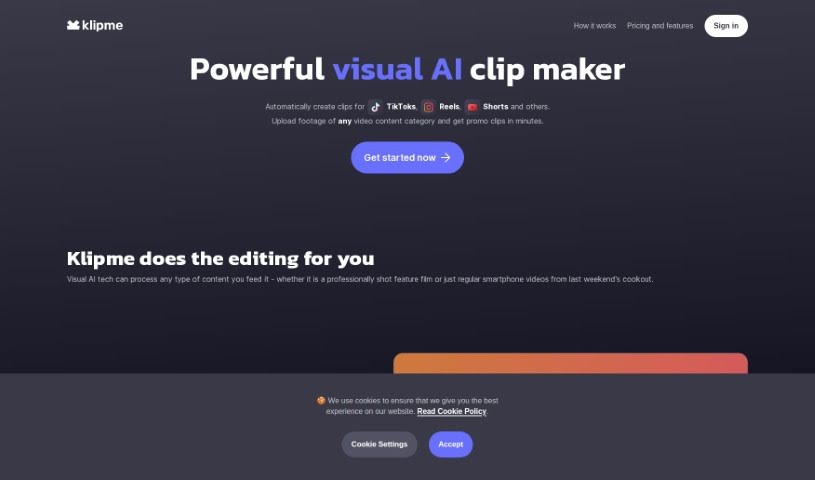
Screenshot of Klipme

Klipme

Discover Klipme in 2025! Learn what this AI clip maker is, how to use its features effectively, and how it stacks up against other video editing tools.

Screenshot

What is Klipme?

Klipme is a smart AI tool that makes creating eye-catching promo videos and summaries for platforms like TikTok, Reels, and Shorts much simpler. It uses AI to handle a lot of the editing work for you. Think automatic speech-based subtitles and videos that perfectly match music beats with its AI Beatpulse feature. Klipme also includes smart AI cropping, which is great for making sure your videos look their best on mobile screens. Plus, you get lots of ways to customize clips for different types of content. Just upload your video footage, and Klipme’s generative AI will whip up trendy, animated, and stylish clips that fit exactly what you need.

Who created Klipme?

Klipme was actually started by the same team behind Cognitive Mill™, which is the company that powers Klipme’s visual AI technology. This platform really shines with its automated video editing, its ability to create stylish clips using generative AI, and features like AI subtitles and smart AI cropping specifically for mobile platforms such as TikTok and Instagram Reels. With over 30 different content categories to choose from, Klipme genuinely makes video production easier, so you can create engaging content for social media without a huge hassle.

How to use Klipme?

Here’s a straightforward guide to using Klipme effectively:

  1. Setting Up Your Account: First things first, you’ll need to sign up on the Klipme platform. You can do this easily using your email address or by connecting your social media accounts.
  2. Saving Content with Klipper: When you find something you want to save – like an article, a webpage, or a video – just click the Klipme icon in your browser’s toolbar. This handy Klipper tool lets you save it right away.
  3. Keeping Your Klips Organized: To make sure you can find things later, it’s a good idea to categorize your saved content. You can put them into different folders, which really helps with managing everything.
  4. Tagging and Finding What You Need: Make your organization even better by tagging your Klips with relevant keywords. Then, you can use the search feature to quickly find exactly what you’re looking for.
  5. Sharing and Working Together: Need to share a clip? You can send it to others via email or directly to social media platforms. If you want to collaborate on content, you can invite team members to view or even contribute to your Klips.
  6. Setting Helpful Reminders: To keep yourself on track, set reminders for important Klips or upcoming deadlines. It’s a simple way to stay updated.
  7. Checking Out Insights: Klipme also offers an insights feature. This lets you analyze your saved content and get some really valuable information from it.
  8. Personalizing Your Experience: You can tailor Klipme to your liking by adjusting settings. This includes things like your notification preferences and how you like the user interface to look.

By following these steps, you’ll be able to use Klipme smoothly for saving, organizing, and collaborating on all sorts of content.

Related AI Tools

Discover more tools in similar categories that might interest you

Stay Updated with AI Tools

Get weekly updates on the latest AI tools, trends, and insights delivered to your inbox

Join 25,000+ AI enthusiasts. No spam, unsubscribe anytime.