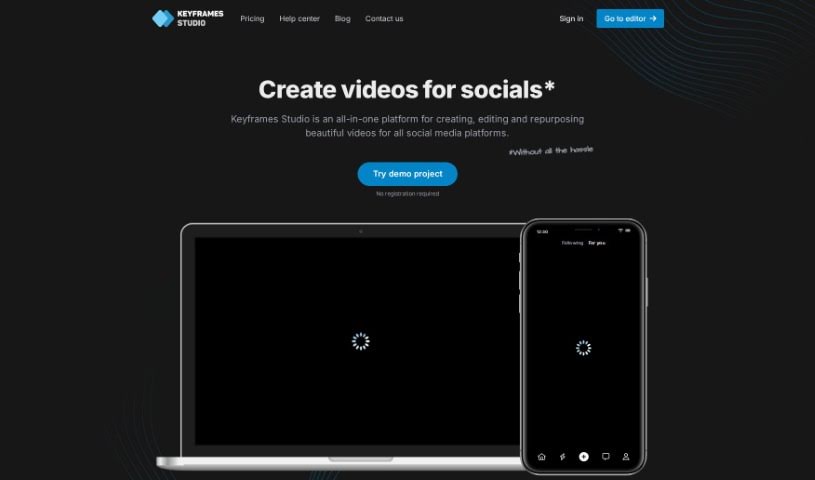
Screenshot of Keyframes Studio

Keyframes Studio

Discover Keyframes Studio in 2025! Learn what this all-in-one online video editor is, how to use its AI-powered features for social media videos, and how it stacks up against other video editing tools.

Screenshot

What is Keyframes Studio?

Keyframes Studio is an all-in-one online video editor designed specifically for creating social media videos. It really leans into AI to make video creation simpler, offering cool features like automatic keyframe generation and subtitles. Plus, you get access to a whole library of stock content – think images, videos, and sounds. The platform also makes teamwork a breeze with easy project sharing. You’ll find all the essential editing tools you need, like resizing, cropping, trimming, and zooming, all aimed at making your videos look better and grab more attention. Honestly, Keyframes Studio is built for everyone, no matter your experience level. Its interface is super intuitive, making video production feel efficient and straightforward.

Who created Keyframes Studio?

Duy Nguyen, who also co-founded Impack, is the mind behind Keyframes Studio. It first launched on September 5, 2022, aiming to be a complete solution for creating, editing, and repurposing videos specifically for social media. Keyframes Studio uses AI to simplify the whole process. It can automatically create keyframes and subtitles, which really helps users produce engaging content without a lot of fuss. You also get a handy library packed with stock images, videos, and sounds, and it supports collaborative work on team projects.

What is Keyframes Studio used for?

Here’s a rundown of what you can do with Keyframes Studio:

  • Repurpose Existing Content: Easily transform your old videos into something new.
  • Optimized Social Media Videos: Create videos that look great and perform well on platforms like Instagram, TikTok, and Facebook.
  • Effortless Team Collaboration: Work with your colleagues on video projects seamlessly.
  • Resizing and Trimming Features: Adjust video dimensions and cut out unwanted parts.
  • Cropping and Zooming Features: Focus on specific areas of your video or add dynamic zoom effects.
  • Automatic Subtitles Creation: Quickly generate subtitles to make your videos more accessible and engaging.
  • Brand Consistency with Brand Kit Feature: Keep your branding uniform across all your videos.
  • Effortless Collaboration on Projects: Invite others to join and contribute to your video projects.
  • Video Aspect Ratios Management: Easily switch between different aspect ratios for various social media platforms.
  • Creation of Videos for All Social Media Platforms: Tailor your videos for any social network.
  • Automatic Keyframe Creation: Let the AI handle the tricky keyframing process.
  • Integrated Library of Stock Content: Access a wide range of images, videos, and sounds.
  • Viral Sounds Addition: Incorporate trending audio to boost engagement.
  • Branding Efforts Streamlining: Make sure your brand always looks its best.
  • Live Video Preview: See your edits in real-time as you make them.
  • Multiple Languages Subtitle Generation: Create subtitles in various languages.
  • Work on Unlimited Projects: Don’t let project limits hold you back.

Who is Keyframes Studio for?

  • Content creators
  • Digital Agencies
  • Individuals

How to use Keyframes Studio?

Getting started with Keyframes Studio is pretty straightforward. Here’s how you can dive in:

  1. Accessing the Platform:

    • Just head over to the Keyframes Studio website. The best part? You can start using it right away without needing to sign up or provide any credit card details.
  2. Creating Videos:

    • You can upload your own media files or even record directly using the platform’s built-in camera and screen recording tools.
    • The editor is really intuitive. You can easily resize, trim, crop, cut, and zoom your video, and you get to see a live preview of your changes.
    • Let the AI do the heavy lifting! It automatically creates subtitles and keyframes, making your content more engaging with less effort.
  3. Enhancing Content:

    • Want to add more flair? You can easily add extra elements like images, GIFs, and even popular viral sounds from the platform’s library to make your videos pop.
    • Plus, the multi-language subtitle generation and karaoke-style word highlighting are great for boosting viewer engagement.
  4. Collaboration and Export:

    • Working with a team? You can invite them to collaborate on projects effortlessly.
    • The brand kit feature is a lifesaver for keeping your brand’s look consistent across all your videos.
    • Once you’re happy with your edit, you can download the final video or even post it straight to your social media channels.
  5. Subscription Options:

    • Keyframes Studio offers a few different subscription plans – like Starter, Professional, and Enterprise – so you can pick the one that best fits what you need.

All in all, Keyframes Studio provides a complete online video editing experience. It’s perfect for content creators, digital agencies, and individuals who want to create high-quality, social media-ready videos quickly and efficiently. Whether you’re just starting out with video editing or you’re a seasoned pro, Keyframes Studio has the tools and features you need to produce really engaging content for all sorts of platforms.

Related AI Tools

Discover more tools in similar categories that might interest you

Stay Updated with AI Tools

Get weekly updates on the latest AI tools, trends, and insights delivered to your inbox

Join 25,000+ AI enthusiasts. No spam, unsubscribe anytime.