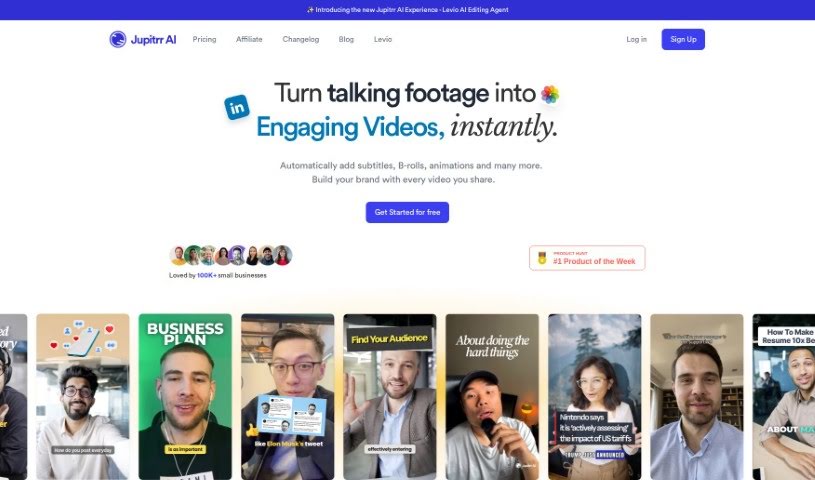
Screenshot of Jupitrr AI

Jupitrr AI

Discover what Jupitrr AI is and learn how to use it effectively in 2025. We'll explore its features, compare it to other Video Creation Tools, and guide you through its capabilities.

Screenshot

What is Jupitrr AI?

Jupitrr AI is a platform packed with AI-powered tools designed to make creating and editing videos much simpler. You’ll find features like an AI Video Maker and an Audiogram Maker, with pricing options ranging from a free tier all the way up to pro levels. It gives you access to a library of stock footage, web images, and GIFs, plus AI-generated text overlays to really make your videos pop. Jupitrr AI also supports generating subtitles in many different languages, and if you ever need help, their customer support is available via email. The platform is especially great for anyone new to video editing, aiming for an easy-to-use experience. They’re also careful about copyright, using resources like Pexels for their stock videos and images.

Who created Jupitrr AI?

Jupitrr was actually started by a team, and while the founder’s name isn’t specifically mentioned in the provided documents, the company officially launched on January 10, 2023. Jupitrr offers a suite of AI tools for video editing, including handy features like selecting stock images and videos, integrating GIFs, and adding text overlays. It’s built with beginners in mind, making video editing feel accessible. Plus, it supports subtitle generation in over 50 languages! To ensure everything is above board, Jupitrr uses stock content from Pexels and is ready to help if any copyright questions come up.

What is Jupitrr AI used for?

Here’s a look at what you can do with Jupitrr AI:

  • AI Video Maker: Create videos with AI assistance.
  • Audiogram Maker: Turn audio into visual content.
  • AI-generated text overlays: Add text that’s created by AI.
  • Automatic arrangement of relevant stock images/videos: The AI helps pick the right visuals for your content.
  • Contextual web image insertion: Easily add relevant images from the web.
  • Incorporating engaging GIFs in videos: Bring your videos to life with GIFs.
  • Adding subtitles in multiple languages: Reach a wider audience with translated subtitles.
  • Audio-to-video conversion: Transform audio files into video formats.
  • Easy video editing for beginners: A user-friendly interface for those new to editing.
  • Upload custom B-roll footage for personal touch: Add your own clips to make videos unique.

Who is Jupitrr AI for?

Jupitrr AI is a great tool for:

  • Content creators looking to streamline their video production.
  • Video editors who want to speed up their workflow.
  • Social media managers needing to produce engaging video content quickly.

How to use Jupitrr AI?

Here’s a straightforward guide to getting the most out of Jupitrr AI:

  1. Getting Started: First, you’ll want to sign up for an account on the Jupitrr AI website and then log in.

  2. Creating Videos:

    • To begin editing, upload your video or image.
    • You can really enhance your content by using features like stock images and videos, GIFs, and text overlays.
    • If you want to add a personal touch, don’t forget you can upload your own B-roll footage.
  3. Subscription Plans: Jupitrr AI offers several plans to fit different needs. You can choose from Free, Starter, Creator, or Pro. Each plan comes with different features, such as AI video transcription, audiogram transcription, and various export resolutions.

  4. Frequently Asked Questions:

    • You can upgrade your plan whenever you need to.
    • There’s no contract, so you can cancel anytime before your next billing date.
    • If you happen to run out of minutes, extensions are available.
    • Jupitrr AI uses content from Pexels to help you avoid copyright issues.
  5. Support and Reach Out:

    • If you have any questions or run into any issues, assistance is readily available via email.
    • Typically, you can expect a response within 3-4 hours during operational hours.
  6. Future Updates: To keep up with what’s new, you can check out the Jupitrr AI Roadmap for information on upcoming features.

  7. Language Support: Jupitrr AI is equipped to generate subtitles in over 50 different languages, making your content accessible globally.

  8. Video Library: All the videos and audiograms you create are conveniently stored in your “Video Library.”

By following these steps, you’ll be able to use Jupitrr AI effectively for all your video editing projects.

Related AI Tools

Discover more tools in similar categories that might interest you

Stay Updated with AI Tools

Get weekly updates on the latest AI tools, trends, and insights delivered to your inbox

Join 25,000+ AI enthusiasts. No spam, unsubscribe anytime.