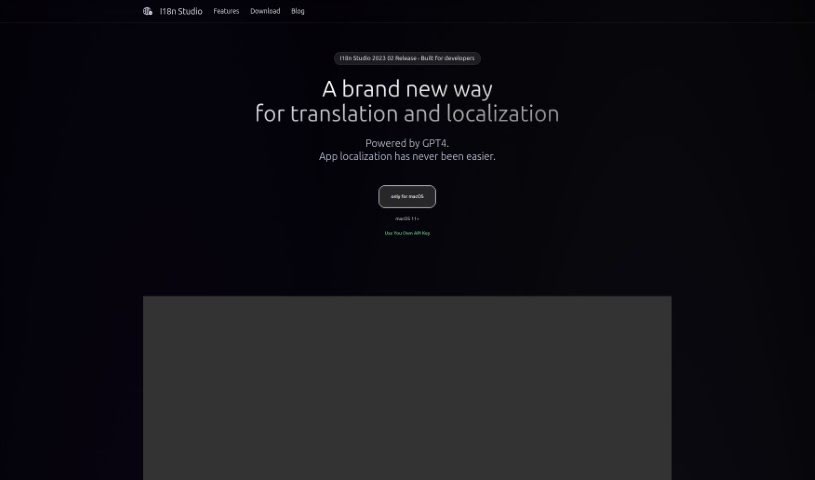
Screenshot of I18n Studio

I18n Studio

Discover what I18n Studio is and how to use it to simplify your internationalization process in 2025. We'll explore its key features, how it integrates with your development tools, and how it stacks up against other software development tools.

Screenshot

What Exactly is I18n Studio?

I18n Studio is a handy developer tool built to make the internationalization (i18n) process much smoother for anyone working with iOS, macOS, Android, and JavaScript. It fits right into your existing workflow, connecting easily with platforms like Xcode, VSCode, and Android Studio. This means you can translate files like JSON, XML, Localizable.strings, and String Catalog files without a hitch. Plus, it uses GPT4 to help you get quick, accurate translations into many languages with just a single click. It really cuts down on the hassle of managing translations across different languages and platforms.

Who’s Behind I18n Studio?

I18n Studio was developed by a team focused on making internationalization easier. Their goal was to create a tool that simplifies i18n tasks for developers working on iOS, macOS, Android, and JavaScript. The tool leverages GPT4 to make translating multiple languages a breeze, often with just one click. While the specific company details and founder information weren’t provided, the focus is clearly on delivering a streamlined translation experience.

What Can You Do With I18n Studio?

Here’s a look at what I18n Studio helps you achieve:

  • Translate with Context: You can add comments to provide context, which really helps improve translation accuracy.
  • Multi-Platform Support: It works across different platforms.
  • Seamless Integration: It connects smoothly with Xcode, VSCode, and Android Studio.
  • Effortless File Translation: Translating JSON files, XML files, Localizable.strings files, and String Catalog files becomes simple.
  • Speedy Translations: You can complete translations for multiple languages in about a minute.
  • Translate Values Easily: Click next to a specific value to translate it into all other languages.
  • Translate Entire Languages: Just click on a column to translate a whole language at once.
  • One-Click Completion: Get all your translations done for every language with a single click.
  • Batch Translation: Handle multiple translations into your target languages all at once.

Who Should Use I18n Studio?

This tool is ideal for:

  • iOS developers
  • macOS developers
  • Android developers
  • JS developers

How Do I Use I18n Studio?

Getting started with I18n Studio is straightforward. Just follow these steps:

  1. Setting Up Translation Context:

    • To get the most accurate translations, add comments that provide context for your text. This is a really helpful feature.
    • You’ll appreciate how smoothly it integrates with Xcode, VSCode, and Android Studio, making it super easy to translate all your JSON files, XML files, Localizable.strings files, and String Catalog files.
  2. The Translation Process:

    • You can get translations done for multiple languages in roughly 60 seconds, which is incredibly fast.
    • Need to translate just one specific value? Simply click the button right next to it.
    • Want to translate a key’s value into all other languages? There’s a button for that too, right next to the key.
    • To translate an entire language, just click the button located on the column header for that language.
    • And for the ultimate convenience, you can complete all your translations across every language with just one click.
  3. Your Workflow:

    • Start by loading your files that contain multiple languages.
    • Then, you can kick off batch translations into your desired target languages.
    • Finally, write these translated files back to your project.
  4. Using Your Own API Key (Optional but Recommended):

    • Remember, I18n Studio is a developer tool that uses GPT4 to make the i18n process much simpler.
    • Developers working with iOS, macOS, Android, and JavaScript can really speed things up by translating multiple languages with just a single click.

By following these steps, you’ll find that I18n Studio is a powerful ally for managing and completing all your localization tasks efficiently and with much less effort.

Related AI Tools

Discover more tools in similar categories that might interest you

Stay Updated with AI Tools

Get weekly updates on the latest AI tools, trends, and insights delivered to your inbox

Join 25,000+ AI enthusiasts. No spam, unsubscribe anytime.