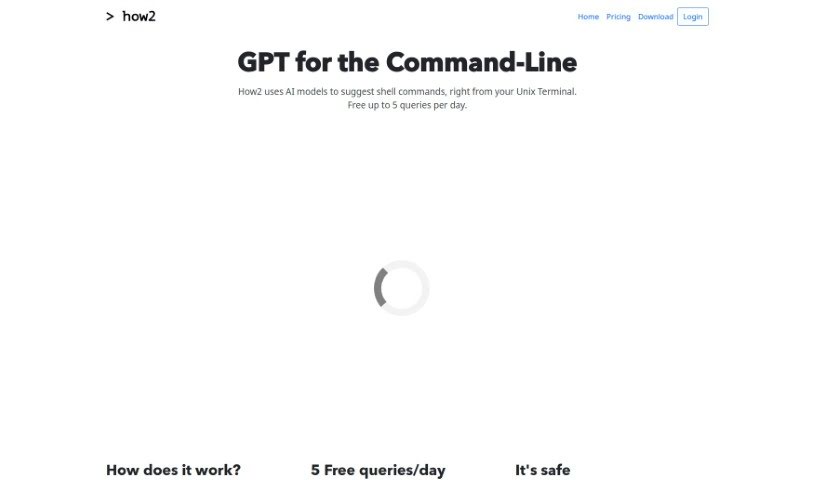
Screenshot of How2Terminal

How2Terminal

Discover How2Terminal in 2025! Learn what this AI tool for Unix Terminal, Bash, and PowerShell does, how to use its features, and how it stacks up against other development tools.

Screenshot

What is How2Terminal?

How2Terminal is a pretty neat AI-powered tool for anyone working with Unix Terminal, Bash, and PowerShell. It is your smart assistant right there in the command line, helping you figure out shell commands and even whip up scripts as you go. You get up to 5 free AI-driven suggestions each day, which is great for getting unstuck. If you need more, they offer subscription plans. What’s really good is that How2Terminal keeps things safe – it only suggests commands, never runs them, and has built-in protections against things like code injection. You can get it for various operating systems, either through package managers or directly from their website. Basically, it helps developers and command-line fans speed up their work, cutting down the time spent hunting for command syntax or answers on sites like StackOverflow, so you can get back to the actual coding.

Who created How2Terminal?

How2Terminal was developed by the same team behind that innovative AI tool for command-line interfaces. While the team’s names aren’t mentioned in the details I have, they’ve retrained the AI models specifically on Bash/Zsh commands. This allows How2Terminal to offer AI-powered help with shell commands and script solutions right from your Unix Terminal.

What is How2Terminal used for?

  • AI-Powered Command Suggestions: Get smart ideas for commands.
  • Free Queries: Use it for command-line tasks and scripting without cost (up to a limit).
  • Safety First: It only suggests commands, never executes them.
  • StackOverflow Integration: Easily search StackOverflow for answers.
  • Works Everywhere: Supports multiple operating systems.
  • Quick Bash Scripting: Create Bash scripts faster.
  • PowerShell Support: It’s also great for working with PowerShell scripts.
  • Streamlined Workflow: Helps developers and command-line users make their work smoother.
  • Free Queries: Get up to 5 AI suggestions daily.
  • Safety Assured: No command execution, and protection against code injection.
  • StackOverflow Search: Add -s to find answers on StackOverflow.
  • Assistance for: Unix Terminal, Bash, Zsh, and PowerShell users.
  • Subscription Options: Available if you need more extensive help.

Who is How2Terminal for?

  • Developers
  • Command-line enthusiasts
  • Admins

How to use How2Terminal?

Using How2Terminal is pretty straightforward. Here’s how you get started:

  1. Installation:

    • MacOSX: You can use Homebrew. First, tap the repository with brew tap how2terminal/how2, then install it using brew install how2.
    • Ubuntu/Debian: Download the .deb file from the website. Then, install it from your terminal with sudo dpkg -i how2.deb.
    • Windows: Install it globally using npm: sudo npm install -g how2. If you install it without sudo, you can run it using npx how2.
  2. Basic Usage:

    • How2 gives you up to 5 free AI-driven query suggestions each day. It’s designed to suggest shell commands and scripts, but it won’t execute them, which is a key safety feature to prevent accidental misuse.
  3. Enhanced Features:

    • StackOverflow Integration: Want to find answers on StackOverflow? Just add -s to your query.
    • PowerShell Compatibility: Besides Unix Terminal, Bash, and Zsh, How2 also works well with PowerShell scripts.
  4. Safety Measures:

    • How2 really prioritizes your safety. It only offers suggestions, never runs commands, and includes measures to guard against code injection.
  5. FAQs:

    • What is How2? It’s an AI tool that provides code suggestions.
    • Is How2 free? Yes, you get 5 free queries daily. More are available if you subscribe.
    • How do I download How2? The download method depends on your operating system, as outlined above.
  6. Future Updates:

    • The team is always working to improve the AI models, aiming to make your command-line experience even better.
  7. Price Plans:

    • Free: Get up to 5 queries per day.
    • Hacker: For $9 a month, you get 100 queries daily.
    • Enterprise: You can bundle accounts for more features, which is great for teams.

By following these steps, you can effectively use How2Terminal’s AI-powered help to make your command-line tasks much more efficient.

Related AI Tools

Discover more tools in similar categories that might interest you

Stay Updated with AI Tools

Get weekly updates on the latest AI tools, trends, and insights delivered to your inbox

Join 25,000+ AI enthusiasts. No spam, unsubscribe anytime.