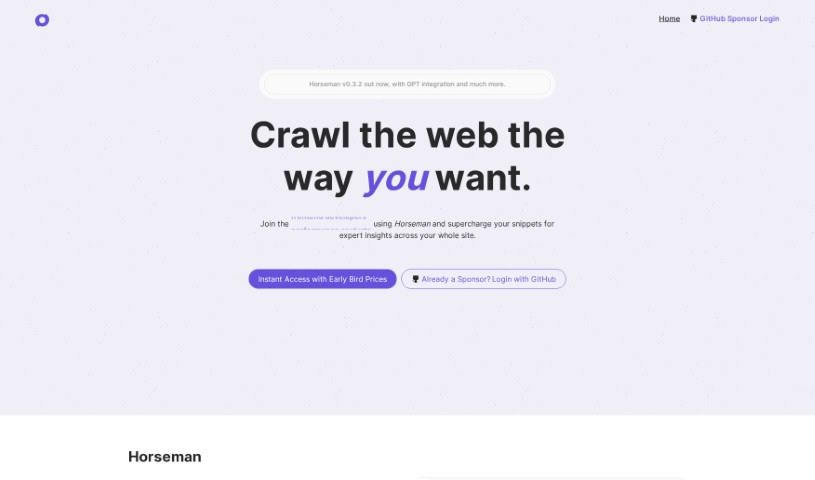
Screenshot of Horseman

Horseman

Discover what Horseman is and how to use it effectively in 2025. Dive into its features and see how it stacks up against other Software Development Tools.

Screenshot

What is Horseman?

Horseman is a really handy web crawling tool, perfect for getting data from websites. It’s packed with cool features, like GPT integration that helps you analyze content, over 120 pre-made JavaScript snippets, and even an AI assistant that can build custom snippets for you – no coding needed! Plus, it works everywhere, whether you’re on Windows, Mac, or Linux. If you sponsor the project through GitHub, you can get Early Bird Pricing and snag some special perks, like getting new features before anyone else.

Who created Horseman?

Horseman was actually created by someone known online as “workeffortwaste.” The company behind Horseman offers a web crawling tool that you can configure in pretty much any way you need, making all sorts of data extraction tasks feel effortless. It uses GPT3.5 for some really advanced content analysis, comes with more than 120 built-in JavaScript snippets, and has that handy AI helper for creating custom snippets without any coding. It’s compatible with Windows, Mac OS, and Linux, and you can get early access through GitHub sponsorship with their Early Bird Pricing. People using it can take advantage of things like GPT integration, that AI snippet creation, get great insights into how websites are performing, and use all the different JavaScript snippets for various web-related jobs.

What is Horseman used for?

Here’s a look at what you can do with Horseman:

  • Web Crawling & Analysis: Explore the web and analyze content using GPT3.5 with custom prompts.
  • Custom Snippets: Easily create your own snippets without needing to code, thanks to the AI helper.
  • Pre-built Snippets: Get access to over 120 JavaScript snippets ready for all sorts of web tasks.
  • Scroll Fixes: Find and fix elements that cause unwanted page scrolling.
  • Smart Extraction: Intelligently pull content using Mozilla’s readability.js.
  • Content Summarization: Use GPT to summarize page content and even generate new, relevant meta descriptions.
  • Website Insights: Dive deep into your website’s performance with expert insights from the dedicated Insights feature.
  • Overall Utility: Use Horseman for web crawling, analyzing content, and optimizing your online presence.
  • Digital Toolkit: Boost your digital toolkit by extracting and analyzing web data.
  • Support the Project: Help the project grow and get special perks by sponsoring on GitHub.
  • GPT-Powered Crawling: Crawl the web with GPT3.5 and use the page content with your own prompts.
  • AI Snippet Creation: Make snippets with an AI helper, perfect for those who don’t know JavaScript.
  • Overflow Detection: Find and fix elements that overflow the page and cause annoying scrolling.
  • Readability Extraction: Intelligently extract content using Mozilla’s readability.js.
  • Meta Description Generation: Summarize page content with GPT and use it to write new, relevant meta descriptions.

Who is Horseman for?

Horseman is a great tool for:

  • Frontend developers
  • Performance analysts
  • Digital Agencies
  • Accessibility experts
  • SEO specialists
  • Javascript engineers

How to use Horseman?

To get the most out of Horseman, just follow these simple steps:

  1. Install Horseman: First, download and install Horseman v0.3.2. It’s compatible with Windows, Mac OS (both Intel and M1/M2 chips), and Linux.
  2. Explore its Features:
    • Take advantage of the GPT3.5 integration for web crawling and analyzing content.
    • You’ve got over 120 built-in JavaScript snippets to play with for various tasks.
    • Don’t forget the AI helper that lets you create custom snippets without needing any coding knowledge.
  3. Utilize Snippets:
    • Think of snippets as small pieces of JavaScript code that can interact with websites. You can use them to automate tasks really easily.
    • Horseman comes with more than 120 snippets, including ones for finding overflowing elements, checking the sentiment of H1 headings, extracting content intelligently, and summarizing text.
  4. Get Enhanced Insights: Use the Insights feature to really dig into and understand your website’s performance with expert advice.
  5. Pricing:
    • You can get Early Bird Pricing if you sponsor through GitHub, which gives you immediate access.
    • Sponsoring on GitHub is a great way to help the project grow and get early access to new features as they’re developed.
  6. Alternative Sponsorship Tiers:
    • There are different sponsorship levels available on GitHub, offering extra benefits. These might include access to early development versions or removing support messages from CLI tools.
  7. User Feedback: People have been saying great things about Horseman, describing it as a flexible, fast, and really essential tool for technical tasks.

By following these steps, you can really harness the power of Horseman for advanced web crawling and content analysis, effectively boosting your digital capabilities.

Related AI Tools

Discover more tools in similar categories that might interest you

Stay Updated with AI Tools

Get weekly updates on the latest AI tools, trends, and insights delivered to your inbox

Join 25,000+ AI enthusiasts. No spam, unsubscribe anytime.