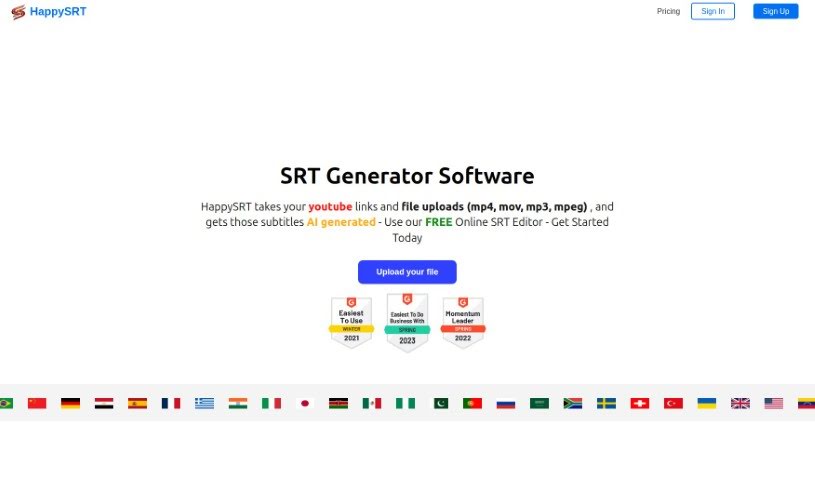
Screenshot of HappySRT

HappySRT

Discover HappySRT in 2025! Learn what this online SRT editor is, how to use its AI subtitle generation for YouTube, and compare its features with other video editing tools.

Screenshot

What is HappySRT?

HappySRT is an online service, based right here in Toronto, Ontario, that offers a handy Online SRT Editor. It’s designed specifically for creating subtitles for your YouTube videos. What’s really neat is that it can generate subtitles for you using either a YouTube link or by uploading your own files. This makes putting subtitles on your videos much quicker and more accurate. You can pick from different subscription plans to get access to features like AI subtitle generation and editing tools. Basically, HappySRT wants to make it super simple for YouTube creators to add subtitles, helping them easily connect with a wider audience by breaking down language barriers.

Who created HappySRT?

Francisco Borrero is the founder behind HappySRT. The company is located in Toronto, Ontario, and their main focus is on making subtitle creation easier through AI-generated SRT files. They offer a range of subscription plans that are great for individuals, businesses, and even entire industries. These plans come with features like an online SRT editor and the ability to generate subtitles using AI. You’ll find that the dashboard is really user-friendly, and their communication is efficient, which really shows how committed they are to quality and coming up with new ideas.

What is HappySRT used for?

  • Creating subtitles for YouTube videos: It’s built for this!
  • AI subtitle generation: Let the AI do the heavy lifting.
  • Free online SRT editing: Tweak your subtitles without cost.
  • Automatic AI SRT subtitle generation: Get subtitles automatically.
  • Editing and viewing subtitles live: See your changes as you make them.
  • Timestamped subtitles for cross-referencing: Easily match subtitles to your video.
  • Subscription for credit minutes: Buy credits to generate more SRT files with AI.
  • Integrating AI generated subtitles into videos: Seamlessly add them.
  • Efficient subtitle handling for content creators: Streamline your workflow.
  • Language barrier removal for global audience reach: Connect with more viewers.
  • Online SRT Editor: A dedicated tool for SRT files.
  • Upload Files Online: Easily upload your subtitle files.
  • YouTube URL Support: Generate subtitles directly from YouTube links.
  • Free 3 min/month AI Usage: Try out the AI for free each month.
  • Free Subtitle Download: Download your created subtitles at no cost.
  • Edit Subtitles Online for Free: Make corrections easily.
  • AI Subtitle Generation specifically for YouTube videos: Tailored for YouTube.
  • Top Features:
    • Free Online SRT Editor
    • AI Subtitles for YouTube videos
    • Subscription for buying credit minutes for AI SRT Generation
  • Tech stack includes: NextJS, Firebase, Stripe, AWS, and WhisperAI

Who is HappySRT for?

  • Content creators who want to add subtitles easily.
  • Video editors looking for efficient subtitle tools.
  • YouTubers aiming to reach a wider audience.
  • Language professionals who need accurate SRT files.

How to use HappySRT?

Using HappySRT is pretty straightforward. Here’s how you can get started:

  1. Sign up for a plan: First, you’ll want to pick a plan that fits what you need and your budget. They offer a Free plan, plus Starter, Basic, Pro, and Premium options.
  2. Access the Online SRT Editor: Once you’re signed up, you can jump right into the free online SRT editor. You can either upload your subtitle files directly or paste in a YouTube URL to get started.
  3. Generate subtitles with AI: If you’re looking to use the AI SRT generation feature, you’ll need to buy a subscription package to add credit minutes to your account. After that, just head over to the Dashboard section. From there, you can begin generating SRT files using the AI.
  4. Edit and view subtitles: After the subtitles are generated, you can edit them right there online. What’s great is you can also view them live by watching your video within the tool itself. You’ll see the timestamped subtitles appear just below the video, making it super easy to cross-reference everything.

HappySRT really shines with its free online SRT editor and its automatic AI SRT subtitle generation. The tool works smoothly with YouTube, and they’ve got different subscription packages to match how much you plan to use it. The dashboard is designed to be user-friendly, and the overall intuitive design makes editing tasks feel simple and hassle-free. HappySRT’s goal is to make creating and editing subtitles for YouTube videos as efficient and accurate as possible.

Related AI Tools

Discover more tools in similar categories that might interest you

Stay Updated with AI Tools

Get weekly updates on the latest AI tools, trends, and insights delivered to your inbox

Join 25,000+ AI enthusiasts. No spam, unsubscribe anytime.