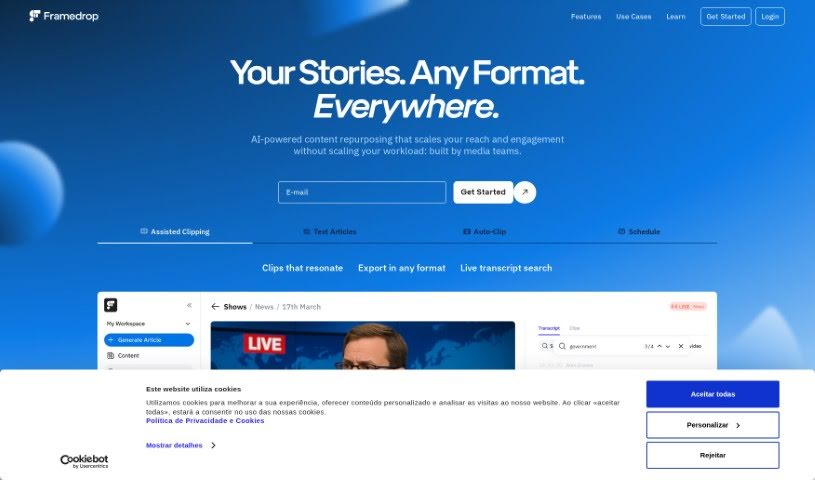
Screenshot of Framedrop.gg

Framedrop.gg

Discover Framedrop.gg in 2025! Learn what this platform does, how to use its features like the Highlight Detector and Smart Edits, and see how it stacks up against other video editing tools.

Screenshot

What is Framedrop.gg?

Framedrop.gg is a really handy platform built for gamers who want to easily share their best moments from live streams. It uses AI to automatically find and clip highlights from your Video on Demand (VOD) streams, making it super simple to share those awesome plays. You’ll find features like the Highlight Detector, Smart Edits to make your clips look even better, a Clip Dashboard for quick access to everything, and easy ways to share. It’s designed to be user-friendly, and importantly, you don’t need to download any software, which means your PC can keep running smoothly for gaming. Framedrop.gg works with popular games like Valorant, Call of Duty: Warzone, Apex Legends, Rocket League, and League of Legends. Plus, it offers basic features for free, with options to upgrade for more advanced capabilities.

Who created Framedrop.gg?

Framedrop.gg was started by a team that’s really passionate about making the gaming experience better for everyone. They’ve built the platform using advanced AI technology to automatically find and clip highlights from gaming streams. This includes cool features like the Highlight Detector and Smart Edits, which help make sure your clips look their absolute best. It’s a great way for users to share their top moments on social media without having to download any extra software, which is a big plus for keeping your PC running at its best while you’re playing. Framedrop.gg is free to use, though there are optional paid features if you want more. It supports a lot of popular games, including Valorant, Call of Duty: Warzone, Apex Legends, Rocket League, and League of Legends.

What is Framedrop.gg used for?

  • It automatically finds and clips the best moments from your stream’s VODs in just minutes.
  • You can make your clips really pop with AI Smart Editing tools.
  • Easily find all your clips from a stream using the handy Clip Dashboard.
  • It helps keep your PC running smoothly because you don’t need to download any extra software.
  • You can easily export and share your top gaming moments on social media.
  • It makes sharing those awesome plays super straightforward.

Who is Framedrop.gg for?

  • Streamers
  • Content creators

How to use Framedrop.gg?

Framedrop.gg is a really straightforward platform that helps gamers capture and share their best moments without any fuss. Here’s a simple, step-by-step guide to using it effectively:

  1. Head over to the Platform: Just go to Framedrop.gg in your web browser to get started.
  2. Give it Your VOD URL: You’ll need to provide the web address for your stream’s VOD that you want to process for highlights.
  3. Let the AI Work its Magic: Framedrop.gg’s advanced AI technology will automatically find and clip the best parts of your stream, usually within minutes.
  4. Pick Your Best Clip: After the AI has finished, you can choose the clip that really captures your top gaming moment.
  5. Make it Shine with Smart Edits: You can use the Smart Editing tools to enhance your clip and make your plays stand out even more (this feature is coming soon!).
  6. Manage with the Clip Dashboard: It’s easy to access and keep track of all your clips from a stream using the Clip Dashboard. No more hunting around for them!
  7. Export and Share Away: Once you’ve got your clip, you can easily export it and share it on all sorts of social media platforms to show off your gaming skills.
  8. No Software Needed: Enjoy all the benefits of Framedrop.gg without downloading anything. This means your PC stays optimized for gaming.
  9. Join the Community: You’ll be joining a community of content creators who have already processed millions of minutes and thousands of streams with Framedrop.gg.

Framedrop.gg offers a bunch of great features, including the Highlight Detector, Smart Edits for making clips better, a Clip Dashboard for easy access, and quick export options for sharing. It supports popular games like League of Legends, Valorant, Rocket League, Apex Legends, and COD: Warzone. The platform is free to use, and you can get extra paid features if you want them. Why not start using Framedrop.gg today to really highlight your gaming talent and share your best moments with the whole gaming community?

Related AI Tools

Discover more tools in similar categories that might interest you

Stay Updated with AI Tools

Get weekly updates on the latest AI tools, trends, and insights delivered to your inbox

Join 25,000+ AI enthusiasts. No spam, unsubscribe anytime.