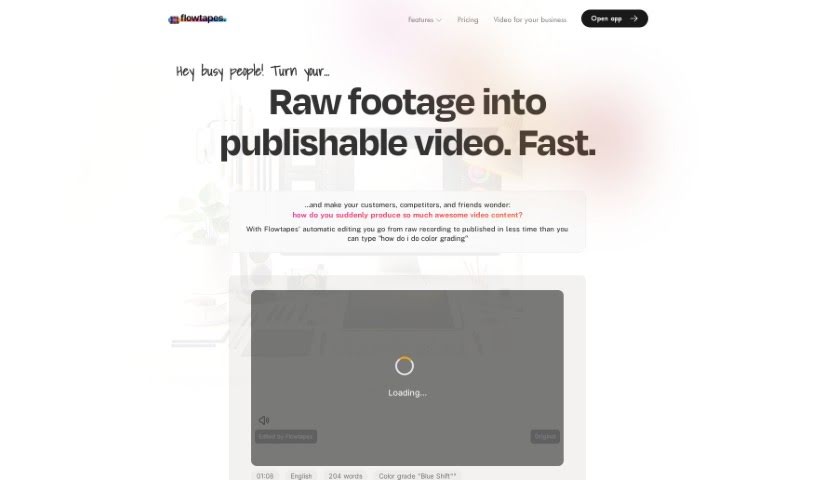
What is Flowtapes?
Flowtapes is a video editing tool built to make the editing process much simpler for everyone. It automates a lot of the tedious work, like cutting out silences and repeated words, adding those cool zoom jump cuts, improving your audio, tossing in background music, creating animated captions, and even making short clips from your longer videos. The big idea behind Flowtapes is to save you time, money, and the headache of manual editing.
That said, it might not be the best fit if you’re a seasoned video editor looking for Hollywood-level production quality, or if you’re working on music videos. Keep in mind that the automatic editing algorithm is still learning, so you might need to do a little tweaking after the initial edit, depending on how your original recording turns out.
Who created Flowtapes?
Ludwig is the creator behind Flowtapes, launching it on August 28, 2023. He developed it as a video editing tool specifically to streamline the process for content creators. Flowtapes automates tasks like spotting silences and repetitions in your video footage. You can even edit your videos using a text-based approach, thanks to AI algorithms that really boost efficiency. What’s neat is that Flowtapes lets you import your edited results directly into popular editing software like Adobe Premiere Pro, DaVinci Resolve, and Final Cut Pro, which is a huge time-saver.
What is Flowtapes used for?
Flowtapes is fantastic for a whole range of video production needs:
- Turning raw video recordings into polished, publishable videos automatically.
- Producing high-quality video content super fast.
- Making the editing process much quicker than doing it all by hand.
- Automatically removing silences, repetitions, and any bloopers.
- Adding engaging zoom jump cuts to keep viewers hooked.
- Boosting your audio quality by clearing out background noise and echo.
- Adding royalty-free background music without any fuss.
- Creating animated captions that overlay your footage.
- Generating short-form video clips for platforms like YouTube Shorts, TikTok, or Instagram.
- Significantly improving your efficiency and saving you valuable time in video editing.
- Creating animated captions to make your videos more dynamic.
- Automatically editing raw video recordings into content ready for publishing.
- Saving you time by quickly generating edited videos, skipping the manual editing steps.
- Improving audio quality by removing echo and background noise.
- Adding royalty-free background music to your videos.
- Generating animated captions to overlay on your footage.
- Creating auto shorts to boost your visibility on short-form social media.
- Eliminating decision fatigue that often comes with manual video editing.
- Enhancing viewer engagement with your new video content.
- Efficiently producing explainer videos, tutorials, online courses, and other talk-driven content.
- Creating engaging video content even if you have no prior editing experience.
- Transforming raw footage into a publishable video.
- Automatically editing from a raw recording to a published video.
- Creating explainer videos, tutorials, and online course videos.
- Previewing and adjusting video effects to get them just right.
- Rendering and exporting your final edit in high resolution.
- Adding your videos to websites or social media platforms.
- Creating auto shorts with just a single click.
- Boosting visibility by creating short-form video versions.
- Improving audio quality by removing echo and background noise.
- Adding animated captions to your videos.
- Removing silences from your recordings.
- Automatically editing raw recordings into published video content.
- Creating explainer videos, tutorials, online courses, and other talk-driven videos.
- Previewing and adjusting your edited videos.
- Rendering and exporting final edits in high resolution.
- Adding videos to websites or posting them on social media for better visibility.
- Creating short-form versions for platforms like YouTube Shorts, TikTok, or Instagram.
- Adding royalty-free background music.
- Creating animated captions to overlay onto your footage.
- Automatically editing raw recordings into publishable video content.
- Creating explainer videos, tutorial videos, online courses, and talk-driven videos.
- Previewing and adjusting edited videos, often within 3 to 35 minutes.
- Adding effects, making post-corrections, and rendering in high resolution.
- Posting videos on websites and social media platforms for visibility.
- Creating auto shorts with a single click.
- Enhancing audio quality by removing echo and background noise.
- Adding background music and animated captions.
- Creating shorts for short-form social media platforms.
- Saving time, money, and mental energy compared to manual editing.
- Removing repetitions and bloopers.
- Adding zoom jump cuts.
- Enhancing audio quality.
- Adding background music.
- Creating auto shorts.
Who is Flowtapes for?
Flowtapes is a great tool for a wide range of people, including:
- Digital creatives
- Content creators
- Online instructors
- SEO marketers
- Filmmakers
- Podcasters
- Shopify store owners
- Self-promoters
- Online course creators
- Marketing professionals
- Podcasters
- Content creators
How to use Flowtapes?
Using Flowtapes is pretty straightforward. Just follow these simple steps:
- Upload your raw video recording. This could be anything from an explainer video, a tutorial, an online course lesson, or any video where you’re talking.
- Let it edit automatically. The recording will process itself, usually taking between 3 to 35 minutes.
- Preview your edited video. See how the automatic edits look.
- Make any adjustments. You can tweak effects or make post-corrections using the text-based editor.
- Render and export. Get your final edited video in high resolution.
- Share your video. Add it to your website or post it on social media platforms like YouTube, Facebook, or others to boost its visibility.
- Create an auto short (optional). With just one click, you can generate a short-form version.
- Post your shorts. Share these short versions on platforms like YouTube Shorts, TikTok, or Instagram to reach more viewers.
Flowtapes really simplifies video editing by automating the whole process, which saves you a ton of time and effort. You don’t even need any prior editing experience to create professional-looking videos with Flowtapes. Just upload your recording, and the tool handles the editing efficiently for you.