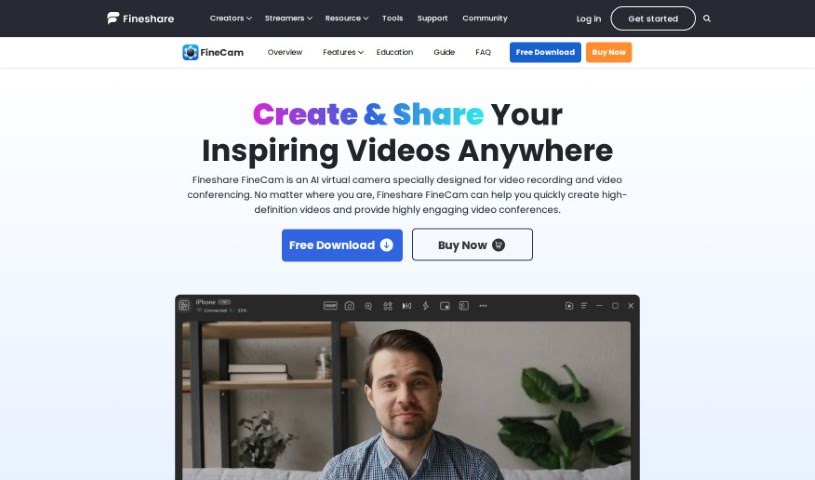
Screenshot of FineShare FineCam

FineShare FineCam

Curious about FineShare FineCam? We'll break down what this AI virtual camera software is all about, how you can use it for recording and video calls, and how it stacks up against other video creation tools in 2025. Get the details on its features and who it's best suited for.

Screenshot

What is FineShare FineCam?

FineShare FineCam is a really neat AI virtual camera tool. It is your go-to for making high-quality webcam videos and participating in lively video conferences, no matter where you are. It used to be called VibeCam, but now as FineCam, it’s packed with features that make video creation a breeze. You can easily remove your background, use handy education tools, record and share video presentations, capture webpages, play YouTube videos, record specific application windows, and even share photos. It’s available for both Windows and macOS, and people seem to really like it – it’s got a solid 4.8 rating from 28 reviews. Best of all, you can download it for free!

Who created FineShare FineCam?

FineShare FineCam was actually developed by Guo Peng, the founder of FineShare. This company specializes in AI virtual camera software, and FineCam is their flagship product for recording videos and handling video conferences. As we mentioned, it started out as VibeCam but has evolved into FineCam, offering those great features like creating HD webcam videos and making virtual meetings more engaging. Users have given it a great score, averaging 4.8 out of 5 stars based on 28 reviews. You can get FineCam on Windows or macOS, and it’s free to download.

Who is FineShare FineCam for?

This tool is super versatile and can be a real help for a lot of different people:

  • Educators: Making engaging lessons and virtual classrooms.
  • Content Creators: Producing polished videos for YouTube, social media, and more.
  • Business Professionals: For clearer communication in meetings and presentations.
  • Streamers: Enhancing their live streams with better visuals.
  • Marketers: Creating compelling video content for campaigns.
  • Trainers: Delivering effective online training sessions.
  • Sales Representatives: Making impactful virtual sales pitches.
  • Remote Workers: Improving their video presence in daily calls.
  • Software Developers: Demonstrating software or collaborating visually.
  • Video Editors: Using it as a flexible virtual camera source.

How to use FineShare FineCam?

Getting started with FineShare FineCam is pretty straightforward. Here’s a quick rundown:

  1. First, just open up FineCam. You’ll then need to pick which camera you want to use as your source.
  2. Next, decide what you’d like to record or share. This could be your webcam feed, your screen, or something else entirely.
  3. Finally, hit the “Record” button if you want to save a video, or select “Virtual Camera” to start broadcasting your video live. This lets you share your inspiring videos with others.

Following these simple steps should help you get the most out of FineCam for all your video recording and sharing needs.

Related AI Tools

Discover more tools in similar categories that might interest you

Stay Updated with AI Tools

Get weekly updates on the latest AI tools, trends, and insights delivered to your inbox

Join 25,000+ AI enthusiasts. No spam, unsubscribe anytime.