10Web
Web Development Website Builders
Learn more
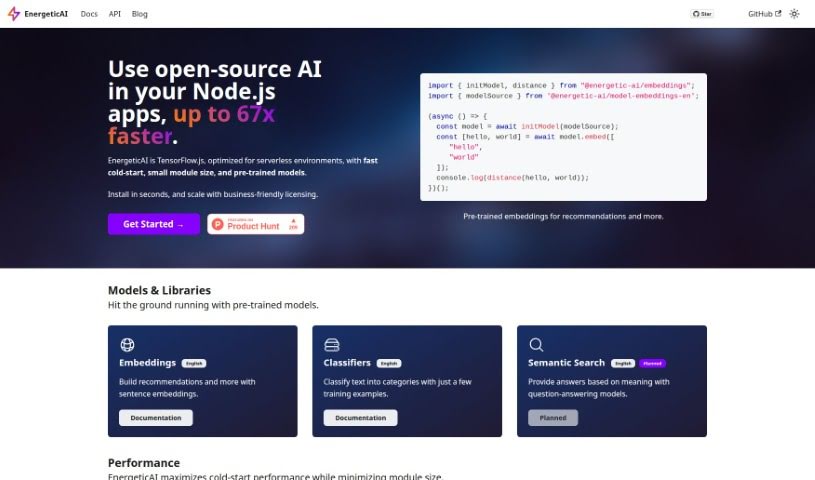
Discover what EnergeticAI is, an open-source AI library for Node.js that optimizes TensorFlow.js for serverless environments with faster cold starts and
EnergeticAI is an open-source AI solution designed for Node.js applications, with a particular focus on serverless environments. It enhances TensorFlow.js capabilities, delivering faster cold-start times, smaller module sizes, and easy access to pre-trained models — up to 67 times faster startup compared to standard TensorFlow.js. EnergeticAI simplifies adding machine learning features to Node.js apps while prioritizing speed and ease of use. To get started, you’ll need Node.js version 18 or higher. It’s distributed under an Apache 2.0 license, making it suitable for both open-source projects and commercial ventures. The platform includes pre-trained models for building recommendation systems and classifying text, even with only a few training examples. Semantic search models are planned for the future.
EnergeticAI was developed by a founder focused on making AI solutions work better for Node.js applications, especially in serverless setups. The goal is to improve cold-start times, shrink module sizes, and provide ready-to-use pre-trained models for quick deployment.
Installation: Ensure Node.js version 18 or later is installed, then run npm install @energetic-ai/core in your terminal.
Key Features:
Licensing: Distributed under the Apache 2.0 license, suitable for open-source projects and commercial applications.
Pre-trained Models: Support building recommendation systems and performing text classification, even with minimal training data.
Performance: Up to 67 times faster cold-start performance than standard TensorFlow.js.
Future Developments: Semantic search models are in development, designed to provide answers by understanding meaning from question-answering algorithms.
Related
Discover more tools in similar categories
Weekly picks of the best AI tools we've researched and added — no spam, unsubscribe anytime.
Join 25,000+ AI enthusiasts. No spam, unsubscribe anytime.