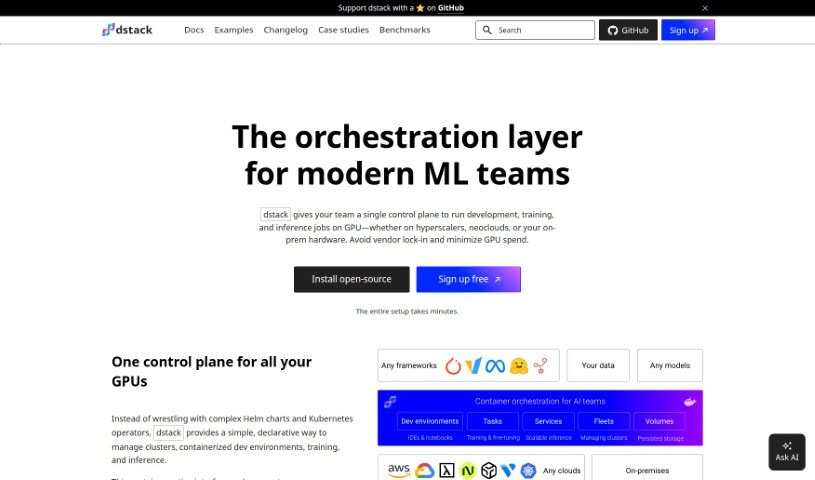
Screenshot of Dstack

Dstack

Discover Dstack, an open-source orchestration engine for AI models. Learn its features, how it simplifies development, training, and deployment, and how it compares to other tools in 2025.

Screenshot

What is Dstack?

Dstack is an open-source orchestration engine designed to make developing, training, and deploying AI models much simpler. It helps you manage your clusters, whether they’re in the cloud or your own data center. It is a user-friendly hub for AI engineers. It lets you handle all your development, training, and deployment tasks without needing extra tools or waiting on the Ops team. Dstack is also built to be more lightweight and specialized for AI work than something like Kubernetes, and it plays nicely with multiple cloud providers. Plus, it’s easy to add support for new cloud providers, and you can even use your on-prem servers efficiently by having Dstack manage them as a group for running containers.

Who created Dstack?

Unfortunately, the documents provided don’t include information about who created Dstack or specific company details. If you have other questions or need help with different subjects, please don’t hesitate to ask!

How to use Dstack?

Here’s a straightforward guide to using Dstack effectively:

  1. Get Started Quickly: Since Dstack is open-source and self-hosted, you can connect it directly to your cloud accounts or data centers – think AWS, Azure, GCP, and more. You can be up and running in just a few minutes.
  2. Work with Multiple Cloud Providers: Dstack lets you use various cloud providers or your own on-prem infrastructure. This means you can use any hardware and open-source frameworks you prefer for both training your models and deploying them.
  3. Set Up Development Environments: Easily create remote machines with your code and your favorite IDE. These dev environments let you code interactively before you deploy models or schedule tasks.
  4. Schedule Your Tasks: Scheduling batch jobs like training, fine-tuning, or data processing is simple with tasks. You can run these tasks on a single machine or across a whole cluster, depending on what you need.
  5. Deploy Models with Ease: Dstack’s services make deploying models as endpoints straightforward. You can create secure, public, and scalable endpoints without much hassle.
  6. Manage Clusters with Fleets: Use fleets to efficiently set up and manage your clusters and instances, whether they’re in the cloud or on-premises. You can reuse these fleets for your dev environments, tasks, and services.
  7. Consider Dstack Sky: If you’d rather not host the Dstack server yourself, or if you want access to GPUs through a marketplace, you can sign up for Dstack Sky. It provides hosted servers and access to cloud GPUs at competitive prices.

By following these steps, you’ll be able to get the most out of Dstack for developing, training, and deploying your AI models, all while managing your clusters across different cloud platforms or data centers.

Related AI Tools

Discover more tools in similar categories that might interest you

Stay Updated with AI Tools

Get weekly updates on the latest AI tools, trends, and insights delivered to your inbox

Join 25,000+ AI enthusiasts. No spam, unsubscribe anytime.