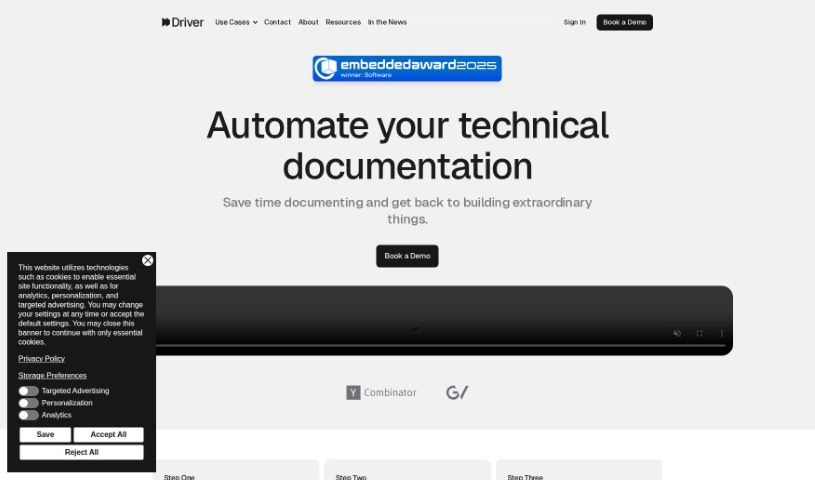
Screenshot of Driver Ai

Driver Ai

Discover what Driver AI is and how to use it effectively in 2025. We'll explore its features and see how it stacks up against other Software Development Tools.

Screenshot

What is Driver Ai?

Driver AI is a tool built to make finding new technology easier and to simplify how we manage complicated tech setups. It creates interactive guides, explained using detailed modeling systems, so both tech experts and folks less familiar with code can get a handle on codebases much faster. The goal here is to speed up how we explore code, which means projects get finished quicker and new features roll out sooner. Driver AI can really help out different people in a company, like product managers, software engineers, and field application engineers, by giving them clear explanations of code and helping them decide whether to build something new or buy an existing solution. It’s worth noting, though, that while Driver AI offers some big advantages, it does have a couple of drawbacks, like being quite expensive and having a steep learning curve.

Who created Driver Ai?

Driver AI first came out on March 20, 2024. It was developed by a team of seasoned pros who used to lead tech and innovation efforts at major Fortune 500 companies. This group included top tech leaders, engineers, and investors from these large corporations, all focused on tackling the difficulties that come with complex software assets. Driver AI’s main purpose is to simplify managing technology infrastructures. It does this by speeding up how quickly we can discover and understand codebases. It generates interactive documentation in just minutes using low-level modeling systems, making the code understandable for everyone, whether they’re technical or not.

What is Driver Ai used for?

  • It speeds up how we explore codebases.
  • Makes finding new technology much quicker.
  • Helps get new features out the door fast.
  • Manages software pipelines efficiently.
  • Shortens the time it takes to deliver projects.
  • Quickly explains what specific lines of code do.
  • Helps make better decisions about building versus buying solutions.
  • Speeds up the initial setup process for hardware.
  • Makes the job easier for field application engineers.
  • Helps get projects delivered faster.
  • Creates interactive documentation.
  • Offers explanations that non-technical people can easily grasp.
  • Makes significant changes simpler to handle.
  • Simplifies the overall management of technology infrastructure.

How to use Driver Ai?

To get the most out of Driver AI, here’s a simple breakdown:

  1. Core Function: First off, remember that Driver AI is designed to make discovering new tech smoother and managing complex technology infrastructure much simpler. It really speeds up finding and understanding code, often cutting down the time from months to just days.
  2. Discovering Tech: You can use Driver AI to streamline your tech discovery process. It uses low-level modeling systems to create interactive documentation, making even complicated codebases understandable in just a few minutes.
  3. Who It’s For: The interactive documentation Driver AI produces is great for everyone, whether you’re a tech expert or not. This means different people in your organization can really get a good grasp of the codebase.
  4. Managing Systems: Make managing complex technology infrastructure easier by using the interactive documentation Driver AI provides. It helps you understand and handle technical complexities more effectively.
  5. Rolling Out Features: You can speed up the deployment of new features by using Driver AI to quickly explore and understand the codebase. This faster comprehension means you can integrate new features more rapidly.
  6. Build vs. Buy Reports: Need to decide whether to build something new or buy it? Driver AI helps you create detailed reports efficiently by providing interactive documentation for large codebases. This detailed info is key for making smart decisions about new functionality.
  7. For Field Application Engineers: If you’re a Field Application Engineer, you can shorten the board bring-up process. By quickly understanding complex codebases, you can get your tasks done more efficiently.

By following these steps, you can really use Driver AI to make tech discovery smoother, manage your technology infrastructure better, get new features out faster, and help your organization make more informed decisions.

Related AI Tools

Discover more tools in similar categories that might interest you

Stay Updated with AI Tools

Get weekly updates on the latest AI tools, trends, and insights delivered to your inbox

Join 25,000+ AI enthusiasts. No spam, unsubscribe anytime.