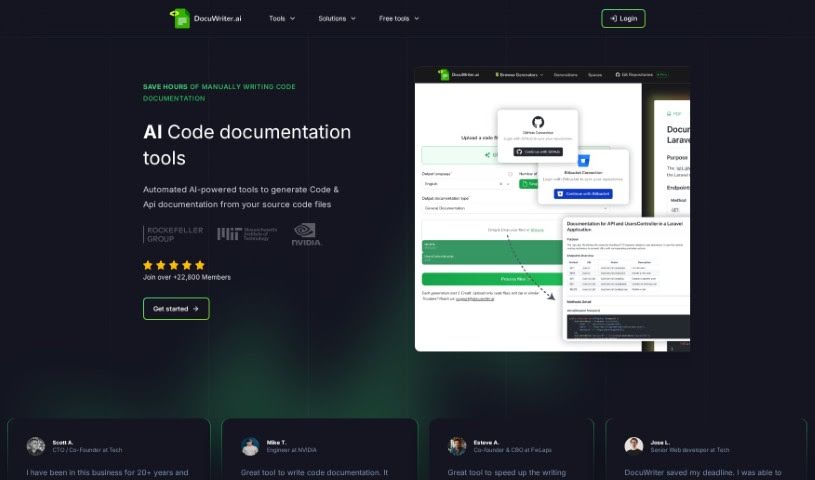
What is Docuwriter.ai?
DocuWriter.ai is a smart tool that uses AI to handle your code documentation. It’s designed to automatically create thorough and accurate documentation right from your source code files, all with just a click. This tool works with all the programming languages you likely use, generates documentation in Markdown format, and makes it super easy to export. You’ve got two main pricing options: the Professional plan for $29 a month, or the Agency plan for $99 a month. These plans offer different limits on code generations and include extra perks like options to export your documentation and priority support. Plus, you can try it out with a trial period before you decide to subscribe. DocuWriter.ai really aims to make teamwork smoother by helping everyone understand the code better and improving overall software quality through this automated documentation. It also provides unlimited history generations, which is a big help for keeping software projects on track over time.
Who created Docuwriter.ai?
Scott A., the CTO and Co-Founder at Tech, is the person behind DocuWriter.ai. The platform first launched on April 15, 2023. It offers a range of pricing plans designed to fit individuals, small businesses, and larger enterprises. DocuWriter.ai leverages AI technology to automatically generate accurate code documentation, saving you valuable time and ensuring your documentation is consistently high quality. Beyond just documentation, the tool also offers features like generating Swagger API documentation, helping with code refactoring, and creating UML diagrams.
What is Docuwriter.ai used for?
- It’s an automatic tool for code documentation.
- It’s great for API documentation.
- It acts as a generator for code comments and DocBlocks.
- You can use it as a UML Diagram Generator.
- It offers AI-powered generation of code test suites.
- It provides intelligent code refactoring.
- It can function as a code language converter.
- It’s useful for knowledge base management.
- It makes code documentation efficient.
- It aids in project maintainability.
- It handles automatic code documentation.
- It’s also used for API documentation.
- It excels at automated code documentation generation.
- It’s perfect for Swagger API documentation.
- And it’s great for tests generation.
Who is Docuwriter.ai for?
- Web Developers
- Software engineers
- CTOs
- Engineers
- Software developers
- Students
- Teachers
- Senior Web developers
- Co-Founders
- CBOs
- CTO
- Engineer
- Co-Founder
- Senior Web developer
- CBO
- Programmers
- IT professionals
- Co-founder & CBO
- CTO / Co-Founder
How to use Docuwriter.ai?
Getting started with DocuWriter.ai is pretty straightforward. Here’s a quick rundown:
- Sign Up: First, head over to https://app.docuwriter.ai/register. You’ll need to pick a plan that suits your needs. We have a Starter plan for $29, a Professional plan for $49, and an Enterprise plan for $129 each month.
- Generation Limit: Each plan comes with a set number of code generations you can perform each month.
- Automatic Code Documentation: DocuWriter.ai uses AI to create accurate, up-to-date code documentation really efficiently.
- API Documentation: You can automatically generate Swagger-compliant JSON documentation directly from your source code, making integration a breeze.
- Tests Generation: Need to ensure your code is reliable? Use the AI-powered test suite generation tool to save time and boost confidence.
- Additional Tools: Don’t forget about the other handy features like the UML Diagram Generator, Code Refactoring tools, and the Code Language Converter.
- Export Documentation: Once you’ve got your documentation, you can export it in Markdown format, which is perfect for using in your projects or sharing with your team.
- Trial Period: We offer a 5-day trial so you can really test out the tool’s capabilities before you commit to a paid plan.
- Pricing Plans: Just choose the plan – Starter, Professional, or Enterprise – that best matches what you need and your budget.
- Collaboration and Support: DocuWriter.ai is built to encourage collaboration, help keep your projects maintainable, and generally boost your software quality. If you opt for the Agency plan, you’ll get extra goodies like Documentation Export Options and Priority Support.
Following these steps should give you a solid guide on how to make the most of DocuWriter.ai for your code documentation and overall project management needs.