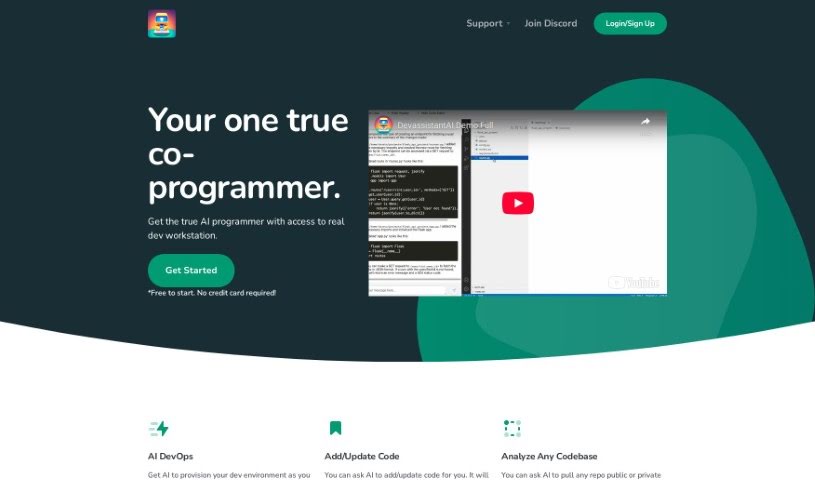
Screenshot of Devassistant

Devassistant

Discover Devassistant in 2025! Learn what this AI-powered tool is, how to use its features for coding and DevOps, and how it stacks up against other software development tools.

Screenshot

What Exactly is Devassistant?

Devassistant is an AI tool built to help developers with all sorts of programming tasks. It is having a co-programmer right there with you, powered by GPT-4. It includes a command line and a code editor, making it easy to interact with. With Devassistant, you can set up your own custom workflows, automate repetitive tasks, dive deep into analyzing your codebases, ask questions about your code, make changes to it, and even see code side-by-side in a cloud-based VS Code editor. It also helps with automating DevOps tasks and setting up your developer environment. They offer different pricing plans that include things like GPT-4 credits, VCPUs, memory, and storage. Basically, you can talk to the AI co-programmer directly through the tool’s command line and code editor, which really helps streamline how you code and get things done.

Who’s Behind Devassistant?

Devassistant was developed by Devassistant.ai. They launched it on June 20, 2024, giving developers an AI tool packed with features. This includes that GPT-4 co-programmer we mentioned, a command line, a code editor, the ability to create custom workflows, analyze code, answer questions about it, and much more. The company offers various pricing plans and services aimed at making the coding and development process more efficient for developers.

What Can You Do with Devassistant?

Here’s a rundown of what Devassistant is great for:

  • Creating custom workflows that fit your specific needs.
  • Streamlining and automating tasks, so you can focus on the more complex stuff.
  • Analyzing your codebases to understand them better.
  • Getting answers to your code-related questions quickly.
  • Adding new code or updating existing code with AI assistance.
  • Viewing code changes side-by-side, making it easy to compare and merge.
  • Accessing a cloud-based VS Code editor from anywhere.
  • Automating DevOps processes to improve deployment and management.
  • Boosting the efficiency of your overall development process.
  • Provisioning your developer environments with ease.

Who Should Use Devassistant?

Devassistant is a fantastic tool for:

  • Developers
  • DevOps Engineers
  • Software engineers
  • Programmers

How Do I Get the Most Out of Devassistant?

To really make Devassistant.ai work for you, here’s a step-by-step guide:

  1. Get to Know Devassistant.ai: First, understand that it’s an AI tool featuring a GPT-4 co-programmer. It gives you a command line, a code editor, and capabilities for custom workflows, code analysis, and automating tasks.
  2. Work with the AI Co-Programmer: Use the GPT-4 powered AI to help with your coding. Just give it instructions for adding or updating code, and it’ll assist you with workflow automation.
  3. Use the Command Line and Code Editor: You can talk directly to the AI using the command line and code editor. This is how you’ll get programming tasks done and ask questions about your code.
  4. Design Custom Workflows: Take advantage of the ability to create your own workflows. This helps streamline your development process exactly how you like it, boosting your productivity.
  5. Analyze Your Codebase: Let the AI analyze your code. It can scan it and answer your questions, which really helps you get a better grasp of what the code is doing.
  6. View Code Side-by-Side: The cloud-based VS Code editor lets you see code changes side-by-side. This makes it super easy to review adjustments and commit them.
  7. Provision Your Development Environment: Let the AI set up your development environment for you. It can configure IDEs, coding tools, servers, and anything else you need, creating a personalized and efficient setup.
  8. Check Out the Pricing Plans: Devassistant.ai offers a free trial. Their basic plan is $20 a month and includes GPT-4 credits, VCPUs, memory, storage, and the VS Code Cloud IDE.
  9. Sign Up Easily: You can sign up for the free trial right on their website. No credit card information is needed upfront.
  10. Boost Development Efficiency: Make your development process much more efficient by using automation, getting code analysis, insights, and having your environment provisioned just for you.
  11. Get Support and Stay Updated: If you need help, use the ‘Get Help’ section. You can also join their Discord community for interactive assistance. Keep in mind that upgrading plans and porting VMs aren’t supported yet, but they are looking into adding these features.

By following these steps, you can really make the most of Devassistant.ai for all your development needs.

Related AI Tools

Discover more tools in similar categories that might interest you

Stay Updated with AI Tools

Get weekly updates on the latest AI tools, trends, and insights delivered to your inbox

Join 25,000+ AI enthusiasts. No spam, unsubscribe anytime.