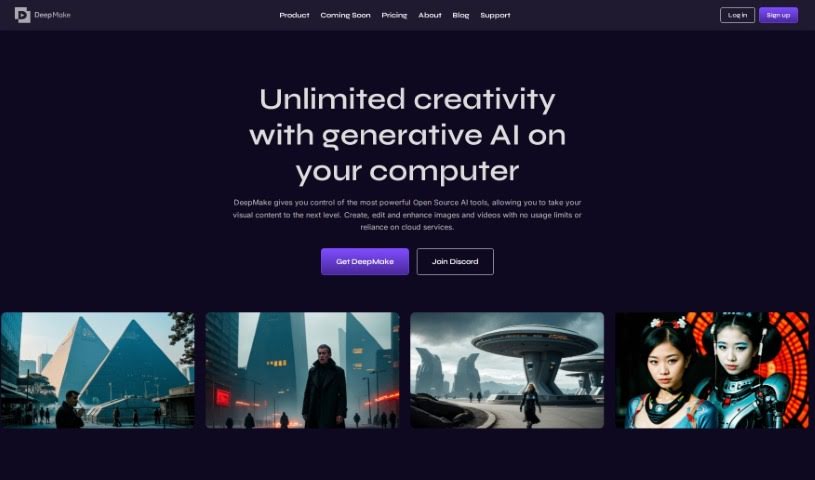
Screenshot of DeepMake

DeepMake

Discover DeepMake in 2025! Learn what this AI video creation tool is, how to use its features like stable diffusion and face swapping, and how it stacks up against other Video Creation Tools.

Screenshot

What is DeepMake?

DeepMake is a tool built by DeepMake that uses Artificial Intelligence (AI) for content creation, specifically focusing on video effects (VFX). It taps into open-source AI technology to make the content creation process smoother and more efficient, delivering results that are both fast and high-quality. You’ll find features like stable diffusion for video generation, smart layer segmentation, advanced face swapping technology, video upscaling, and integrations with popular tools like Adobe After Effects and Nuke. The platform offers instant video effects, lets you create stock videos just by typing prompts, and provides smart layer segmentation for dynamic storytelling. Plus, there’s a completely free open-source version you can use as much as you want, alongside premium options like ‘Creator’ and ‘Studio’ which include special features and different levels of support. Essentially, DeepMake is designed to give visual creators easy and flexible access to generative AI, so they can generate, swap, edit, and upscale images and videos with greater ease.

Who created DeepMake?

DeepMake was developed by a founding team with a strong background in generative AI. Their main goal was to simplify and speed up content creation. The company behind DeepMake is committed to building top-tier AI tools for artists and creators, aiming to empower visual creators by making generative AI for image and video effects user-friendly. The platform first launched on December 8, 2023. They’re big on open-source software, believing it helps democratize AI development, making it accessible for everyone to experiment and innovate.

What is DeepMake used for?

  • It can create stock videos from text prompts.
  • You get immediate layer segmentation.
  • It offers stable diffusion video generation.
  • You can formulate videos just by writing prompts.
  • It’s great for extending existing video clips.
  • You’ll find smart layer segmentation capabilities.
  • It automates segmenting characters.
  • It also automates background segmentation.
  • And it automates object segmentation.
  • There’s powerful face swapping functionality.
  • It helps optimize the content creation process.
  • You get instant video effects.

Who is DeepMake for?

  • Artists
  • Creators
  • Content creators
  • Video editors
  • Graphic designers
  • Visual creators
  • Visual Artists
  • VFX artists
  • Gamers
  • Streamers
  • Gaming Creators
  • Visual effects artists
  • Animators

How to use DeepMake?

Here’s how you can get started with DeepMake:

  1. Install DeepMake: First, make sure you have a Mac with Apple Silicon and at least 16GB of RAM. That’s the setup you’ll need.
  2. Access Core Features: DeepMake gives you access to several key features. You can use stable diffusion for video generation, smart layer segmentation, powerful face swapping, and video upscaling.
  3. Create Video Effects: Need instant video effects? DeepMake can do that. You can also generate stock videos simply by using text prompts.
  4. Extend Clips: If you have video clips you want to make longer, you can use stable diffusion generation to extend them quickly and efficiently.
  5. Utilize Smart Segmentation: This feature automates the process of segmenting characters, backgrounds, and objects. It’s really helpful for precise video modifications and creating dynamic stories.
  6. Face Swapping: You can use DeepMake’s face swapping technology to bring characters to life or create animated avatars, which is great for gaming and streaming.
  7. Enhance Video Quality: Want to improve the resolution and detail in your videos? Use the video upscaling feature to ensure your final output is high-quality.
  8. Integrate with Adobe After Effects and Nuke: DeepMake plays nicely with other tools. You can seamlessly use its visual effects within familiar software like Adobe After Effects and Nuke.
  9. Choose Pricing: You have options when it comes to pricing. There’s a free open-source version with unlimited usage. Then, there are premium packages like ‘Creator’ and ‘Studio,’ which offer exclusive features and different levels of technical support.
  10. Engage with Community: It’s a good idea to join DeepMake’s Discord community, check out their GitHub page, and keep an eye out for new features or career opportunities.

By following these steps, you should be able to effectively use DeepMake to improve your content creation workflow and produce some really high-quality visual effects.

Related AI Tools

Discover more tools in similar categories that might interest you

Stay Updated with AI Tools

Get weekly updates on the latest AI tools, trends, and insights delivered to your inbox

Join 25,000+ AI enthusiasts. No spam, unsubscribe anytime.