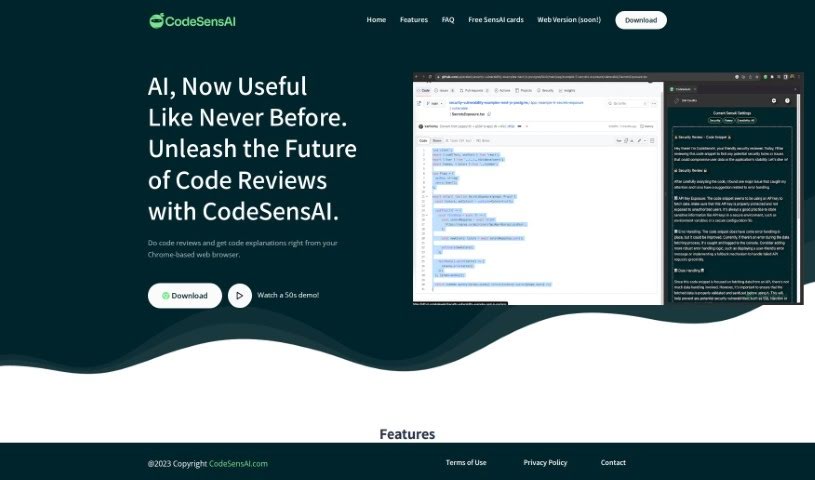
Screenshot of CodeSensAI

CodeSensAI

Discover CodeSensAI in 2025! Learn what this AI tool does, how to use its features for code reviews, and how it stacks up against other software development tools.

Screenshot

What is CodeSensAI?

CodeSensAI is a smart, AI-powered tool that’s changing how we review code. It gives you instant, detailed feedback on code snippets from all sorts of places. What’s great is that it explains everything in simple, plain English, so both tech pros and folks who aren’t as technical can easily understand it. CodeSensAI uses powerful AI models like GPT-4, Llama2, and CodeBERT to make its code reviews super accurate and offer really helpful insights to developers. Plus, you can actually customize what the review focuses on, how creative the suggestions are, and even the personality of the feedback. The team behind CodeSensAI is really committed to building it with the community, and they’re always working to make the code review process better and broader.

Who created CodeSensAI?

CodeSensAI was actually built by developers who wanted a simpler way to check code for errors and help others learn and get better at coding. They designed it with three core ideas in mind: simplicity, power, and security. They also really care about user privacy, so they use a pay-as-you-go pricing model and promise not to store any personal information. The team behind CodeSensAI is dedicated to giving users a clean, private, and secure experience.

What is CodeSensAI used for?

  • It works across different platforms.
  • It provides advanced AI code reviews.
  • It offers explanations that are easy to understand.
  • It’s developed with input from the community.
  • It’s a tool built for the future.
  • It makes the code review process much better.
  • It gives detailed reviews of your code.
  • It explains code in plain English.
  • It supports many coding platforms, like GitHub.
  • It’s helpful for both technical and non-technical people.

Who is CodeSensAI for?

  • People who work in technical fields.
  • People who work in non-technical fields.

How to use CodeSensAI?

Using CodeSensAI is pretty straightforward. Just follow these steps:

  1. First, install the CodeSensAI browser extension on your Chrome-based browser. It’s a quick process.
  2. Next, find the code snippet you want reviewed. Just highlight it, right-click, and then select “CodeSensAI” from the menu that pops up.
  3. Now, sit back and enjoy a thorough code review! You’ll get detailed insights, almost like having a top-tier developer looking over your shoulder.
  4. You can also tailor the experience to your needs:
    • Be selective about the code snippets you choose for the most focused feedback.
    • Set the ‘Review Focus’ to match your coding goals, whether that’s security, finding bugs, or something else.
    • Play around with the ‘Creativity’ level to get different kinds of solutions.
    • Pick a ‘Personality’ for the feedback – you can choose from Friendly, Funny, Professional, or Mentor.
  5. Just a friendly reminder: CodeSensAI is a fantastic tool to boost your review process, but it’s always best to use your own professional judgment too.
  6. Take advantage of CodeSensAI’s smart insights and clear, plain English explanations – they’re designed to help everyone, whether you’re technical or not.
  7. Keep an eye out for future updates! We’re always working to make code review even faster, easier, and more intuitive.

Following these steps will help you get the most out of CodeSensAI’s advanced AI-powered code review capabilities. Happy coding!

This guide was put together using information from the CodeSensAI user guide and tutorial.

Related AI Tools

Discover more tools in similar categories that might interest you

Stay Updated with AI Tools

Get weekly updates on the latest AI tools, trends, and insights delivered to your inbox

Join 25,000+ AI enthusiasts. No spam, unsubscribe anytime.