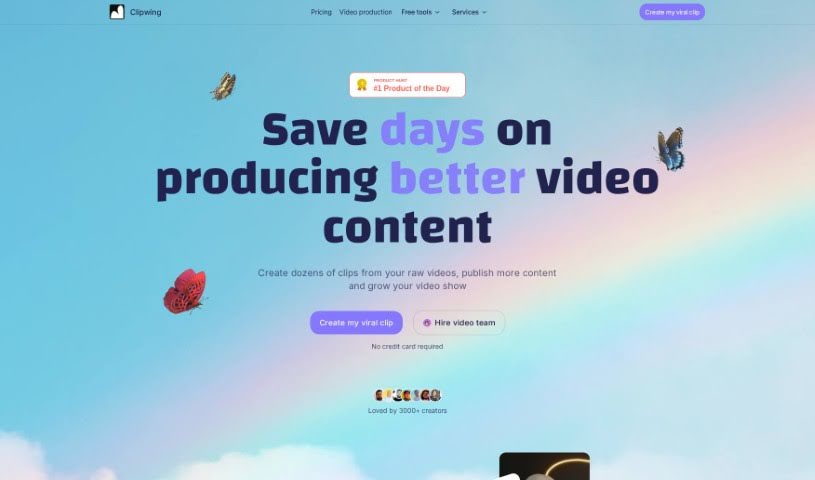
Screenshot of Clipwing

Clipwing

Discover what Clipwing is and how to use it effectively in 2025. We'll explore its features and see how it stacks up against other video editing tools.

Screenshot

What is Clipwing?

Clipwing is a handy video editing tool that uses AI to transcribe your videos and pinpoint the most interesting moments. You can then pick out specific segments and add engaging subtitles to make your videos pop. It’s especially great for videos where people are talking, like podcasts, interviews, product demos, and lectures. Clipwing handles all sorts of video formats – landscape, portrait, and square. It can generate transcripts, highlight text to create clips, automatically focus on speakers, resize videos for different platforms, add subtitles, include soundtracks, and lets you create as many clips as you want. Right now, it works with English videos, and there’s a free plan with a monthly video minute limit, plus subscription options for more features and storage.

Who created Clipwing?

Clipwing got its start on November 29, 2023. Lera founded the company at Paralect Inc. Clipwing offers a few different subscription plans, giving you features like unlimited clip creation, various storage options, and support for different video formats. It also handles multiple languages and has an easy-to-use interface, making it a good choice even if you’re new to video editing.

What is Clipwing used for?

Clipwing is really versatile. Here’s a breakdown of what it can do:

  • Language Support: It works with multiple languages.
  • Transcription: It generates transcripts from your videos.
  • Video Shortening: Easily shorten your videos.
  • Text Highlighting: Highlight text in the transcript to create clips.
  • Auto-Focus: Keeps the subject in focus automatically.
  • Resizing: Adapts your video to various formats.
  • Subtitles: Adds subtitles to your clips.
  • Soundtracks: Lets you easily add soundtracks.
  • Unlimited Clips: Create as many clips as you need.
  • Format Transformation: Changes videos between landscape and vertical formats.
  • Catchy Subtitles: Adds engaging subtitles to boost appeal.
  • Broad Compatibility: Supports many different video types.
  • Short-Form Marketing: It’s an efficient tool for short-form video content marketing.
  • Format Conversion: Transforms landscape videos into vertical ones, and vice versa.
  • Platform-Specific Clips: Creates square videos for Instagram, or portrait videos for TikTok, Reels, and Shorts.
  • AI-Powered Highlights: Uses AI to find video highlights based on the transcript.
  • Long Video Clips: Makes it simple to create short clips from longer videos.
  • Speaker Handling: Can manage videos with multiple speakers.
  • Editing Features: Adds subtitles and soundtracks to your videos.
  • Format Flexibility: Resizes videos to landscape, portrait, or square formats.
  • Transcription Languages: Supports transcriptions in 9 different languages.
  • Storage: Includes storage options depending on your plan.
  • Efficiency: It’s an efficient marketing tool for various video types.
  • Dynamic Subtitles: Supports adding catchy subtitles to make videos more dynamic.
  • Free Trial: Offers a free trial, though with some limitations.
  • Browser Recommendation: Works best with Google Chrome.

Who is Clipwing for?

Clipwing is a great tool for a variety of professionals and creators:

  • Content creators
  • Marketers
  • Educators
  • Podcasters
  • Interviewers
  • Product Demonstrators
  • Lecturers
  • Social media managers
  • Video editors
  • Teachers

How to use Clipwing?

Using Clipwing is pretty straightforward. Just follow these steps:

  1. Sign Up: First, sign up for Clipwing. You can choose from a Free plan, a Pro plan, or a Studio plan, depending on what you need.
  2. Upload Video: Upload your video directly to the platform.
  3. AI Transcription: Clipwing will then use its AI technology to transcribe your video.
  4. Select Clips: Go through the generated transcript. You can manually select the text parts you want to turn into short clips.
  5. Resize: Easily resize your clips to fit square, portrait, or landscape formats.
  6. Add Enhancements: Add subtitles and soundtracks to make your video more engaging.
  7. Magic Crop: Use the Magic Crop feature to switch your videos between landscape and vertical formats seamlessly.
  8. Create Freely: You can create unlimited clips without any restrictions on the number.
  9. Storage: Your chosen plan will include storage options for your projects.
  10. Get Support: If you have any questions or need help, you can always contact Clipwing via email.

Clipwing is designed to support various video types and multiple languages, offering user-friendly features that make video editing and creation efficient and enjoyable.

Related AI Tools

Discover more tools in similar categories that might interest you

Stay Updated with AI Tools

Get weekly updates on the latest AI tools, trends, and insights delivered to your inbox

Join 25,000+ AI enthusiasts. No spam, unsubscribe anytime.