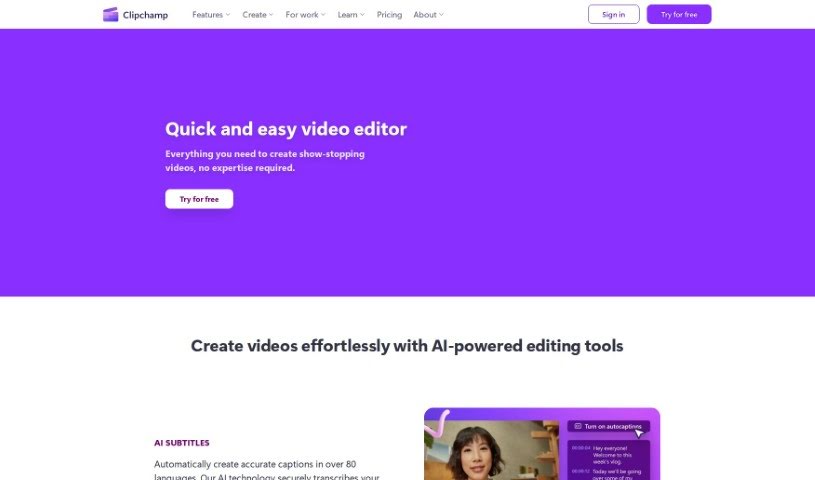
Screenshot of Clipchamp

Clipchamp

Discover what Clipchamp is and how to use its features effectively in 2025. We'll compare it with other video creation tools and show you how to get started.

Screenshot

What is Clipchamp?

Clipchamp is a really popular online video editing platform. What makes it stand out is how easy it is to use, even if you’re not a tech whiz. It’s packed with features that let you create and edit videos quickly, without needing a ton of technical know-how. You can easily trim clips, cut out unwanted parts, add text overlays, smooth transitions between scenes, and even apply filters to give your videos a specific look. Plus, Clipchamp gives you access to a huge library of stock media – think videos, images, and music – that you can drop right into your projects. It handles lots of different video formats, and you can even share your finished creations straight to social media. Basically, it’s a super handy and flexible tool for anyone, whether you’re an individual or a business, who wants to make professional-looking videos without a fuss.

Who created Clipchamp?

Clipchamp was actually founded by Alexander Dreiling. He started the company back in 2013 in Brisbane, Australia. Dreiling himself is a tech entrepreneur, bringing a solid background in software engineering and product management to the table. His whole idea was to create a video editing solution that was genuinely user-friendly, catering to both individuals and businesses who needed a straightforward way to make videos.

How to use Clipchamp?

Getting started with Clipchamp is pretty straightforward. Here’s a simple breakdown:

  1. Sign Up: First things first, head over to the Clipchamp website. You’ll see a button that says “Try for Free” – click that to create your account. It’s a quick process.
  2. Access the Desktop App: If you’re using Windows, you’ll find Clipchamp right in your Start menu if you’re on Windows 11. For Windows 10 users, you can easily download it from the Microsoft Store. And if you have a Microsoft 365 subscription, you’ll get access to even more premium features.
  3. Download the Mobile App: Prefer editing on the go? No problem! Clipchamp also has a mobile app. You can grab it from the iOS App Store if you’re on an iPhone or iPad, or from the Google Play Store if you’re using an Android device.
  4. Start Creating: Once you’re logged in or have the app open, you’re ready to dive into creating. The platform is designed so you can record your footage, edit it, and even add captions, all in one place.
  5. Explore the Features: Take a little time to get familiar with everything Clipchamp offers. Play around with the editing tools, try out different effects, and see how the transitions work.
  6. Create Your Video: Now for the fun part! Start by importing the video clips you want to use. Then, edit them with the tools provided, add some background music or a voiceover, and sprinkle in those effects to make it pop.
  7. Export Your Video: When you’re happy with how your video looks and sounds, it’s time to export it. You can choose the format and quality settings that work best for you.
  8. Share Your Video: The final step! You can share your finished masterpiece directly from Clipchamp to your favorite social media platforms, or just save it to your computer or phone for later.

Following these steps should help you get the most out of Clipchamp for all your video creation needs.

Related AI Tools

Discover more tools in similar categories that might interest you

Stay Updated with AI Tools

Get weekly updates on the latest AI tools, trends, and insights delivered to your inbox

Join 25,000+ AI enthusiasts. No spam, unsubscribe anytime.