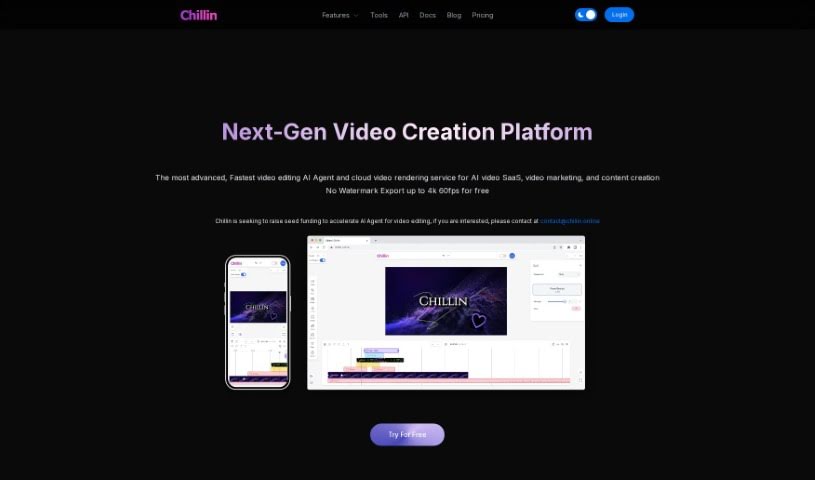
Screenshot of Chillin

Chillin

Discover what Chillin is and how to use it effectively in 2025. Dive into its features and see how it stacks up against other video creation tools.

Screenshot

What is Chillin?

Chillin is an online video editor that’s powered by AI, making it super easy for anyone to create really good-looking videos without any watermarks. It’s packed with advanced tools, so you can do things like create complex animations, add cool effects, work with keyframes, and use smooth transitions. Plus, it can automatically generate captions, compress images and GIFs, and even convert videos to GIFs. You can export your finished videos in stunning 4K resolution at 60 frames per second if you’re on a desktop, or 1080p at 60fps on your phone. Chillin also supports many different languages and offers handy tools for compressing images and GIFs, all without adding those annoying watermarks.

Who created Chillin?

Chillin was actually built by a team who are currently looking for seed funding. Their goal is to speed up the development of AI for video and motion editing. They officially launched the platform on June 20, 2024. What makes Chillin stand out is its unique blend of non-linear video editing and vector motion capabilities. They’re really trying to simplify the creative process with AI features, like automatically adding captions in over 100 languages, along with tools for compressing images and GIFs, and converting video formats. If you need to get in touch with them for more information or support, you can reach out at [email protected].

What is Chillin used for?

  • Create high-quality videos without any watermarks.
  • Incorporate advanced features like complex animations, effects, keyframes, and transitions.
  • Automatically generate captions for your video or audio content.
  • Compress images and GIFs to make file sizes smaller.
  • Convert video formats and turn videos into GIFs.
  • Resize videos to different resolutions, aspect ratios, and frame rates.
  • Support for multiple languages, both for captions and the interface itself.
  • Generate captions as downloadable ‘.srt’ files.
  • Switch between light and dark modes for your viewing preference.
  • Fast video exporting so you can share your creations quickly.

How to use Chillin?

To get the most out of Chillin, here’s a simple guide:

  1. Get Started: First, head over to the Chillin website. You’ll need to create an account if you don’t have one already, or just log in if you do.
  2. Add Your Content: Once you’re in, upload the video or audio you want to work on. Just follow the easy prompts on the dashboard.
  3. Explore Editing Tools: Dive into the editing features! You’ve got complex animations, effects, keyframes, transitions, and a whole lot more to play with. Feel free to customize your video to your heart’s content.
  4. Generate Captions Automatically: Need captions? Chillin’s AI can do that for you automatically in over 100 languages. It’s a real time-saver!
  5. Export Your Video: When you’re ready, pick the resolution you want for your final video. You can export up to 4K at 60fps on a desktop, or 1080p at 60fps if you’re editing on your mobile device.
  6. Create Custom Animations: Want to make your videos even more dynamic? You can create custom animations by combining effects, keyframes, and transitions. It really makes your videos pop.
  7. Navigate the Interface: Take a moment to get familiar with the user-friendly interface. It makes handling things like zooms, rotations, and other elements feel smooth and intuitive.
  8. Use Workflow Tools: Don’t forget about the extra tools that help streamline your editing process, like compressing images, shrinking GIFs, and converting video formats.
  9. Dark Mode & Languages: You can switch between light and dark modes to suit your preference. Plus, Chillin supports multiple languages, so it’s accessible to a global audience.
  10. Optimize Your Workflow: Make the most of features like exporting captions as ‘.srt’ files, converting videos to GIFs, and even removing image backgrounds. These tools really round out the editing experience.

By following these steps, you’ll be able to use Chillin’s AI-powered online video editing tools effectively and create professional-quality videos without any hassle.

Related AI Tools

Discover more tools in similar categories that might interest you

Stay Updated with AI Tools

Get weekly updates on the latest AI tools, trends, and insights delivered to your inbox

Join 25,000+ AI enthusiasts. No spam, unsubscribe anytime.