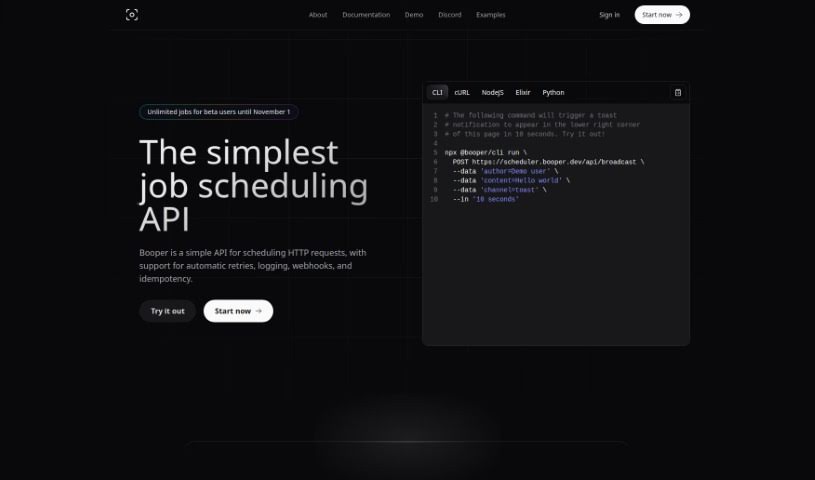
Screenshot of Chat Booper

Chat Booper

Discover Chat Booper in 2025! Learn what this AI tool is, how to use its features, and how it stacks up against other Software Development Tools. Get the details on embedding Discord chat on your website.

Screenshot

What is Chat Booper?

Chat Booper is a neat AI tool that lets you put a custom chat widget right on your website. It’s designed to connect your website visitors directly with your Discord server. Getting started is pretty straightforward: you’ll need to link it to your Discord server, add the Booper bot, pick a specific channel for conversations, and then bring Booper’s React library into your own application. The chat widget itself is really easy to use and integrate. You can tweak its look to match your site, use emoji reactions to make chats more lively, and it lets you scroll through past messages, send and receive new ones, and refresh the whole chat view. While it’s built specifically for React right now, it’s a super convenient way for website owners to chat live with their users directly from Discord. It really makes communication between your website and Discord servers a breeze, without any complicated setup.

Who created Chat Booper?

An AI actually created the Chat Booper tool. It’s an AI-powered solution that lets you embed a custom chat widget on your website, opening up direct communication with your users via Discord. This platform first launched on November 9, 2023. The tool’s main draw is letting you chat with your website visitors directly from Discord. It boasts a sleek design and can be customized to look just right, complete with emoji reactions for more engaging chats. Booper also provides a React library that makes integration into web applications simple. This library supports key features like sending and receiving messages, scrolling through chat history, and refreshing the chat interface. Ultimately, the tool aims to create a smooth communication link between websites and Discord servers.

What is Chat Booper used for?

Chat Booper is used for a variety of things, all centered around connecting your website visitors with your Discord community:

  • Embedding a custom chat widget: You can easily add a chat window to your website that’s designed exactly how you want it.
  • Direct Discord communication: It allows you to talk directly with your website users right from your Discord server.
  • Channel selection: You can choose which specific Discord channel the chat widget will connect to.
  • React library integration: It provides a React library that you can import into your web applications.
  • User-friendly integration: The chat widget is designed to be simple and straightforward to set up on your site.
  • Messaging and reactions: You can send and receive messages, and users can use emoji reactions to make conversations more interactive.
  • Chat history: Visitors can scroll through past messages within the widget.
  • Framework compatibility: It works well with popular web development tools, especially React.
  • Customizable appearance: You can change how the chat widget looks to fit your website’s style.
  • Seamless connection: It creates a smooth communication channel between your website and your Discord server.
  • Easy setup: The integration process is designed to be simple for website owners.
  • Enhanced user engagement: It’s a convenient way to boost how you interact with your users through live chat.
  • Live chat interface: It provides a live chat experience connected directly to Discord.
  • Code examples: It often includes code examples, assuming styling with TailwindCSS.

Who is Chat Booper for?

  • Website Owners: Anyone who has a website and wants to connect with their audience more directly.
  • Developers: Those who build and maintain websites and want to integrate new communication tools.

How to use Chat Booper?

Using Chat Booper is pretty straightforward. Here’s a quick rundown:

  1. Get Set Up: First, connect to your Discord server and install the Booper bot. Then, just pick the Discord channel you want to use for the chat.
  2. Integrate It: Next, you’ll import Booper’s React library into your application. This is what lets you put the chat widget onto your website. It’s made to be easy to use and customize.
  3. Play with Features: The chat widget lets people send and receive messages, and they can even use emoji reactions to make things more fun.
  4. See It Work: The React library helps with scrolling through old messages, sending and getting new ones, and refreshing the chat screen.
  5. Check Compatibility: Booper’s widget works with lots of web development tools, but it’s especially built for React and assumes you’re using TailwindCSS for styling.
  6. Connect with Users: You’ll get a smooth communication flow between your website and your Discord server thanks to the live chat.
  7. Make It Yours: You can easily integrate and customize the widget to create a personalized chat experience for your users.

By following these steps, you can easily use Chat Booper to create interactive communication on your website. It’s a really smooth way to connect.

For more in-depth details, you can check out the Chat Booper user guide, which is available in the uploaded file.

Related AI Tools

Discover more tools in similar categories that might interest you

Stay Updated with AI Tools

Get weekly updates on the latest AI tools, trends, and insights delivered to your inbox

Join 25,000+ AI enthusiasts. No spam, unsubscribe anytime.