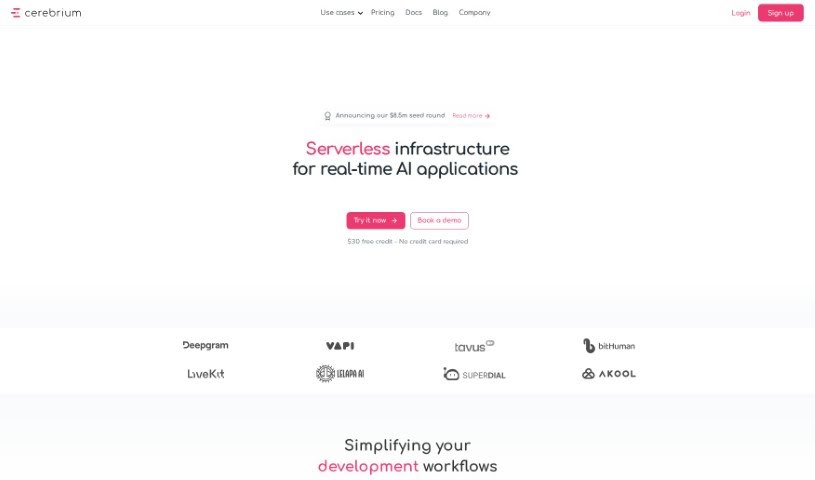
Screenshot of Cerebrium AI

Cerebrium AI

Discover Cerebrium AI in 2025! Learn what it is, how to use its features effectively, and how it stacks up against other Software Development Tools.

Screenshot

What is Cerebrium AI?

Cerebrium AI is a powerful platform designed to give developers the computing power they need for machine learning projects. It’s built to be scalable, meaning it can grow with your needs, whether you’re just starting out as a hobbyist or you’re part of a team managing larger ML applications. What’s really neat is how they handle pricing: you only pay for the exact compute resources you use, down to the millisecond. No hidden fees, no surprises – just straightforward, pay-as-you-go pricing. This approach helps ensure your applications run fast and cost-effectively. Cerebrium AI offers services to speed up your pipelines for quicker inference, streamline your workflow, and keep latency low so your applications are responsive in real-time. Plus, they really focus on reliability, aiming for 99.999% uptime, and they’re SOC 2 compliant, which means your data is handled securely. You also get handy features like real-time logging to spot issues fast, tools to track your spending, and observability features to keep an eye on your application’s health. They offer a range of GPU options from different cloud providers, and the platform handles autoscaling automatically to keep your applications running smoothly without any hiccups.

Who created Cerebrium AI?

Cerebrium was actually built by a team who are really passionate about making applications perform better and be more cost-efficient. Their main goal is to provide applications with real-time performance, super low latency, and high uptime. They’ve made sure the system is incredibly reliable, targeting that 99.999% uptime, and they take data security very seriously, making SOC 2 compliance a top priority.

How to use Cerebrium AI?

Ready to dive in? Here’s a straightforward guide to getting started with Cerebrium:

  1. Get Started: Head over to the Cerebrium platform at https://docs.cerebrium.ai/. That’s your starting point.
  2. Build Fast Voice Agents: You can use the platform to build the fastest voice agents out there. It’s designed to optimize performance for inference in just seconds, offering low latency and that impressive 99.999% uptime.
  3. Security First: Feel confident knowing that SOC 2 Compliance is a core feature, ensuring your data is kept secure and private.
  4. Track and Manage: Take advantage of real-time logging. It’s a great way to quickly spot any deployment issues and manage your costs efficiently.
  5. Understand Your App: Use the observability tools to get a clear picture of how your application is performing.
  6. Choose Your GPU: You’ve got options! Select from a variety of GPUs across different cloud providers to best suit your application’s needs, with plenty of extra capacity available.
  7. Always Running: Enjoy effortless autoscaling. This feature ensures your applications operate without faults, no matter the demand.
  8. Find Your Plan: Cerebrium offers plans tailored for everyone. There’s the Hobby plan for developers just starting out, the Standard plan if you have ML apps already in production, and the Enterprise plan for teams looking to scale their ML applications.
  9. Pay Smart: You pay only for what you use. They offer on-demand pricing for both GPU and CPU compute, so there are no hidden costs.
  10. Try It Out: Thinking about using AI at your company? You can try it with up to $1,000 in free credits, and you’ll even get access to expert engineers who can offer guidance.

Following these steps should give you a really solid understanding of how to make the most of the Cerebrium platform for all sorts of machine learning applications.

Related AI Tools

Discover more tools in similar categories that might interest you

Stay Updated with AI Tools

Get weekly updates on the latest AI tools, trends, and insights delivered to your inbox

Join 25,000+ AI enthusiasts. No spam, unsubscribe anytime.