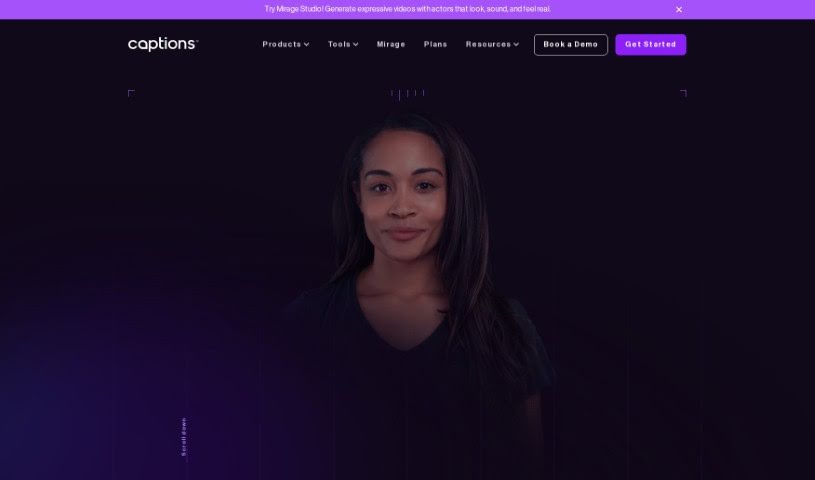
Screenshot of Captions

Captions

Discover what Captions is and how to use it effectively in 2025. Explore its features and see how it stacks up against other video creation tools.

Screenshot

What is Captions?

Captions is a really innovative platform that uses advanced AI to make video creation much simpler. It’s designed to help people from all walks of life bring their ideas to life easily and effectively. With Captions, anyone can create professional-looking videos with just a few clicks, cutting out hours of tedious editing. The AI in Captions looks at your raw video and automatically creates captions that really boost the story by understanding the context, the emotions, and how the video flows. Plus, Captions has a bunch of other AI features, like adding music, sound effects, and transitions to make your videos more engaging. You can also use its powerful editing tools to trim clips, combine them, add visual effects, and apply filters. The platform makes it super easy to customize your captions – you can change the font, size, color, and where they appear, or pick from ready-made styles that fit your video’s mood. Whether you’re a pro videographer looking to speed up your workflow or a social media fan wanting to make eye-catching content, Captions is a great tool. Its easy-to-use interface and strong AI capabilities make storytelling accessible, opening up endless possibilities for video creation.

Who created Captions?

Captions was developed by Gaurav Misra and Dwight Churchill. Their goal is to empower people from all sorts of backgrounds to easily bring their creative visions to life using their platform, which harnesses AI for storytelling. Captions offers AI-driven features like automatically generating captions, adding music and sound effects, and providing sophisticated editing tools for video enhancement. The platform features a user-friendly interface for creating customized videos, making it suitable for both professionals and social media enthusiasts.

What is Captions used for?

  • Creating professional-quality videos.
  • Automatically generating captions for videos, taking into account the content, emotions, and pacing.
  • Improving the storytelling experience with captions that are analyzed and well-placed.
  • Adding music, sound effects, and transitions to videos.
  • Providing advanced editing tools for trimming, merging, and enhancing footage.
  • Allowing users to customize captions, including font, size, color, and position, and to select from pre-designed styles.
  • Streamlining workflows for professional videographers.
  • Creating engaging content for social media.
  • Making video creation accessible to a wide range of users.
  • Giving users full control over their creative process.
  • Captions is used to automatically generate captions for videos, which really helps enhance the storytelling.
  • It offers AI-powered features like adding music, sound effects, and transitions to create more immersive viewing experiences.
  • Users can take advantage of sophisticated editing tools within Captions to trim, combine, and enhance footage with visual effects and filters.
  • The platform provides a simple interface for users to customize various aspects of their videos, such as the font, size, color, and position of captions, and to choose from pre-made styles.
  • Captions is great for both professional videographers and social media fans, offering a way to streamline work and create compelling content.
  • It lets users of all skill levels access powerful AI tools for making videos, making storytelling easier for more people.
  • Captions helps users create captivating videos that connect with their audience, showing the future of how we tell stories.
  • The platform empowers users to bring their ideas to life in just seconds, no matter their background or experience level.
  • Captions aims to transform video creation by simplifying the process and delivering professional results with minimal effort.
  • By using AI technology, Captions analyzes raw footage to understand context, emotions, and pacing, ensuring captions work well with the visuals.
  • Automatically generate captions for videos to enhance the storytelling experience.
  • Add music, sound effects, and transitions to create a seamless viewing experience.
  • Utilize sophisticated editing tools for trimming, merging, and enhancing footage.
  • Customize captions by adjusting font, size, color, and position.
  • Choose from a library of pre-designed caption styles to match the mood and theme of the video.
  • Streamline video creation workflow for professional videographers.
  • Create eye-catching content for social media platforms.
  • Enhance viewer understanding and engagement through AI-generated captions.
  • Access a user-friendly interface with powerful AI capabilities for storytelling.
  • Make video creation accessible to everyone, from professionals to enthusiasts.

Who is Captions for?

  • Professional videographers
  • Social media enthusiasts
  • Videographers

How to use Captions?

Here’s how you can use Captions:

  1. AI Video Editing: Pick an editing style and let the AI edit your video as you watch, in real-time.
  2. AI Creator: Use the 3D avatar designed for content creation, complete with voice translation into over 28 languages.
  3. Global Potential: Translate your voice into many languages, with lip movements that sync up perfectly.
  4. Creating Studio-Grade Videos: Captions uses AI technology for storytelling, analyzing raw footage to automatically create engaging captions that complement the visuals.
  5. AI-Powered Features: Make your videos even better with music, sound effects, transitions, and editing tools for trimming, merging, and adding visual effects.
  6. Customization: You can easily customize captions by adjusting the font, size, color, position, and choosing from pre-designed styles.
  7. Complete Control: Enjoy a user-friendly interface that gives you full creative control over your videos.
  8. Professional & Social Use: It’s perfect for professionals and social media fans who want to create captivating content without the hassle.
  9. Future of Storytelling: Experience the future of storytelling by creating compelling videos with Captions.

Captions really changes the game for video creation by making the process simple and offering powerful AI features, which makes storytelling accessible to everyone. Give Captions a try today to create engaging videos that your audience will love.

Related AI Tools

Discover more tools in similar categories that might interest you

Stay Updated with AI Tools

Get weekly updates on the latest AI tools, trends, and insights delivered to your inbox

Join 25,000+ AI enthusiasts. No spam, unsubscribe anytime.