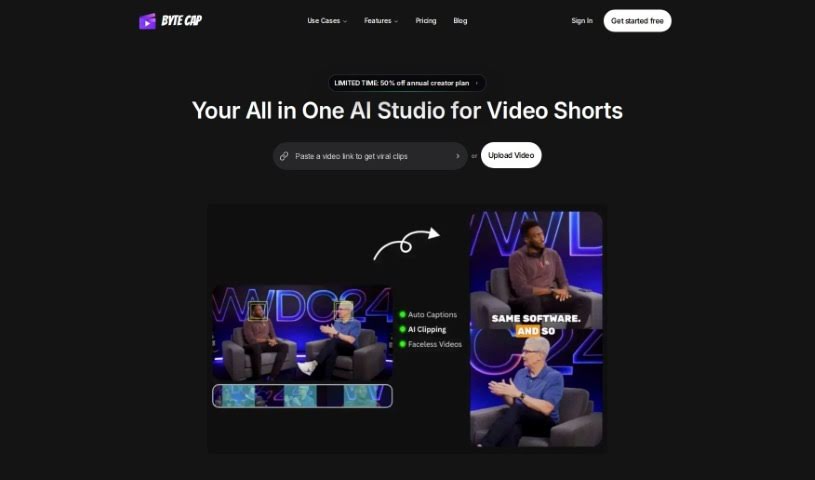
What is Bytecap?
Bytecap is a fantastic tool for video creators, offering super-fast caption creation, really accurate speech recognition, and an interactive platform. You can customize your captions a lot – think font styles, colors, special effects, where they appear on screen, and even their size. It’s a genuinely helpful tool for pros like video editors, content creators, podcasters, and streamers. Bytecap gives you features like editable timestamps, branding you can customize, the ability to sync sounds with your captions, and a speech recognition system that’s about 99% accurate. It’s all about making your videos more engaging, boosting viewership, and it’s easy to use no matter what kind of computer you have.
Who created Bytecap?
Bytecap was founded by an individual who prefers to remain anonymous, and it officially launched on June 18, 2024. The company offers an AI-powered tool designed for creating video captions quickly and accurately. You can tweak all sorts of things, like the font, colors, effects, position, and size of your captions to perfectly match your brand’s style. Professionals such as video editors, content creators, podcasters, and streamers really appreciate Bytecap’s versatile platform because it’s so efficient, offers great customization, and lets you sync sounds right along with your captions.
What is Bytecap used for?
- Boost Audience Engagement: Make your videos more captivating and keep viewers hooked.
- Save Precious Time: Let automatic caption generation handle the heavy lifting.
- Perfect Brand Alignment: Enjoy extensive customization options to make captions fit your brand’s look and feel.
- Sync Sounds with Captions: Add an extra layer of polish by matching captions to audio cues.
- Reach More People: Expand your audience with support for multiple languages.
- Maximize Viewership: Drive more engagement and get your videos seen by more people.
- Personalize Your Captions: Fine-tune everything – font, colors, effects, position, and size – to create a unique style.
- Support Podcasting and Streaming: Easily add captions to your audio and live content.
- Improve Audience Retention: Keep viewers watching longer by making your content more accessible and engaging.
- Enhance Accessibility: Make your videos viewable and understandable for a wider audience.
Who is Bytecap for?
- Video editors
- Content creators
- Podcasters
- Streamers
How to use Bytecap?
Here’s a simple guide to using ByteCap effectively:
- Upload Your Video: Start by uploading your video file to the ByteCap platform. It’s a straightforward process.
- Generate Captions: Let ByteCap’s advanced speech recognition technology work its magic. It will automatically create captions for your video, ensuring they’re both fast and accurate.
- Customize Captions: Now for the fun part! ByteCap offers a wide range of customization options. You can adjust the font, colors, effects, caption position, and size. This lets you tailor the captions to perfectly match your brand’s style and make a real impact.
- Edit Captions: Once the captions are generated, you can easily review and edit them. This ensures they perfectly match what’s being said in your video.
- Sync Sounds: Want to add a bit more flair? ByteCap lets you sync captions with popular sounds, which can really make your videos pop.
- Finalize and Download: When you’re happy with how everything looks and sounds, finalize your settings. Then, simply download your captioned video in whatever format works best for you.
- Explore More Features: Don’t forget to check out other great features like multilingual support, syncing sounds, and customizable branding. These can all help you make your video content even better and connect more effectively with your audience.
By following these steps, you’ll be able to get the most out of ByteCap’s features for efficient and personalized video captioning. You can really boost engagement, reach a wider audience, and captivate viewers with captions that are uniquely yours.