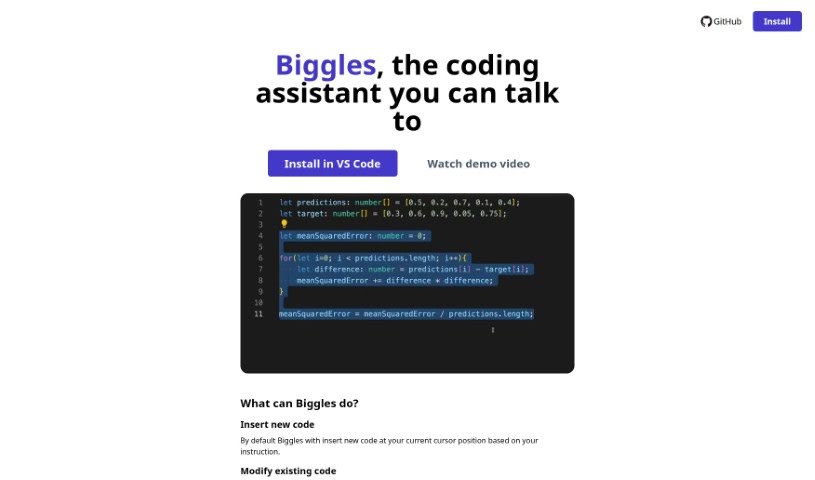
What is Biggles?
Biggles is a handy coding assistant tool you can find on GitHub. It lets you add and change code using just your voice or by typing instructions. Basically, it inserts new code right where your cursor is, or it can tweak existing code based on what you tell it. To make this magic happen, Biggles uses OpenAI’s Whisper and ChatGPT APIs, so you’ll need to have your own OpenAI API key ready to go. Keep in mind, though, Biggles isn’t a mind-reader; it doesn’t know your whole codebase and can only really work with the code that’s close to your current cursor. It’s got two main ways of working: if you haven’t selected any code, it’ll insert new code; if you have a block of code highlighted, it’ll modify that specific section.
Who created Biggles?
Biggles first appeared on September 30, 2023. The specific person who created Biggles isn’t mentioned in the information I have. What we do know is that Biggles is all about helping with coding. It’s designed to work within Visual Studio Code, letting you insert and change code using voice commands or typed instructions. It relies on OpenAI’s Whisper and ChatGPT APIs to understand and carry out your requests. Just remember, it has its limits – it can only operate near your current cursor and has two modes: inserting new code or modifying code you’ve already selected.
What is Biggles used for?
Biggles is designed to help you with a few key coding tasks:
- Adding New Code: You can tell it to insert fresh code based on your instructions.
- Modifying Existing Code: Need to change something? Just tell Biggles what to alter in your current code.
- Voice Control: You can use voice commands to get things done. Just hit CMD+M or CTRL+M.
- Text Instructions: If you prefer typing, you can use CMD+ALT+M or CTRL+ALT+M to give your instructions.
- Leveraging OpenAI: It uses the OpenAI Whisper and ChatGPT APIs to understand and generate code.
- Providing Context: Biggles sends code snippets to ChatGPT so it has the necessary context to help you.
- Customizing Context: You can adjust how much context (the number of tokens) is sent to ChatGPT in the settings.
- Two Operating Modes: It can either insert new code when nothing is selected or modify a block of code that you’ve highlighted.
- Limited Codebase Awareness: It doesn’t have a deep understanding of your entire project.
- Operational Range: It can only work with code that’s close to your current cursor position.
- Specific Actions: It’s great for inserting new code at your cursor or modifying selected code, all based on your instructions.
- Command Understanding: It understands both voice and typed commands for inserting or changing code.
Who is Biggles for?
Biggles is a great tool for:
- Developers
- Programmers
- Coders
How to use Biggles?
Here’s a straightforward guide to using Biggles effectively:
- Basic Functions:
- If you want to insert new code, just give your command right where your cursor is blinking.
- To change existing code, first select the part you want to modify, then tell Biggles what changes to make.
- Using Your Voice:
- You can activate the voice recognition by pressing CMD+M or CTRL+M. Then, just speak your commands, and Biggles will do its best to execute them.
- Typing Instructions:
- If you’d rather type, simply press CMD+ALT+M or CTRL+ALT+M. This will let you input your instructions as text.
- Connecting with OpenAI:
- To get Biggles working with OpenAI’s powerful tools, you’ll need to get your own OpenAI API key and enter it.
- Giving Context:
- Biggles helps ChatGPT by sending it snippets of the code that are right before and after your cursor. This gives ChatGPT the context it needs to help you better.
- Fine-Tuning Context:
- You can actually adjust how much context (the number of tokens) Biggles sends to ChatGPT. You can find this setting to fine-tune it.
- Understanding the Limits:
- It’s important to know that Biggles works best right around your cursor. It doesn’t have a broad view of your entire codebase.
- Also, the tool has two main modes: inserting new code or modifying code you’ve selected. It can’t handle more complex tasks, like moving code around.
By following these steps, you can really make Biggles a helpful coding partner. It can make coding smoother by letting you insert and modify code easily using either your voice or typed commands.