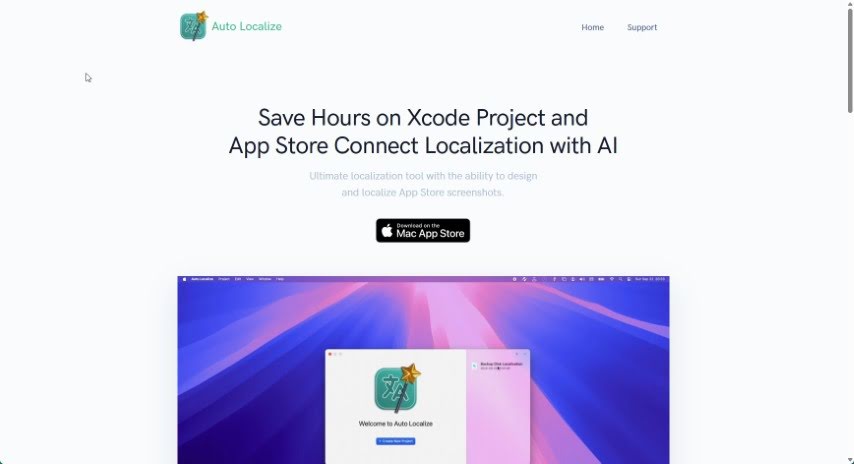
What is Auto Localize?
Auto Localize is an application built to make the localization process much simpler. It automates the creation of localized images, screenshots, and even app store information for multiple languages. It is a smart assistant for getting your app ready for a global audience. It uses advanced GPT models, like GPT-3.5, GPT-4, and the latest GPT-4o, to speed up translations and smooth out the localization workflow. This is super helpful whether your project is built with XCode, Java, Android Studio, .NET, Unity, or Flutter.
The tool also lets you easily work with XLIFF files, which are pretty standard in localization. Plus, it supports a bunch of file formats you’ll see in programming, such as XML, JSON, ARB, STRINGS, RESX, and PROPERTIES. By automating this whole localization part, Auto Localize really helps save you time and effort. This means you can keep your apps in many languages without the usual hassle, letting you connect with a wider audience much more efficiently.
Who created Auto Localize?
Auto Localize was developed by a company that really focused on creating a powerful editor for localizing files. They used artificial intelligence to automate the whole process. This tool first came out on September 16, 2023, with the main goal of making the localization workflow easier and faster for developers working with all sorts of programming tools. By tapping into OpenAI’s advanced GPT models, Auto Localize makes it simple for users to weave localization into their projects and edit many files at once, all within a single, well-organized screen layout. Because it automates so much, the tool helps companies cut down on the time and work needed to manage different language versions of their apps, ultimately helping them reach more people around the world.
What is Auto Localize used for?
- Create and export localizable screenshots and images in all sorts of languages.
- Simplify preparing screenshots for app stores when you need them in different languages.
- Automate localizing app store info, like descriptions, keywords, and new features, across various languages.
- Easily copy and paste your translated information from the app right into the store interface.
- Speed up localization for projects made with tools like XCode, Java, Android Studio, .NET, Unity, and Flutter.
- Support standard localization formats such as XLIFF, XCLOC, XML, JSON, ARB, STRINGS, RESX, and PROPERTIES.
- Integrate localization smoothly into your everyday development workflow.
- Edit multiple localization files at the same time using an intuitive user interface.
- Save significant time and effort when you’re maintaining multi-language versions of your applications.
- Expand your app’s reach by efficiently supporting multiple languages.
- Design and export localizable images for screenshots in various languages.
- Localize app store descriptions, keywords, and features in different languages.
- Automate the localization process for projects built with different programming tools.
- Support common localization file formats like XLIFF, XCLOC, XML, JSON, ARB, STRINGS, RESX, and PROPERTIES.
- Accelerate localization using AI-powered models.
- Integrate easily with popular programming tools.
- Efficiently edit and manage many localization files.
- Simplify and streamline the localization workflow for faster, more cost-effective results.
- Expand your application’s reach by supporting multiple languages.
- Design and export localizable screenshots and images.
- Localize app store information.
- Automate the localization process for projects developed in various programming tools.
- Support standard localization file formats like XLIFF and XCLOC.
- Accelerate the localization process using OpenAI’s advanced GPT models.
- Integrate localization efficiently into your workflow.
- Boost efficiency and expand the reach of your applications.
- Automate the localization process for projects developed in various programming tools.
- Accelerate the localization process using OpenAI’s advanced GPT models.
- Integrate localization into the workflow efficiently.
- Edit multiple localization files simultaneously.
- Simplify and streamline the localization workflow.
Who is Auto Localize for?
- Developers
- Localization managers
- Project managers
- Designers
- Editors
- App developers
- Software developers
- Localization specialists
- App Store Optimization Managers
- Programmers
- Localization professionals
- Localizers
How to use Auto Localize?
Auto Localize is a really effective tool designed to make localization simpler for all sorts of projects. Here’s a straightforward guide on how to get started with it:
- Project Localization: You can easily localize your projects, whether they’re built with Xcode, .NET, Java, Android Studio, Unity, or Flutter. It supports all the different file formats these development tools use.
- AI-Powered Localization: Take advantage of the powerful AI from OpenAI’s GPT models for automatic localization. This feature lets you quickly translate your projects into many languages, helping you reach a wider audience without much fuss.
- Localization File Editing: You get a really capable localization editor that works with popular file formats like XLIFF 1.2 and 2.0. You can edit multiple files at once, and you can either translate content manually or let the GPT models handle it automatically.
- Design Localizable Screenshots: Create your screenshots in one language, and then export them into multiple languages with ease. Auto Localize makes this process simple and even organizes your images into separate folders for each language, which is great for uploading them in bulk.
- App Store Information Localization: Localize your app store details, like descriptions, keywords, and new features, to meet the requirements of stores such as the App Store and Google Play. This really helps streamline how you localize your app’s store presence.
- Efficient Integration: You can seamlessly fit this tool into your workflow. It allows for intuitive editing of multiple localization files all on one screen. Whether you prefer manual editing or automatic localization, Auto Localize offers a user-friendly experience.
- Time and Effort Saving: By automating the localization process, Auto Localize helps you save a lot of time and effort when you’re managing different language versions of your app. This lets you reach a broader audience. It really streamlines your workflow, making localization faster and more cost-effective.
To sum it up, Auto Localize is a super versatile tool that speeds up localization, makes things more efficient, and simplifies the workflow for developers who want to reach a global audience with their applications.