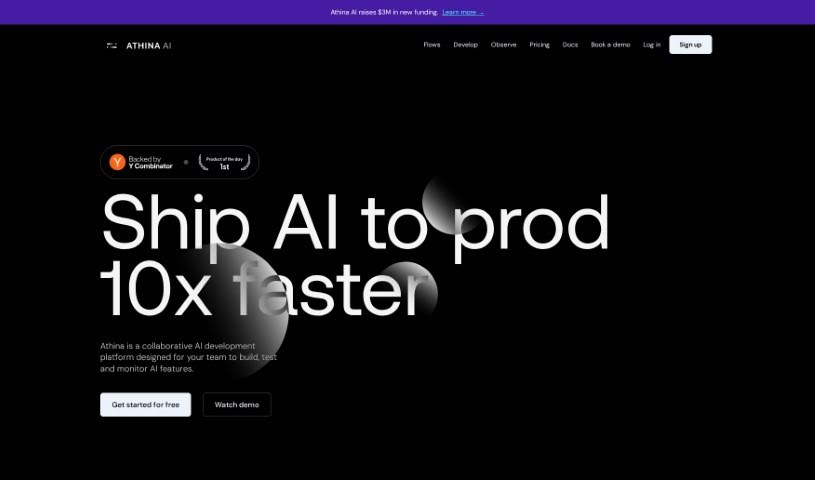
Screenshot of Athina AI

Athina AI

Discover Athina AI in 2025! Learn what this powerful platform is, how to use its features for AI development, and how it stacks up against other Software Development Tools.

Screenshot

What is Athina AI?

Athina AI is a platform designed to help teams build, test, and manage AI applications powered by large language models (LLMs). It is a comprehensive workbench where you can quickly prototype new AI ideas, experiment with different approaches, thoroughly evaluate how well your AI products are performing, and keep a close eye on them once they’re live. It really speeds up the whole process of developing and testing AI products.

What makes it stand out? Well, it offers a collaborative editor that works a lot like a spreadsheet, making it easy for teams to work together. It’s an end-to-end solution for developing AI applications, and it comes with robust, enterprise-grade controls to keep your data private and secure. If data privacy is a top concern, Athina can even be deployed on-premises, meaning it lives within your own private cloud. Plus, you get features like role-based access controls to manage who can do what, multiple workspaces to keep projects separate, access to custom models from major providers like Azure OpenAI and AWS Bedrock, and pricing that can be adjusted to fit teams of any size.

Who created Athina AI?

Shiv Pratap Singh is the visionary behind Athina AI. His company offers a platform that empowers teams to prototype, experiment, evaluate, and monitor applications built with LLMs. This platform helps them handle millions of requests every week for various teams. Athina’s fresh approach has earned praise from industry leaders, including Michael Brady from RightPage and Eshan Agarwal from Epsilon AI, who’ve pointed out how much it improves AI product development. The platform includes an Integrated Development Environment (IDE) for team collaboration, tools for the entire AI application development lifecycle, enterprise-grade security features, options for self-hosting, role-based access controls, separate workspaces for different projects, access to custom models, and flexible pricing designed for teams of all sizes.

What is Athina AI used for?

Athina AI is incredibly versatile and can be used for a wide range of tasks in AI development:

  • Managing Access: It provides Role-Based Access Controls, so you can ensure the right people have access to the right features and data.
  • Building and Testing: You can use it for prototyping new AI features, experimenting with different AI applications, and thoroughly evaluating LLM-powered apps.
  • Monitoring and Evaluation: Keep a close watch on how your LLM outputs are performing and test your AI products quickly to catch any issues.
  • Advanced Testing Scenarios:
    • Rerun prompts using multiple different models to see which performs best.
    • Test various models against the same data trace.
    • Regenerate datasets using different models or prompts to improve quality.
    • Transform your data using dynamic columns for more flexible analysis.
    • Compare prompts side-by-side to fine-tune their effectiveness.
    • Compare datasets using a diff view to spot differences easily.
  • End-to-End Development: It’s a complete platform for AI application development, featuring a collaborative, spreadsheet-like editor that lets product teams experiment, prototype, and test AI products at speed.
  • Deployment Flexibility: You can opt for self-hosted deployment, making it an on-premises solution that keeps your data completely private.

Who is Athina AI for?

Athina AI is a valuable tool for anyone involved in the AI development process, including:

  • AI Developers
  • Data Scientists
  • Product Managers
  • AI Researchers
  • Data Engineers
  • Machine Learning Engineers
  • Software Engineers

How to use Athina AI?

Getting started with Athina AI is straightforward. Here’s a step-by-step guide:

  1. Dive into the Athina IDE: Start by using the collaborative, spreadsheet-like editor within the Athina IDE. It’s designed for rapid experimentation, prototyping, and testing of your AI products.
  2. Explore the Full Suite of Features: Take advantage of the platform’s comprehensive capabilities. You can easily rerun prompts with multiple models, test different models on the same data trace, regenerate datasets using various models or prompts, transform data with dynamic columns, compare prompts side-by-side, and view datasets with detailed comparisons.
  3. Leverage Enterprise-Grade Controls: For maximum data security and privacy, consider the self-hosted deployment options. Athina can be set up as an on-premises solution within your private cloud, ensuring your sensitive data remains confidential.
  4. Implement Role-Based Access Controls: Set up fine-grained permissions to manage user access effectively. You can control who can access specific features and data based on their roles within the team.
  5. Organize with Multiple Workspaces: Create separate workspaces for different teams or projects. This helps in organizing your work and streamlining your development process more efficiently.
  6. Integrate Custom Models: Enhance Athina AI’s capabilities by accessing custom models and providers like Azure OpenAI, AWS Bedrock, and others.
  7. Choose Flexible Pricing: Athina offers flexible pricing options that cater to teams of all sizes, making it easy to start monitoring and evaluating AI outputs efficiently.

By following these steps, you can effectively use Athina AI to prototype, experiment, evaluate, and monitor your AI applications with greater ease and control. If you’d like a more personalized walkthrough of the platform, the Athina team is happy to schedule a call with you.

Related AI Tools

Discover more tools in similar categories that might interest you

Stay Updated with AI Tools

Get weekly updates on the latest AI tools, trends, and insights delivered to your inbox

Join 25,000+ AI enthusiasts. No spam, unsubscribe anytime.