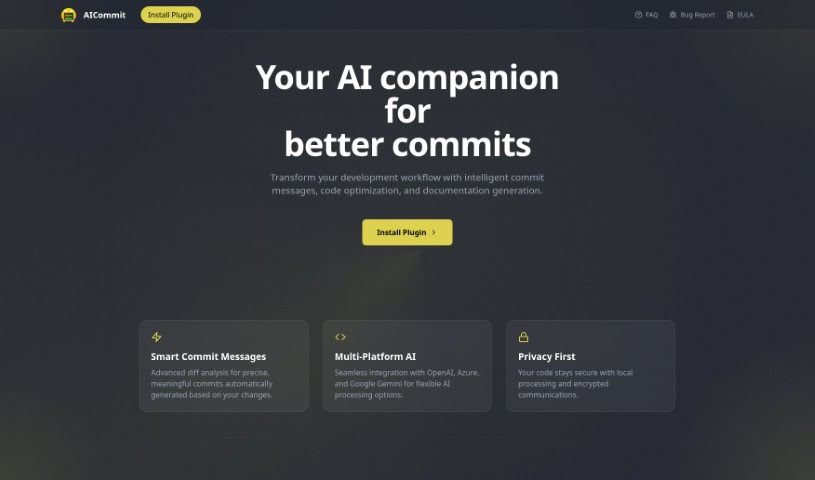
Screenshot of Aicommit

Aicommit

Discover what AICommit is and how to use it effectively in 2025. We'll explore its features and see how it stacks up against other Software Development Tools.

Screenshot

What is AICommit?

AICommit is a really neat programming assistant built to help developers be more productive right inside their JetBrains Integrated Development Environments (IDEs). It’s powered by OpenAI’s GPT technology, which means it brings some seriously smart coding features to the table. Think automated commit messages that actually make sense, suggestions for making your code run better, explanations for tricky code snippets, help with writing documentation, and even translating code between different languages. Basically, AICommit is designed to make your development process smoother by giving you tools for more efficient coding, making it easier to understand what’s going on with your code, and helping you translate it when needed. You can find and interact with this plugin through the JetBrains Marketplace, and there’s also a GitHub page if you’re interested in joining the community or contributing.

Who created AICommit?

AICommit was actually created by rosuh. It’s a programming assistant plugin specifically designed to boost developer productivity within JetBrains IDEs. By using OpenAI GPT technology, this plugin can automatically generate commit messages, offer suggestions to optimize your code, explain code segments, help with documentation, and translate code across various programming languages. Their dedication to using modern web technologies and fostering open-source collaboration is clear, especially since they used Next.js to build the aicommit.app website.

What is AICommit used for?

  • Automated Commit Message Generation: Get helpful commit messages written for you.
  • Code Optimization Suggestions: Find ways to make your code run faster and cleaner.
  • Intelligent Code Explanation: Understand complex code with clear explanations.
  • Documentation Automation: Speed up the process of writing documentation.
  • Multi-language Code Translation: Easily convert code from one language to another.

Who is AICommit for?

  • Developers
  • Programmers
  • Software engineers

How to use AICommit?

Getting the most out of AICommit is pretty straightforward. Just follow these steps:

  1. First, you’ll want to download the AICommit plugin directly from the JetBrains Marketplace. It’s easy to find.
  2. Once you’ve downloaded it, install the plugin into your JetBrains IDE. This will unlock all its handy features.
  3. When you’re ready to commit your code, use the automated commit message generation. It’s designed to create accurate messages that fit the context of your changes, saving you time.
  4. Pay attention to the code optimization suggestions. They can really help improve how your code performs and how well it’s structured.
  5. If you come across a piece of code that’s a bit confusing, use the intelligent code explanation feature. It’s great for getting a clearer understanding of complex segments.
  6. Need to document your code? AICommit can help automate that process, making it much easier to add user-friendly documentation without a lot of extra work.
  7. If you’re working with different programming languages, the multi-language code translation feature is a lifesaver. It lets you convert and translate code seamlessly.
  8. Don’t forget to connect with the AICommit community! You can also contribute to the project’s development over on GitHub.
  9. Found a bug or have an idea for a new feature? Reporting them helps the plugin evolve and better meet everyone’s needs.

By taking these steps, you can really make AICommit’s smart coding features work for you, making your programming workflow much more efficient.

Related AI Tools

Discover more tools in similar categories that might interest you

Stay Updated with AI Tools

Get weekly updates on the latest AI tools, trends, and insights delivered to your inbox

Join 25,000+ AI enthusiasts. No spam, unsubscribe anytime.