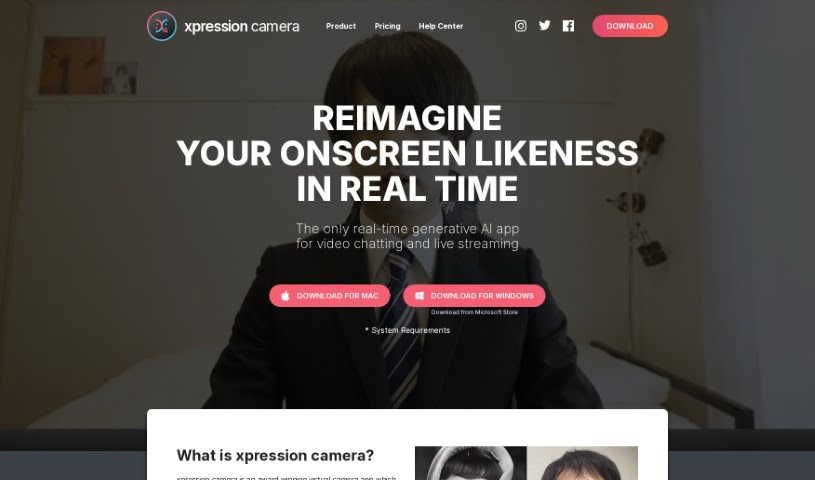
Screenshot of Xpression Camera

Xpression Camera

Discover what Xpression Camera is and how to use it effectively in 2025. We'll explore its features and see how it stacks up against other Video Content Creator Tools.

Screenshot

What is Xpression Camera?

Xpression Camera is a neat virtual camera app. It lets you instantly become anyone or anything with a face, just using a single photo – and there’s no waiting around for processing! This means you can totally change how you look on screen in real-time, whether you’re on Zoom, live streaming on Twitch, or making YouTube videos. You’re in charge of your look with Xpression Camera. It actually mirrors your facial expressions onto any photo, letting you create all sorts of content like videos, GIFs, and memes. Plus, it has this cool Voice2Face tech. It can animate your image on screen even when you’re not actually on camera, adding all sorts of emotional expressions with just a click. Basically, Xpression Camera is a go-to tool for content creators, giving you everything you need to generate memes, GIFs, cinematic shots, and social content, all while keeping your privacy protected.

Who created Xpression Camera?

Xpression Camera was developed by a forward-thinking founder who really wanted to shake things up in the virtual camera world. This app lets you transform into anyone or anything with a face, right as you’re using it, which is a fantastic way to boost your online presence on platforms like Zoom and Twitch. What’s really unique is its Voice2Face technology. It animates your images on screen based on your voice, making video chats way more engaging and dynamic. The company also makes it a point to protect user privacy and offers tons of ways to customize your own avatars.

What is Xpression Camera used for?

  • You can change how you look on streaming platforms like Zoom and Twitch.
  • It lets you create virtual avatars that copy your movements and expressions in real-time.
  • You can customize your avatar’s look, including hairstyles, hair color, outfits, and accessories.
  • There are options to add special effects and filters to make your virtual appearance even better.
  • It connects smoothly with popular streaming platforms.
  • Just link up with your preferred platform, and you’re ready to stream with your virtual avatar.
  • You can tweak your avatar’s facial features, body shape, and even voice.
  • It helps make your video editing and content creation process smoother with filters and effects.
  • It’s a complete package for all your video editing and sharing needs.
  • It opens up a world of creative possibilities for anyone who streams, makes content, or just likes having fun.
  • You can transform your appearance and become anyone you wish on popular streaming platforms.
  • Create a virtual avatar that mirrors your movements and expressions in real-time for a truly immersive experience.
  • Customize your virtual self with a wide array of options, like different hairstyles, outfits, accessories, and special effects.
  • Seamlessly integrate with popular streaming platforms so you can start streaming with your virtual avatar right away.
  • Express yourself creatively by picking from pre-designed avatars or building your own from the ground up.
  • Improve your video editing and content creation with advanced filters, effects, and sharing capabilities.
  • Make a memorable impression when you’re hosting events, in meetings, or just connecting with friends and family.
  • Use the Voice2Face technology to animate your image on screen using your voice, offering a unique way to engage even when you’re off camera.
  • It supports generating memes, GIFs, cinematic content, and social content with professional tools.
  • Protect your privacy by changing the image on your screen, so you don’t have to show your true identity online.

Who is Xpression Camera for?

  • Content creators
  • Streamers
  • Video editors
  • Social media influencers
  • Business professionals
  • Virtual Event Hosts

How to use Xpression Camera?

Here’s how you can get started with Xpression Camera:

  1. Download and Install: First, grab the Xpression Camera app from wherever it’s available for your device and get it installed.
  2. Sign up/Log in: You’ll need to create an account or log in if you already have one within the Xpression Camera app.
  3. Choose or Create Avatar: You can pick a pre-designed avatar from the choices provided, or you can create your very own custom avatar. This involves adjusting facial features, body shape, outfits, accessories, and even your voice.
  4. Connect with Streaming Platforms: Link Xpression Camera up with your favorite streaming platform, like Zoom or Twitch. This lets you use your virtual avatar during live streams or video calls.
  5. Customize Appearance: Feel free to play around with different hairstyles, hair colors, outfits, and accessories to make your avatar look just the way you want.
  6. Add Special Effects: You can make your virtual appearance even more unique and engaging by adding special effects and filters.
  7. Create Content: Use Xpression Camera’s tools and features to edit videos, add those advanced filters and effects, and then share your content easily across different platforms.
  8. Explore Voice2Face Technology: Definitely try out the Voice2Face feature! It animates your image on screen based on your voice, so you can still be engaging in video calls even when you’re not actually on camera.
  9. Join Community: Jump into the Xpression Camera community. It’s a great place to discover new ideas, share what you’ve made, and get inspired by what other users are creating.
  10. Unleash Creativity: Let your imagination run wild! Xpression Camera offers endless customization options and tools to help you create whatever you can dream up.

By following these steps, you’ll be able to make the most of Xpression Camera. You can totally transform your appearance, connect with your audience in creative ways, and enjoy a really captivating and immersive online experience across all sorts of platforms.

Related AI Tools

Discover more tools in similar categories that might interest you

Stay Updated with AI Tools

Get weekly updates on the latest AI tools, trends, and insights delivered to your inbox

Join 25,000+ AI enthusiasts. No spam, unsubscribe anytime.