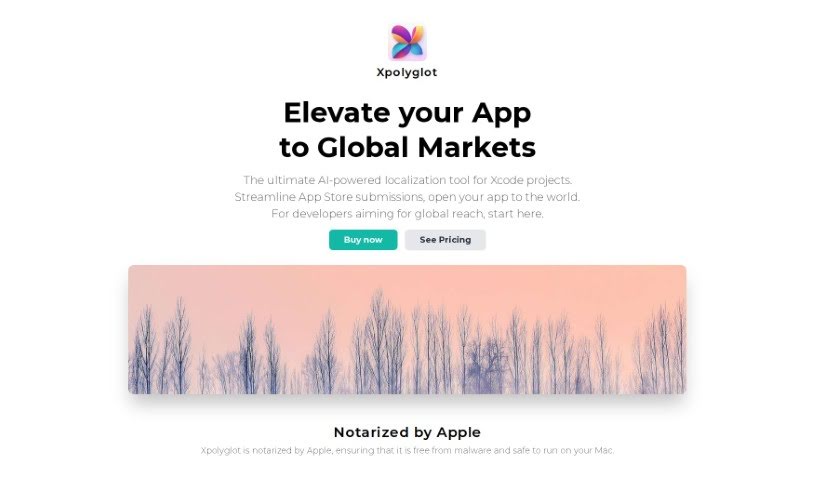
Screenshot of Xpolyglot

Xpolyglot

Discover Xpolyglot in 2025! Learn what this macOS app does for Xcode project localization, its AI-powered translation features, and how it stacks up against other Software Development Tools.

Screenshot

What is Xpolyglot?

Xpolyglot is a handy macOS application built by FiveSheep. Its main job is to make localizing your Xcode projects much simpler. It is an AI-powered assistant that helps you translate your app’s string catalogs efficiently and without breaking the bank. Xpolyglot can handle all sorts of localization tasks for your projects. It’s smart enough to spot when strings have changed, so it only updates the ones that need it. Plus, it takes care of managing metadata, and even updates your global descriptions and keywords across all the languages you support. It also makes managing different versions of your app a breeze, letting you easily create and translate new versions into your target languages.

If you’re curious to know more about Xpolyglot, don’t hesitate to ask! I’m happy to answer any other questions you might have.

Who created Xpolyglot?

Xpolyglot comes from FiveSheep, a software development company based in Estonia. They launched this tool on March 22, 2024. Its core purpose is to help developers localize their Xcode projects, using Artificial Intelligence to offer translations that are both effective and budget-friendly.

What is Xpolyglot used for?

Xpolyglot offers a range of benefits for app developers:

  • Globalize App Store Metadata: Easily update your App Store Connect descriptions and keywords across all your supported languages.
  • Automated Updates: Get precise, automated updates for your app’s descriptions and keywords.
  • Painless App Updates: Manage app updates smoothly with built-in version management, including translating your ‘What’s new’ sections.
  • Streamlined Submissions: Simplify your App Store submission process by efficiently managing all your localization projects.
  • Cost-Effective Translation: It’s a much more affordable alternative to hiring professional translators.
  • Save Time & Resources: Benefit from efficient time and resource management thanks to delta updates that only translate modified strings.
  • Boost Discoverability: Improve how easily your app can be found by managing your metadata effectively.
  • Simplified Version Management: Easily create and translate new versions of your app into different languages.
  • Apple Notarized Safety: Rest assured, Xpolyglot is a safe, malware-free macOS application that’s been notarized by Apple.
  • Improve Global Accessibility: Make your app more accessible worldwide by keeping users informed in their native languages.
  • Facilitate Xcode Localization: It’s designed specifically to make localizing your Xcode projects much easier.
  • AI-Powered Catalog Translation: Translate your application’s string catalogs efficiently using Artificial Intelligence technology.
  • Centralized Project Management: Manage all your different localization projects from one convenient place.
  • Smart String Updates: It detects changes in your strings and updates only the ones that have been modified.
  • Comprehensive Metadata Handling: It manages metadata, global descriptions, and keyword updates across all your supported languages.
  • Streamline App Store Submissions: Make the process of submitting your app to the store much smoother.
  • Optimize for Global Markets: Fine-tune your apps for worldwide markets.
  • Save on Translation Services: Cut down on expenses by reducing the need for costly translation services.
  • Seamless Workflow Integration: It fits right into your development workflow without causing disruption.
  • Enhance Discoverability: Make your apps more discoverable in global app stores.

Who is Xpolyglot for?

Xpolyglot is a great tool for:

  • App developers
  • Software developers
  • Localization specialists
  • Developers who want their apps to reach a global audience
  • App Store Connect Managers

How to use Xpolyglot?

Using Xpolyglot is pretty straightforward. Just follow these steps:

  1. Initial Setup:
    • First, make sure you have a separate OpenAI API key ready to go. Xpolyglot needs this to function correctly.
  2. Import Projects:
    • You can easily import your Xcode projects right into Xpolyglot with just a few clicks. This helps you manage all your localization projects in one place.
  3. Localization:
    • Take advantage of Artificial Intelligence to translate your string catalogs cost-effectively. Thanks to its delta update feature, it only updates the strings that have actually changed.
  4. Metadata Management:
    • Keep your App Store Connect descriptions and keywords current across different languages by automating global metadata updates.
  5. Version Management:
    • Managing different versions of your app becomes simple. You can create and translate new versions into your target languages, including updating the “What’s new” section.
  6. Safety:
    • You can trust Xpolyglot; it’s safe and malware-free because it’s been notarized by Apple.
  7. Benefits:
    • Streamline your App Store submissions, improve your app’s global accessibility, and save money on translation costs by managing your time and resources more efficiently.
  8. Developer Support:
    • Enjoy the advantages of Xpolyglot’s smoothly integrated workflow and features that enhance your app’s discoverability.

Related AI Tools

Discover more tools in similar categories that might interest you

Stay Updated with AI Tools

Get weekly updates on the latest AI tools, trends, and insights delivered to your inbox

Join 25,000+ AI enthusiasts. No spam, unsubscribe anytime.