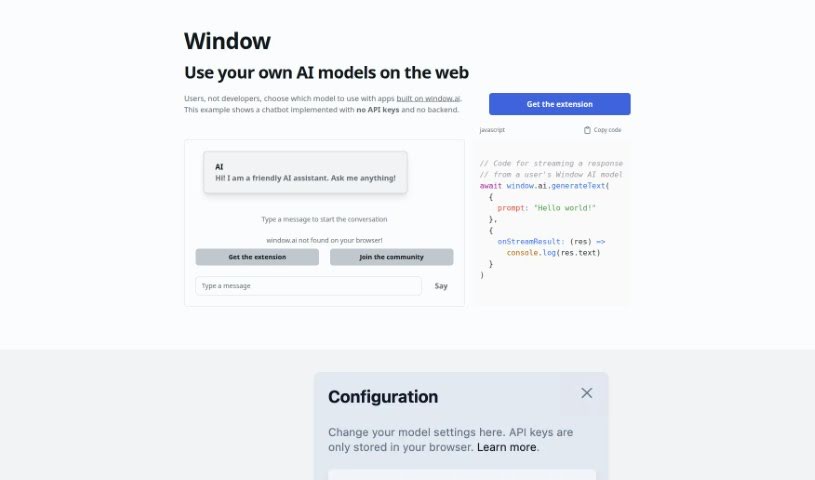
Screenshot of Windowai.io

Windowai.io

Discover Windowai.io in 2025! Learn what this platform is, how to use its features effectively, and how it stacks up against other Software Development Tools.

Screenshot

What is Windowai.io?

Windowai.io is a platform built to help you use AI models on the web, no developer needed. It provides an extension that lets you pick from a bunch of AI models from big names like OpenAI, Google, and Anthropic. You can even run an AI model right on your own computer for extra privacy. What’s really neat is that Windowai.io works without needing any API keys or a backend setup, making it super simple to get started. Plus, you can save your chat history to train and improve your AI models over time. By adding the Window extension, you can chat with AI smoothly, make your interactions feel more personal, and be part of a community that’s changing how AI fits into web applications.

Here’s what makes it stand out:

  1. Your Choice of AI: Pick the AI models you want for your web applications.
  2. Super Easy Setup: Get started with AI right away – no API keys or backend fuss.
  3. Privacy First: Run AI models locally for better privacy control.
  4. Learn from History: Save your conversations to train your AI models.
  5. Join the Community: Get support and documentation from other users.

Want to dive deeper? Check out Windowai.io.

Who created Windowai.io?

Alexander Atallah is the creator behind Windowai.io, as you can see on his GitHub account here: https://github.com/alexanderatallah/window.ai. This platform is all about making it easy for people to add various AI models to web apps. You don’t need API keys or a backend, and you can choose models from major companies like OpenAI and Google, or even use AI that runs on your own computer for better privacy. You can also save your chat history to help train and fine-tune your AI models, making your interactions more personal. It’s a platform designed to empower users and build a community around simpler AI integration.

Who is Windowai.io for?

  • People building chatbots
  • Professionals integrating AI
  • Anyone focused on user empowerment
  • AI Integration
  • Chatbot Development
  • User Empowerment
  • Privacy Control
  • Model Configuration

How to use Windowai.io?

Windowai.io makes it simple to add AI models to your web applications. Here’s how you can get started:

  1. Grab the Window Extension: Head over to the Windowai.io website and download the extension for your browser. It’s a quick process.
  2. Pick Your AI Model: You’ve got options! Choose from a range of AI models from leaders like OpenAI, Google, Anthropic, and others. Or, if you prefer, you can use an AI model running directly on your local machine for that extra layer of privacy.
  3. Start Chatting: Begin a conversation with the AI assistant by simply typing a message. The best part? No API keys or backend setup needed – it’s a smooth experience from the get-go.
  4. Save Your Chats: The Window extension automatically keeps a record of your message history. This is a fantastic feature because it lets you train your own AI models based on your past conversations.
  5. Connect with Others: Jump into the community of users who are already using Windowai.io. You’ll find plenty of documentation and support to help you make the most of the tool.

By following these steps, you can easily use Windowai.io to integrate AI models into your web applications. You’ll be able to customize your interactions and continuously improve your AI experience, making it more efficient and personal.

Related AI Tools

Discover more tools in similar categories that might interest you

Stay Updated with AI Tools

Get weekly updates on the latest AI tools, trends, and insights delivered to your inbox

Join 25,000+ AI enthusiasts. No spam, unsubscribe anytime.