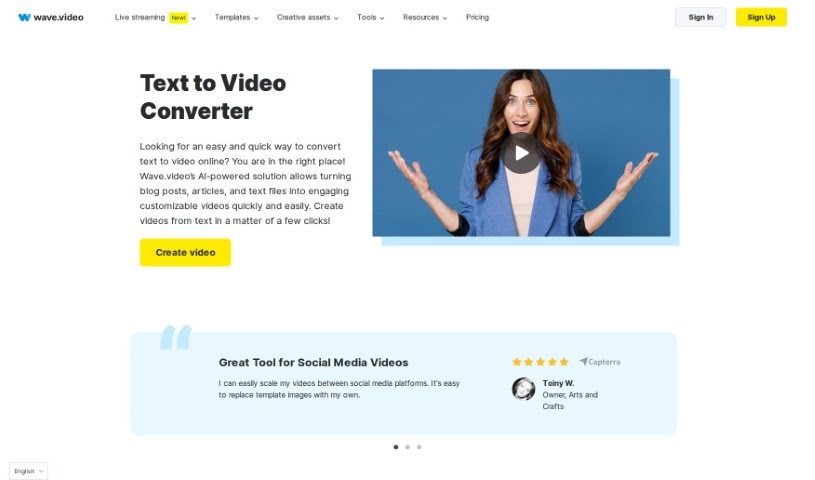
Screenshot of Wave.video Text to Video

Wave.video Text to Video

Discover what Wave.video's Text to Video feature is all about and learn how to use it effectively in 2025. We'll explore its features and see how it stacks up against other video creation tools.

Screenshot

What is Wave.video Text to Video?

Essentially, Text to Video is a way to turn written words into a video. Wave.video makes this super simple, letting you create engaging videos from your text in just minutes. You just upload your text, or paste a link to it, pick how long you want the video to be, what kind of audio mood you’re going for, and how much text you want to show. Then, you choose a video style and format, and the tool does the rest, generating the video for you. You can always tweak it further to make it just right. It’s a really quick and efficient way to get video content from your writing, perfect for individuals and businesses needing visually appealing videos for all sorts of reasons.

Who created Wave.video Text to Video?

The company behind Wave.video’s Text to Video tool is Wave.video itself. The founder of Animatron Inc., the parent company, isn’t specifically named in the information I have. But Wave.video is a really user-friendly, online text-to-video editor that you can access right from your browser. Beyond just editing, they offer a whole suite of video marketing tools. Think creating video landing pages, using videos in your emails, or embedding them on your website. The platform is designed so you can create great-looking videos quickly and easily, no matter your video editing or design experience.

How to use Wave.video Text to Video?

Ready to turn your text into a video with Wave.video? Here’s a simple breakdown:

  1. First, head over to Wave.video and open your ‘My Projects’ page.
  2. Look for the ’+ New Video’ button, usually on the right side, and click it.
  3. From the dropdown menu that appears, pick the option that fits what you need.
  4. Now, upload your text. You can either pop in a link to your article or just paste the text directly into the box.
  5. Next, set up your video just how you like it – choose the duration, audio style, and text length.
  6. Then, customize the video itself. You can tweak the visuals, adjust the text, and even add your logo if you have one.
  7. Once the video generation is complete, you’re ready to publish.
  8. Finally, decide what you want to do with your new video: download it, share it on social media, create a dedicated video landing page, embed it on your website, and so on.

Wave.video really simplifies turning text into engaging videos with its user-friendly, AI-powered approach. It’s perfect for quickly creating videos from blog posts, articles, or any text file. Plus, you get plenty of options to customize everything to your liking. After the initial video is made, you can fine-tune it even more to make sure it’s exactly what you need.

Related AI Tools

Discover more tools in similar categories that might interest you

Stay Updated with AI Tools

Get weekly updates on the latest AI tools, trends, and insights delivered to your inbox

Join 25,000+ AI enthusiasts. No spam, unsubscribe anytime.