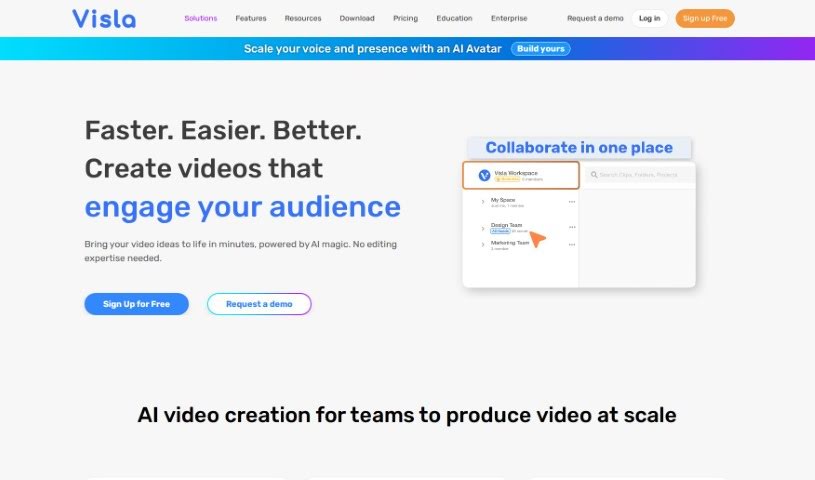
What is Visla?
Visla’s AI Video Generator is a really smart tool designed to make creating videos much simpler. It uses artificial intelligence to help you turn all sorts of media into great-looking videos without a lot of hassle. Here are some of the cool things this AI Video Generator can do:
- Turn Blog Posts into Videos: It can grab the important bits from your written content and automatically create eye-catching videos. This is a huge time-saver and really helps boost your online presence.
- Convert Text to Video: Just type in your text, pick a template you like, and the AI will whip up professional videos that get your message across clearly, and it takes hardly any effort.
- Transform Audio into Video: Got a podcast or an interview? This tool can turn those audio files into engaging videos with just a few clicks. It’s a fantastic way to give your audio content a new life and reach more people.
- Create Videos Without Being a Pro: You don’t need any special technical skills to use Visla’s AI video creation and editing tools. You can make professional videos using all sorts of stock footage and by choosing different scenes.
- Work Together on Videos: The platform has features that let teams manage assets, edit, and review videos together. This means everyone can collaborate smoothly to create amazing videos.
All in all, Visla’s AI Video Generator is a clever way for individuals and teams to step up their video game, powered by artificial intelligence.
Who created Visla?
Visla’s AI Video Generator was actually created by Dr. Huipin Zhang. He’s a former founding engineer and Chief Scientist at Zoom. Visla got its start in 2020 with the goal of making video creation easy for teams, even if they don’t have technical backgrounds. The platform offers a bunch of AI features, like turning blog posts into videos, making engaging visuals from text, and converting audio files into captivating videos. Visla really focuses on making its interface easy to use and also helps with search engine optimization, so you can create high-quality videos without breaking a sweat.
What is Visla used for?
Visla is great for a lot of things, including:
- Turning text into videos
- Boosting your online presence and drawing in more viewers
- Making engaging videos from your blog posts
- Turning audio files into videos
- Creating videos for your brand, sizzle reels, event recaps, case studies, showcasing products and services, ads, and calls to action
- Developing full training programs, figuring out training needs, creating interactive e-learning courses, FAQs, and compliance courses specific to your industry
- Producing company and personal introductions, overviews of products and services, sales tools, product and sales training, and custom demos
- Generating internal overviews of products and features, internal user documentation, internal training for products and features, reproducing issues, and recording them
- Creating company overviews, introductions for executives, highlight reels, bio and background pieces, internal messages from executives, and updates
- Crafting customized renewal messages, explainers for products and features, custom demos, customer use cases, and support materials
- Producing reviews of benefits, DEI assets, policy overviews, announcements for internal events, employee surveys, and explainers from management
- Converting blog posts into engaging videos
- Turning written text into videos
- Turning audio files into videos
- Making your videos easier for search engines to find
- Creating brand videos
- Producing sizzle reels
- Developing event recaps
- Making case studies
- Featuring products and services in videos
- Including advertisements and calls to action in your videos
- Improving your online presence and attracting viewers
- Creating professional-looking videos quickly
- Optimizing videos for search engines
- Repurposing audio content for different platforms
- Increasing your chances of ranking higher on Google
- Attracting organic traffic to your videos
- Customizing videos to fit your brand and audience
- Repurposing audio content for different platforms
- Creating professional-looking videos quickly
- Maximizing your online presence on social media and Google
- Attracting organic traffic to your videos
- Customizing videos to fit your brand and audience
- Creating professional business videos with AI help
- Recording from screens, phones, and webcams for product demonstrations
- Editing videos manually and making script changes
- Enhancing videos with CTAs, voiceovers, subtitles, and branding
- Brand videos, sizzle reels, event recaps, case studies, advertisements, and calls to action
- Full training programs, interactive e-learning courses, and industry-specific compliance courses
- Customized renewal messaging, product explainers, demos, and customer use assets
Who is Visla for?
Visla is a great fit for:
- Corporate Learning teams
- Sales and Revenue Operations
- Product development
- Communications departments
- Customer success teams
- HR and People Operations
- Marketing professionals
How to use Visla?
Using Visla’s AI Video Generator is pretty straightforward. Just follow these steps:
- AI Video Creation: You can use Visla for your storyboard, handling scripts, B-roll, voice-overs, subtitles, and more. Plus, you can collaborate with your team on managing assets, editing, and reviewing to make video creation a smooth process.
- One Tool, No Expertise Required: You can create professional videos without any fuss. Visla offers stock options and a variety of scene selections, including free stock, premium stock, or even your own private stock footage.
- Video Recording: Need to capture footage? You can record from your screen, phone, webcam, or even meetings to create dynamic product demonstrations.
- Video Editing: You have the flexibility to edit videos manually or tweak scripts directly. You can merge clips, cut out unwanted parts, and clean things up. Plus, you can add CTAs, voiceovers, subtitles, and branding elements to make your business videos stand out.
- Enhance Videos Collaboratively: The platform’s collaborative features are a big plus. You can share comments, embed videos into other applications, and work together in Visla Workspaces on branding and other projects.
By using Visla’s AI Video Generator, you can easily turn blog posts into engaging videos, transform written text into customizable video templates, and even convert audio files into captivating videos to reach a wider audience. The tool also helps optimize your videos for search engines, provides extensive stock libraries, and allows for detailed video editing with various effects, overlays, subtitles, and export options for high-quality results.