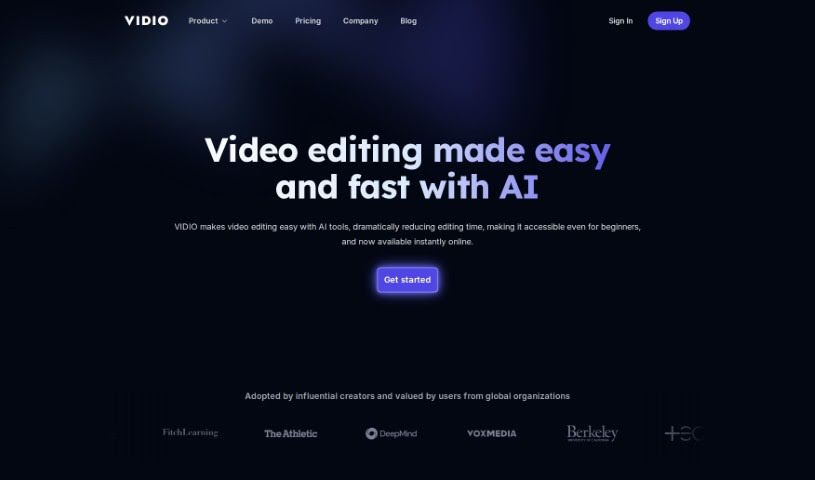
Screenshot of Vidio

Vidio

Discover what Vidio is and how to use it effectively in 2025. We'll explore its features and see how it stacks up against other video editing tools.

Screenshot

What is Vidio?

Vidio is an online video editing tool designed to make video editing accessible and enjoyable for everyone. It does this by using advanced AI technology. The platform was created to help bridge the gap between complicated traditional editing software and the creative goals of people from all sorts of backgrounds. Vidio’s AI-powered system intelligently analyzes videos, spots patterns, and offers helpful editing suggestions. You can interact with it through a chat-based interface, get automated guidance, and it supports various file types. Just a heads-up, there’s a 150MB file size limit. Vidio is also part of the NVIDIA Inception startup program. Their AI, especially a personal video editor called Reel-GPT, helps you create professional-looking videos without much fuss. It’s a great tool for hobbyists, creators, digital marketers, and editors alike, offering both a free basic version and affordable premium plans.

Who created Vidio?

Vidio was brought to life by a diverse team. This group includes AI experts, people who love making videos, and other creative individuals. The platform officially launched on April 12, 2023. Their main mission? To make video editing inclusive and fun for everyone, all thanks to cutting-edge AI. The company’s vision centers on intelligently analyzing videos, recognizing patterns, and offering intuitive suggestions to help with editing.

What is Vidio used for?

  • Boosting your productivity
  • Cutting down editing time significantly
  • Improving the overall quality of your videos
  • Helping your videos grab more attention and engagement
  • It works smoothly with popular software like Final Cut Pro, Adobe Premiere Pro, and iMovie.
  • It’s really helpful for hobbyists, creators, digital marketers, and editors.
  • It benefits from the influence of NVIDIA’s technology.
  • It offers flexible ways to use it.
  • You don’t need to install anything.
  • There’s also an option for custom solutions if you need something specific.

Who is Vidio for?

  • Hobbyists
  • Creators
  • Digital marketers
  • Editors

How to use Vidio?

Ready to start editing with Vidio? Here’s a simple guide:

  1. Access the Platform: First, head over to the Vidio website. You’ll need to sign up for an account to get access to their video editing tool.
  2. Upload Your Video: Once you’re logged in, it’s time to upload your video file. Vidio supports a good range of file formats, including GIF, AVI, MP4, MOV, and more.
  3. Use the AI Technology: Vidio makes great use of AI to offer automated guidance for your edits. Definitely take advantage of this feature to make your video look better with less effort.
  4. Chat with Reel-GPT: Vidio is integrated with Reel-GPT, which is like your own personal video editor powered by AI. This tool is fantastic for creating professional-looking videos easily.
  5. Edit and Enhance: You can use Vidio’s chat-based interface to edit your videos. This makes the whole process simpler and provides a really user-friendly experience.
  6. Works with Popular Software: Videos you edit with Vidio are compatible with major editing software like Final Cut Pro, Adobe Premiere Pro, and iMovie, which is super convenient.
  7. Pick a Pricing Plan: Vidio offers both Basic and Premium pricing plans. The Basic plan is free but has some limitations, while the Premium plan gives you extra perks like faster responses and more messages each month.
  8. Get Customer Support: If you need help, Vidio offers customer support, especially for those who subscribe to Premium.
  9. Check Out More Features: Don’t forget to explore the resources on the Vidio website. They have a blog for updates, an FAQ section for common questions, and pages for their privacy policy and terms of use.
  10. Make the Most of AI Editing: Really lean into Vidio’s AI for automated guidance, its easy-to-use interface, compatibility with major editing software, and the affordability of its free and premium options. It’s all about creating engaging video content efficiently.

By following these steps, you can effectively use Vidio for your video editing needs. You’ll be able to take advantage of cutting-edge AI technology and user-friendly features to really improve your video content creation experience.

Related AI Tools

Discover more tools in similar categories that might interest you

Stay Updated with AI Tools

Get weekly updates on the latest AI tools, trends, and insights delivered to your inbox

Join 25,000+ AI enthusiasts. No spam, unsubscribe anytime.