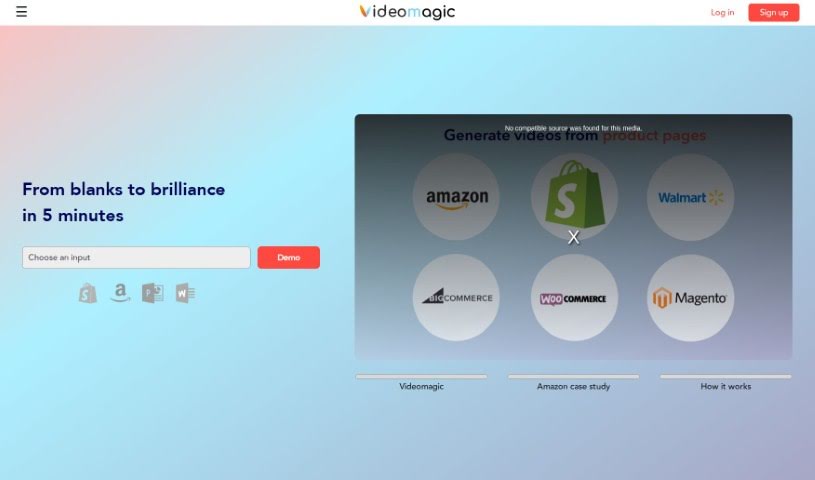
Screenshot of Videomagic

Videomagic

Discover what Videomagic is and how to use it effectively in 2025. We'll explore its features and see how it stacks up against other video editing tools.

Screenshot

What is Videomagic?

Video Magic is a comprehensive online platform built for video editing and production. It’s designed for everyone, whether you’re a seasoned pro or just starting out with video creation. Video Magic offers a wide array of tools and features to really make your videos shine. You can easily edit and customize your videos with all sorts of effects, filters, and transitions. Need to trim, combine, or rearrange clips? You can do that. Want to add text or captions? Easy. You can even use multiple audio tracks for a richer sound. For those looking to take things up a notch, there are advanced options like green screen removal, color grading, and motion tracking. Plus, Video Magic has a cool AI-powered video generator. Just give it your preferences and inputs, and it can create videos automatically – super handy for making promotional content or ads. The platform is really user-friendly, with intuitive controls and a clear visual interface, so it’s great for all skill levels. There are also plenty of tutorials and resources to help you master its features.

Who created Videomagic?

Amit Ramchandran is the person behind Videomagic; he’s both the Founder and CEO. The platform’s main goal is to help users enhance their videos with advanced editing tools like effects, filters, and transitions. Amit isn’t alone, though. Key members of the Videomagic team include Reema Prasanna, who leads Go To Market efforts, Dhaval Pancholi, heading up Engineering, and Hussain, who manages Data.

What is Videomagic used for?

  • Editing videos with effects, filters, and transitions.
  • Trimming, merging, and rearranging video clips.
  • Adding text and captions to your videos.
  • Using multiple audio layers for a richer soundtrack.
  • Removing green screens.
  • Color grading your footage.
  • Performing motion tracking.
  • Automatically generating videos based on your preferences and inputs.
  • Creating promotional videos and content for social media.
  • Making video advertisements.
  • Adding text and captions.
  • Applying multiple layers of audio.
  • Enjoying a user-friendly interface suitable for all skill levels.
  • Editing and customizing videos with effects, filters, and transitions.
  • Trimming, merging, and rearranging video clips.
  • Adding text and captions to videos.
  • Applying multiple audio layers for a richer soundtrack.
  • Using advanced features like green screen removal, color grading, and motion tracking.
  • Automatically generating videos with artificial intelligence.
  • Creating promotional videos, social media content, and video ads.
  • It’s designed to be user-friendly and accessible for everyone.
  • There are tutorials and resources to help you master editing features and techniques.
  • Trimming, merging, and rearranging video clips.

Who is Videomagic for?

  • Videographers
  • Video Editors
  • Content Creators
  • Social Media Managers
  • Marketing Specialists
  • YouTubers
  • Educators
  • Event Planners
  • Graphic Designers
  • Digital Marketers

How to use Videomagic?

Here’s a simple guide to using Videomagic:

  1. Getting Started with Videomagic: Simply visit the Videomagic online platform to start using the tool.

  2. Importing Your Media: Begin by bringing your media files – like videos, images, and text – into the platform.

  3. Editing Your Videos:

    • Trim, merge, and rearrange your video clips however you like.
    • Add text and captions to give your videos context.
    • Boost the visual appeal with a variety of effects, filters, and transitions.
    • Create a rich, immersive soundtrack by using multiple audio layers.
    • Explore advanced features such as green screen removal, color grading, and motion tracking for professional-level editing.
  4. Generating Videos with AI:

    • Videomagic features a powerful video generation tool that uses artificial intelligence.
    • Based on your preferences and inputs, the platform can create videos for you automatically.
    • Provide the necessary assets like images, videos, and text so the AI can build the video.
    • This feature is especially helpful for creating promotional content, social media videos, and advertisements.
  5. The User-Friendly Interface:

    • Videomagic is designed to be intuitive and easy for everyone to use, no matter their skill level.
    • Whether you’re a beginner or an experienced editor, you’ll find the controls straightforward.
    • The visual interface makes the editing process more enjoyable.
  6. Learning Resources:

    • Make sure to check out the tutorials and resources available on Videomagic.
    • These materials are there to help you master all the different features and techniques the platform offers.

By following these steps, you can effectively use Videomagic to edit and create engaging videos with ease.

Related AI Tools

Discover more tools in similar categories that might interest you

Stay Updated with AI Tools

Get weekly updates on the latest AI tools, trends, and insights delivered to your inbox

Join 25,000+ AI enthusiasts. No spam, unsubscribe anytime.