10LevelUp
Video Generation Video Editing
Learn more
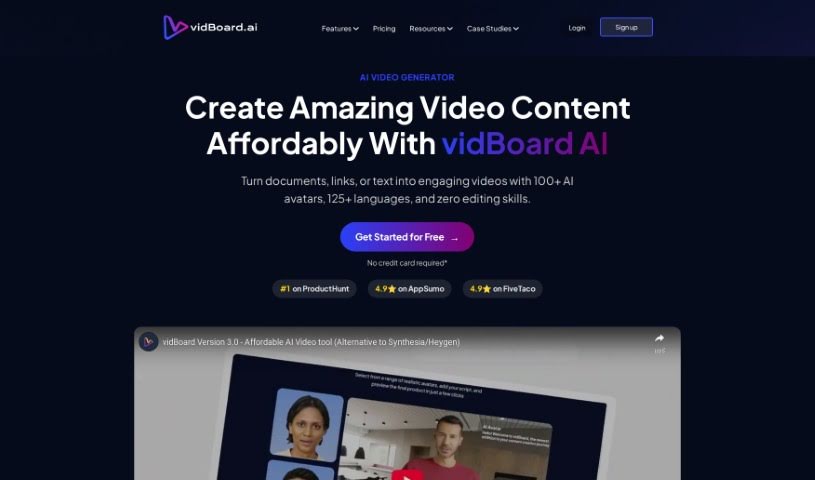
Discover what Vidboard AI is and how it automates video creation with templates, AI presenters, and support for over 125 languages.
Vidboard Ai is a platform that uses AI to simplify video creation, particularly for personalized marketing, learning materials, and news updates. It automates video production from text, ChatGPT output, and audio scripts, and features a “Creative AI Presenter” that can represent your digital identity on screen.
The platform turns text into videos through an interface with ready-made templates. It supports over 125 languages, lets you integrate multimedia assets like images and music, and offers custom video exporting options. Users report meaningful time and cost savings, though the template variety could be wider, and translations and text-to-speech output are not always perfect.
Vidboard Ai was founded by Ashwin Madhavan and Tushar Bhatnagar and launched on July 2, 2021. Ashwin serves as CEO, responsible for product ideas and day-to-day operations. Tushar is the CTO, handling product development and research. Their goal is to make high-quality, personalized video creation accessible to individuals and businesses.
Vidboard Ai is aimed at small business owners, startups, marketers, content creators, educators, trainers, sales professionals, product managers, healthcare professionals, and hobbyists — essentially anyone who wants to produce personalized videos without traditional production workflows.
Vidboard Ai combines AI-generated presenters, text-to-video conversion, and multilingual support in a template-driven platform. Its main strengths are ease of use, automation, and cost-effectiveness; its main limitations are a relatively narrow template selection and occasional imperfections in translations and text-to-speech.
Related
Discover more tools in similar categories
Weekly picks of the best AI tools we've researched and added — no spam, unsubscribe anytime.
Join 25,000+ AI enthusiasts. No spam, unsubscribe anytime.