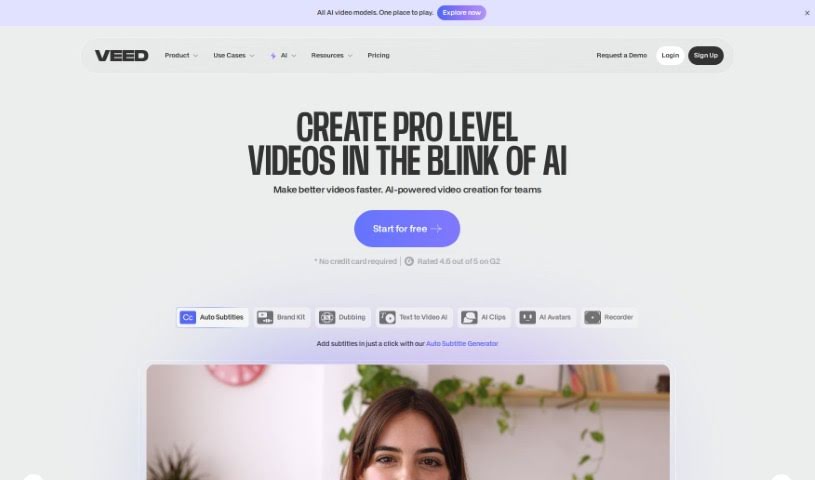
Screenshot of VEED

VEED

Discover what VEED is and how to make the most of its features in 2025. We'll explore its AI Thumbnail Maker, compare it to other video editing tools, and show you how to boost your video engagement.

Screenshot

What is VEED?

VEED offers a really neat AI Thumbnail Maker that lets you whip up thumbnail images for your videos. It’s a free tool, so you can just type in what you’re looking for, and the AI will generate an image for you. You can then download it or, even better, tweak it further using VEED’s own video editor. This editor lets you add text, cool effects, and music right onto your thumbnail. Plus, VEED’s AI can actually look at your existing videos and suggest thumbnails that really fit the theme, which is a fantastic way to make your video content pop and grab more attention.

Who created VEED?

VEED was actually started by two guys, Sabba Keynejad and Timur Yusupov. Sabba’s a serial entrepreneur who knows his way around tech startups, and Timur is a super experienced developer and designer. Together, they’ve built VEED into a company that’s all about making online video editing tools, like that handy AI Thumbnail Maker, super accessible.

What is VEED used for?

Basically, VEED is your go-to for:

  • Creating eye-catching thumbnail images for your videos.
  • Getting AI to generate thumbnail images just from a simple prompt you type.
  • Easily downloading those AI-generated images.
  • Giving your thumbnails a polish using VEED’s free video editor.
  • Adding text, special effects, and even music to make your thumbnails stand out.
  • Having the AI analyze your video content to suggest thumbnails that perfectly match its theme.
  • Boosting your video’s overall appeal and how much people engage with it.
  • Making thumbnail images specifically for use within your videos.
  • Generating images based on whatever you type into a prompt.
  • Editing those images using VEED’s free video editor.
  • Analyzing your video content to get smart suggestions for on-theme thumbnails.

Who is VEED for?

If you’re involved in creating or promoting video content, VEED is likely for you. Think:

  • Video Content Creators
  • YouTubers
  • Social media managers
  • Digital marketers
  • Graphic designers
  • Videographers
  • Influencers
  • Educators
  • Advertisers
  • Bloggers

How to use VEED?

Want to get the most out of VEED? It’s pretty straightforward:

  1. First off, head over to the VEED AI Thumbnail Maker tool on their official website.
  2. Next, just type in a prompt – tell the AI what kind of image you need.
  3. Once it’s generated, you can either download it straight away or take it into VEED’s free video editor for more work.
  4. In the editor, feel free to add text, play with effects, or even add some music to really make your thumbnail shine.
  5. Got a video already? Let VEED’s AI take a look. It can analyze the content and suggest thumbnails that are not only on-theme but also really eye-catching.
  6. Don’t be afraid to play around with all the different editing features VEED offers. You can really customize your thumbnails until they’re exactly how you want them.

By following these steps, you’ll find it’s a really efficient way to create and edit thumbnails for your videos, thanks to VEED’s user-friendly setup and smart AI.

Related AI Tools

Discover more tools in similar categories that might interest you

Stay Updated with AI Tools

Get weekly updates on the latest AI tools, trends, and insights delivered to your inbox

Join 25,000+ AI enthusiasts. No spam, unsubscribe anytime.