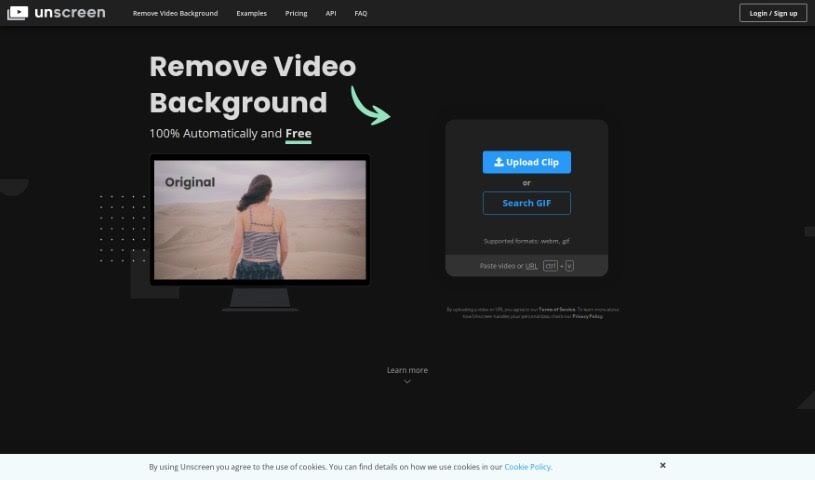
Screenshot of Unscreen

Unscreen

Discover what Unscreen is and how to use it effectively in 2025. We'll explore its features and see how it stacks up against other video editing tools.

Screenshot

What is Unscreen?

Unscreen is a video editing tool designed to make removing backgrounds from videos super simple. It started in 2020 as part of Canva, and its main goal is to offer top-notch background removal without you needing a green screen. Basically, it automatically takes out and swaps video backgrounds, which really speeds things up for anyone creating content, marketing materials, or educational videos. Unscreen keeps getting better by improving its AI, so users can enjoy a really smooth video editing experience.

Who created Unscreen?

Unscreen was actually founded by the same team behind remove.bg. They launched it in 2020 with a clear mission: to simplify how people remove backgrounds from videos. Now, as part of Canva Austria GmbH, Unscreen wants to make it easy for everyone around the world to get high-quality video background removal. The company is always working to boost its AI capabilities, aiming to provide video editing solutions that are both efficient and high-quality.

What is Unscreen used for?

Here’s a rundown of what Unscreen is great for:

  • Getting rid of video backgrounds: You can remove backgrounds from your videos without needing a green screen at all.
  • Automatic background replacement: It automatically removes and then lets you replace video backgrounds.
  • Simplifying editing: It makes the whole video editing process much easier, especially for content creators, marketers, and educators.
  • Boosting AI: Unscreen is always working to improve its AI for a smoother editing experience.
  • Part of Canva: Being associated with Canva helps make high-quality video background removal accessible to more people.
  • Constant improvement: The service quality is always being refined by training and improving AI models.
  • Efficient editing: It empowers users with efficient ways to edit videos.
  • Global access: Unscreen provides high-quality video background removal for all sorts of industries and countries.
  • Detailed AI training: They train AI models meticulously, focusing on every tiny detail and complexity.
  • Mission-driven enhancement: They’re dedicated to improving and advancing their AI capabilities.
  • Easy background removal anywhere: You can automatically remove backgrounds from videos without needing a green screen.
  • Record and remove: Film your footage wherever you like and easily get rid of the background.
  • No complex techniques: You can create videos without backgrounds using simple methods, skipping complex things like chroma keying.
  • Automatic analysis: It analyzes videos automatically to produce great results.
  • Streamlined editing: It simplifies video editing for content creators, marketers, and educators.
  • Accessible quality: It offers high-quality video background removal that’s accessible to individuals in many different industries.
  • Seamless AI editing: Provides a smooth editing experience powered by AI.
  • Empowering tools: It gives users efficient video editing tools.
  • Top-tier quality: Delivers unmatched service quality in video editing.
  • Continuous AI upgrades: It continuously enhances its AI capabilities.

How to use Unscreen?

Using Unscreen is pretty straightforward. Just follow these steps:

  1. Record your video: Film your footage wherever you want – no green screen needed!
  2. Upload and process: Upload your video to Unscreen. The tool will automatically analyze it and remove the background for you.
  3. Consider the Pro Plugin: If you need more advanced features, check out the Unscreen Pro Plugin for Adobe Premiere Pro & After Effects.
  4. Install and integrate: Install the plugin, process your video using Unscreen Pro, and then easily import the result right into your video editing software.
  5. Enjoy the benefits: You’ll get features like full HD resolution, no watermarks, API access, plugins, support for full-length clips, video file downloads, and audio.
  6. See the commitment: Explore how Unscreen is dedicated to making video background removal simple without ever sacrificing quality.

Related AI Tools

Discover more tools in similar categories that might interest you

Stay Updated with AI Tools

Get weekly updates on the latest AI tools, trends, and insights delivered to your inbox

Join 25,000+ AI enthusiasts. No spam, unsubscribe anytime.