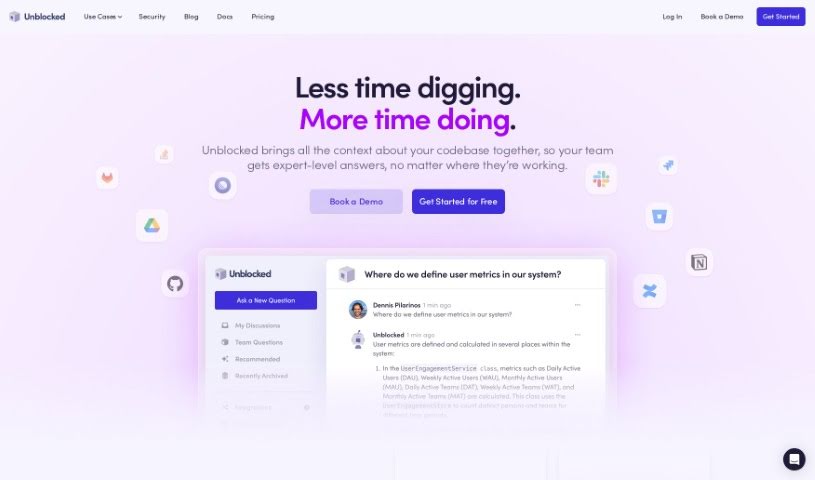
Screenshot of Unblocked

Unblocked

Discover what Unblocked is and how to use it effectively in 2025. We'll explore its features and see how it stacks up against other programming tools.

Screenshot

What is Unblocked?

“Unblocked” is your go-to assistant for finding the answers you need to code more efficiently. It works by enriching your source code with knowledge pulled from places like GitHub, Slack, Confluence, and Jira. This means you get quick, accurate answers without having to sit through long meetings or constantly ping your teammates. Plus, for any file you’re working on, Unblocked will show you related documents and past conversations, so you always have the right information right there. Security is a big deal too; they maintain top-notch standards and use encryption to keep your data safe across all network layers.

Who created Unblocked?

Dennis Pilarinos, the Founder and CEO, is the driving force behind Unblocked. The platform officially launched on February 1, 2023. The Unblocked team itself is made up of ambitious individuals who aren’t fans of mediocrity and are always pushing to get better. They’ve also got some serious backing from industry leaders like Stewart Butterfield, John Lilly, Mike Vernal, and others.

What is Unblocked used for?

  • Get accurate answers fast, without interrupting your colleagues.
  • Easily find relevant documents and past discussions for whatever file you’re looking at.
  • Cut down on distractions to help your team focus and move faster.
  • Benefit from top-tier security, backed by regular third-party penetration testing.
  • Securely access data across network layers using encryption with your team’s unique keys.
  • Keep customer data isolated, authorized, and encrypted.
  • Find answers about your code by tapping into systems like GitHub, Slack, Confluence, and Jira.
  • Trade those 30-minute meetings for quick, 3-second answers.
  • Understand your codebase, architecture, and internal practices to get precise answers.
  • Boost developer proficiency by providing accurate and helpful responses.
  • Augment your source code with knowledge from systems like GitHub, Slack, Confluence, and Jira.
  • Get accurate answers quickly without interrupting teammates.
  • Surface contextually relevant documents and discussions for unfamiliar code sections.
  • Reduce distractions and boost team focus and velocity.
  • Maintain top-tier security standards with regular third-party penetration testing.
  • Secure data access with encryption using team-specific keys.
  • Isolate, authorize, and encrypt customer data.
  • Empower every developer with improved proficiency thanks to AI technology.
  • Enhance developer workflows by enabling smoother communication with the codebase.
  • Quickly find specific details about your codebase and get precise answers to your questions.

Who is Unblocked for?

  • Developers
  • Engineers
  • Programmers
  • Technical professionals

How to use Unblocked?

Here’s how to get the most out of Unblocked:

  1. Understand Its Purpose: Remember, Unblocked is built to help developers find quick answers and insights about their code. It does this by pulling knowledge from systems like GitHub, Slack, Confluence, and Jira.
  2. Install and Connect: First, connect Unblocked to your preferred source code system and your project or issue tracker. This setup is key to using its features effectively.
  3. Ask Away: Use Unblocked to ask specific questions about your codebase. The tool is designed to give you accurate answers fast, saving you the trouble of digging through documentation or old conversations yourself.
  4. Use Contextual Info: Unblocked will show you relevant documents and past discussions for any file you have open. This really helps you grasp the context of your codebase, especially when you’re working with parts you’re not familiar with.
  5. Boost Teamwork: Unblocked aims to sharpen your team’s focus and speed up your progress by offering instant answers and solutions. It helps cut down on interruptions, letting developers concentrate on writing code.
  6. Security First: Unblocked keeps things secure with top-tier standards and regular third-party penetration testing. Your customer data is protected through encryption using team-specific keys.
  7. Manage Your Subscription: If you’re an admin, you can easily handle your company’s Unblocked subscription. Just head to the Billing section on the Unblocked web dashboard to upgrade or downgrade your plan whenever you need to.

By following these steps, developers can really tap into the insights and efficiency Unblocked provides for navigating codebases and improving collaboration within their teams.

Related AI Tools

Discover more tools in similar categories that might interest you

Stay Updated with AI Tools

Get weekly updates on the latest AI tools, trends, and insights delivered to your inbox

Join 25,000+ AI enthusiasts. No spam, unsubscribe anytime.