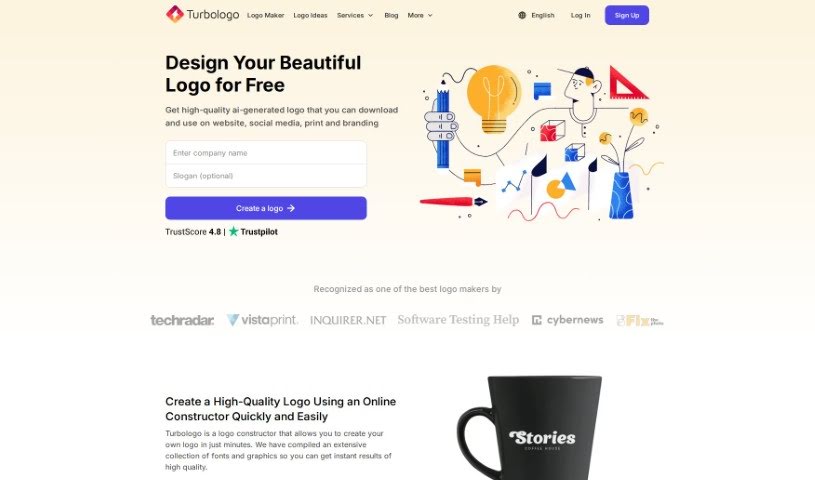
Screenshot of Turbologo

Turbologo

Discover what Turbologo is and how to use it effectively in 2025. We'll explore its features and see how it stacks up against other logo generators.

Screenshot

Turbologo is a logo design service that really makes things easy. It’s a platform packed with over 3 million icons and tons of fonts, so you can whip up high-quality logos super fast. It is your go-to spot for branding; you get access to a huge library of logo templates and handy customization tools. This means you can really play around and try out different looks for your brand. Turbologo lets you create logos in all sorts of formats and sizes. Once you buy a package, you can download your logo in high resolution. They even offer professional help if you need a hand with designing or downloading. Plus, if you grab a subscription, you’ll get brand guidelines, full ownership of your creation, and you can tweak your logo as much as you want. All in all, Turbologo is a super efficient and complete way to get custom logos, whether you’re an individual or running a business.

Eva Williams is the person behind Turbologo. The company itself focuses on logo design services, offering a massive collection of over 3 million icons and a variety of fonts to help people create great-looking logos quickly and easily. People who’ve used Turbologo often mention how efficient it is, how much time it saves, and how helpful the customer service team is.

What is Turbologo used for?

  • Craft a stunning, custom logo for your business: Make your brand stand out with a unique design.
  • Generate logo designs quickly and easily: Get professional-looking logos without the hassle.
  • Access over 3 million icons and a variety of fonts: Plenty of options to match your brand’s personality.
  • Get help with designing or downloading logos: They’re there to assist you every step of the way.
  • Know the fonts and colors used in your logo: Keep your branding consistent.
  • Download high-resolution logo files immediately after purchase: Get your logo files right away.
  • Receive professional help with designing logos by purchasing certain plans: For those who want an extra touch of expert guidance.
  • Get logo design support through the online logo design service: Help is available when you need it.
  • Multiple logo variations available for selection: Explore different design options to find the perfect fit.
  • Customize logo styles, fonts, icons, and color combinations: Tailor every element to your specific needs.

Who is Turbologo for?

  • Designers: Looking for a quick way to generate concepts or final assets.
  • Entrepreneurs: Needing a professional logo to launch their new venture.
  • Small Business Owners: Wanting to establish a strong brand identity without a huge budget.
  • Startups: Requiring a distinctive logo to make an initial impact.
  • Marketing professionals: Seeking efficient tools for brand asset creation.

Using Turbologo’s logo generator is pretty straightforward. Here’s how you can get your logo designed:

  1. Start with your basics: First, enter your company name, a slogan if you have one, and your business field. This helps the tool suggest relevant imagery and styles.
  2. Pick your visuals: Browse through a huge collection of high-quality images and icons. The trick here is to choose visuals that represent your brand well, rather than just directly matching your company name.
  3. Choose your colors: Select a background color that fits your brand’s identity. You can also explore different logo variations the tool offers to see what works best.
  4. Download your creation: Once you’re happy with the design, download the final result in your preferred format. That’s it – you’ve got your logo!

Turbologo really makes the process user-friendly, using AI technology to help you create custom logos with ease. After you purchase a package, you can download your high-resolution logo files right away. The exact resolution you get depends on the package you choose, and there are options for professional design help and general assistance with certain plans. Plus, the tool will give you all the details about the fonts and colors used in your logo, which is super handy for keeping your branding consistent.

Related AI Tools

Discover more tools in similar categories that might interest you

Stay Updated with AI Tools

Get weekly updates on the latest AI tools, trends, and insights delivered to your inbox

Join 25,000+ AI enthusiasts. No spam, unsubscribe anytime.