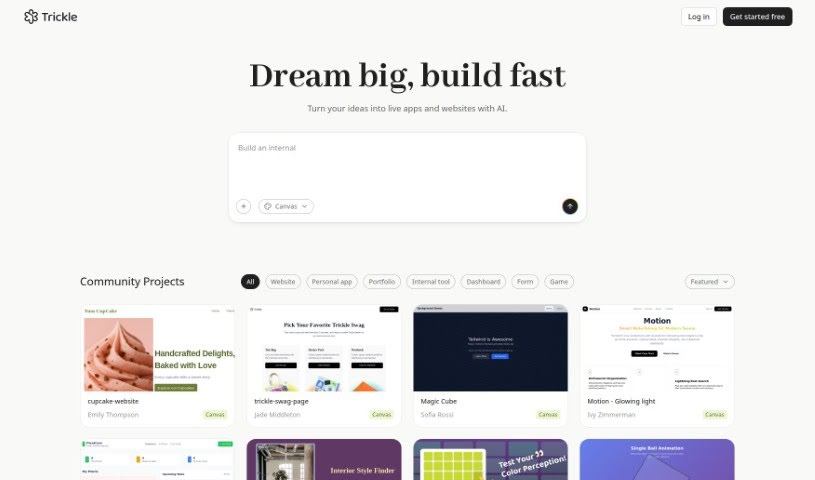
Screenshot of Trickle AI

Trickle AI

Discover what Trickle AI is and learn how to use it effectively in 2025. We'll explore its key features and see how it stacks up against other AI note-taking tools.

Screenshot

What is Trickle AI?

Trickle AI is a smart tool powered by artificial intelligence, built to help you manage and organize all your screenshots with ease. It is your personal assistant for keeping track of all those visual notes you take. With Trickle, you can upload and arrange your screenshots, turning them into memories that are not only accessible but also genuinely insightful. What sets Trickle apart is its AI, which uses GPT-4 Vision. This means it can do more than just pull out text; it actually understands the core idea behind your captures. It automatically creates summaries for each screenshot, making it super simple to find exactly what you’re looking for. Whether you’re trying to clear out your camera roll or gain deeper understanding from your visuals, Trickle is a fantastic companion for turning digital clutter into organized, valuable resources.

Who created Trickle AI?

The creator of Trickle AI isn’t specifically named in the available information. However, the company behind it offers a powerful AI tool designed to help users manage their screenshots effectively. Trickle’s main job is to organize these images and provide clear, insightful summaries. It achieves this by using the advanced capabilities of GPT-4 Vision to pull out the essential information from your captures. Essentially, Trickle helps you take all that scattered visual information and turn it into genuinely valuable insights.

What is Trickle AI used for?

  • Organize and Declutter: You can upload your screenshots directly to Trickle. This keeps everything neatly organized in one spot, finally clearing out that messy camera roll.
  • AI-Generated Summaries: Get helpful summaries for every screenshot you upload. This makes finding the information you need much, much easier.
  • Retrieve and Interact: Easily browse, search, and even ask Trickle for extra details about your screenshots. It lets you retrieve and interact with your saved visuals without any hassle.
  • GPT-4 Vision Integration: Trickle does more than just extract text. It uses GPT-4 Vision to really decode what your captures are all about, understanding the essence of each one.
  • Transform Chaos into Value: Trickle helps you turn all your scattered information into accessible, valuable insights, pushing your knowledge forward with AI.

Who is Trickle AI for?

  • Graphic designers
  • Marketers
  • Developers
  • Researchers
  • Educators
  • Content creators
  • Project managers
  • Social media managers
  • Data Analysts
  • Photographers

How to use Trickle AI?

Using Trickle AI effectively is pretty straightforward. Just follow these simple steps:

  1. Upload Screenshots: Start by uploading your screenshots to Trickle. This is a great way to keep everything organized in one place, getting rid of clutter and making your screenshots easy to find.
  2. AI-Generated Summaries: Trickle automatically creates summaries for each screenshot you upload. These summaries offer really useful insights, making it much simpler to locate the information you need quickly.
  3. Retrieve and Interact: You can use Trickle to easily browse through your screenshots and ask for more details. This feature lets you interact with your saved screenshots and get information seamlessly.
  4. GPT-4 Vision Integration: Trickle goes beyond just pulling out text. It uses GPT-4 Vision to decode the core meaning of your captures, which really helps in understanding and organizing them better.
  5. Transform Information into Value: With Trickle, you can turn all that scattered information into valuable insights that help advance your knowledge, all thanks to AI technologies.

By following these steps, you’ll get the most out of Trickle AI for organizing and making the best use of your screenshots.

Related AI Tools

Discover more tools in similar categories that might interest you

Stay Updated with AI Tools

Get weekly updates on the latest AI tools, trends, and insights delivered to your inbox

Join 25,000+ AI enthusiasts. No spam, unsubscribe anytime.