Topview.ai (Video Generation)
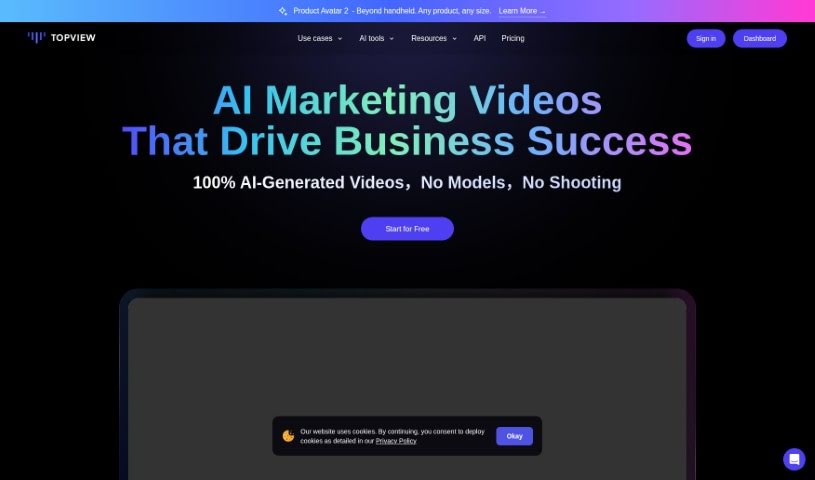
Screenshot of Topview.ai

Topview.ai

Discover Topview.ai, an AI video editing platform that turns product links into marketing videos with scripts, avatars, voiceovers, and auto-captions.

Screenshot

What is Topview.ai?

TopView.ai is an AI-powered platform for creating marketing videos quickly. It uses AI models like GPT-4o to handle script and storyboard writing, generate realistic AI avatars, automate editing, provide AI voiceovers, and add auto-captions in many languages. Users can turn simple product links into engaging marketing videos, saving time while producing professional-quality results at a relatively low cost. The multilingual support makes it easy to reach audiences worldwide, and the AI editing makes the video creation process fast and smooth.

Pricing includes a free option with some limits, plus paid plans that offer more credits and premium features such as avatars, voices, subtitles, and templates.

Who created Topview.ai?

Topview.ai was created by Noah Davis. The company offers AI-powered video editing solutions used by businesses of all sizes, including medium-sized companies, large corporations, digital agencies, and e-commerce platforms.

What is Topview.ai used for?

  • Creating marketing videos for e-commerce businesses
  • Introducing new products to potential customers
  • Driving growth for app promotions
  • Making marketing videos directly from Amazon links
  • Reaching global audiences through multilingual support
  • Boosting online sales with high-quality videos
  • Highlighting key product features and benefits
  • Producing promotional videos with AI-driven editing

Who is Topview.ai for?

  • Social Media Managers
  • Digital Marketers
  • Product Managers
  • Marketing Directors
  • Sales Managers
  • Brand Managers
  • Online Retailers

How to use Topview.ai?

  1. Sign up for an account on the Topview website.
  2. Choose a plan: Free, Starter, or Enterprise.
  3. Access the tools: script and storyboard generation, avatar creation, beat syncing, voiceover generation, and more.
  4. Create your videos for e-commerce, product launches, or app promotion.
  5. Let the AI edit: it selects and edits clips and adds auto-captions automatically.
  6. Use multilingual support to reach audiences in different countries.
  7. Customize avatars, voices, and other elements depending on your plan.
  8. Download and share the final video without watermarks across your platforms.

Related

Related AI Tools

Discover more tools in similar categories

New tools, in your inbox.

Weekly picks of the best AI tools we've researched and added — no spam, unsubscribe anytime.

Join 25,000+ AI enthusiasts. No spam, unsubscribe anytime.