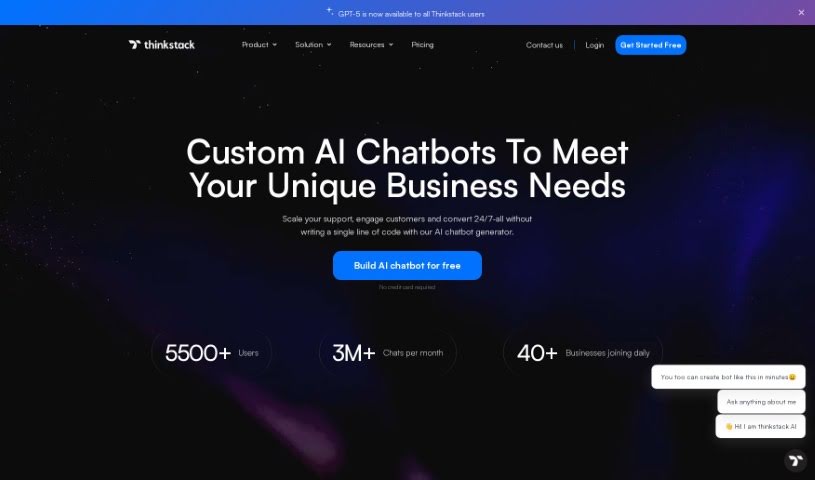
What is Thinkstack?
Thinkstack is a platform that lets you build AI chatbots using GPT technology. These chatbots are fully customizable and can provide automated customer service responses across many different industries. The best part? You don’t need any coding knowledge to use it, making it super accessible even if you’re not tech-savvy. Thinkstack also plays nicely with other tools through platforms like Zapier, and you can tailor it for specific sectors like healthcare, SaaS, banking, and retail. Getting started is straightforward: you upload and select your secure data files, train your bot, tweak the settings, and then launch it. Plus, Thinkstack offers advanced analytics, supports over 90 languages, pulls data from various places to train your bot, and keeps your information safe with encryption and strict access rules. On top of all that, Thinkstack chatbots can handle tasks like managing CRM entries, generating leads, and communicating in a way that feels personal to your brand and what your users prefer.
Who created Thinkstack?
Alex Smith founded Thinkstack, launching the platform on February 25, 2024. His main goal was to make it easy for anyone to create AI chatbots powered by GPT technology, offering customized, automatic responses for customer service across a wide range of industries.
What is Thinkstack used for?
Thinkstack is great for a lot of things, including:
- Providing efficient support, especially for startups.
- Collecting and managing leads effectively.
- Gathering valuable user feedback.
- Analyzing chatbot performance data.
- Offering an intuitive interaction and user interface.
- Customizing chatbots with specific personalization features.
- Seamlessly integrating with other essential tools.
- Automating routine, time-consuming tasks.
- Significantly improving customer service interactions.
- Handling real-time troubleshooting for customers.
- Engaging customers across multiple channels (omni-channel).
- Optimizing experiences for diverse customer needs.
- Boosting operational efficiency through automation.
- Elevating your lead generation efforts to get better results.
Who is Thinkstack for?
Thinkstack is particularly useful for professionals in:
- Healthcare
- Software as a Service (SaaS)
- Banking
- Retail
How to use Thinkstack?
Using Thinkstack is pretty straightforward. Just follow these steps:
- Upload Your Data: Start by selecting and securely uploading the files you want your chatbot to learn from. They are its knowledge base.
- Build Your Chatbot: Dive into the comprehensive AI Chatbot Creator Toolkit. This is where you’ll craft a custom ChatGPT that perfectly fits your needs.
- Choose Powerful AI Models: You can explore different AI models, like GPT-3.5 Turbo and GPT-4, to give your chatbot even more advanced capabilities.
- Make It Yours: Personalize your chatbot by adding your logo, choosing theme colors, and writing unique messages that truly reflect your brand’s identity.
- Connect Your Tools: Easily integrate your chatbot with popular tools like Salesforce and HubSpot using Zapier for a smooth workflow.
- Boost Lead Generation: Take your lead generation to the next level by using the chatbot platform to capture and manage potential customers.
- Use Many Data Sources: Gather information from all sorts of different places to make your chatbot training even more robust.
- Speak 90+ Languages: Connect with customers no matter where they are by supporting over 90 languages, offering a truly personalized experience.
- Prioritize Privacy & Security: Rest easy knowing your data is protected with secure measures like encryption and strict access controls.
- Communicate Adaptively: Your chatbot can adjust its personality and how it communicates based on what the user prefers, making interactions feel more natural.
- Engage Everywhere: Connect with multiple apps and services to streamline operations and enhance the overall user experience.
Remember, Thinkstack is designed for various industries, requires no coding to set up, provides automated responses, and lets you customize your chatbot settings exactly how you like them.