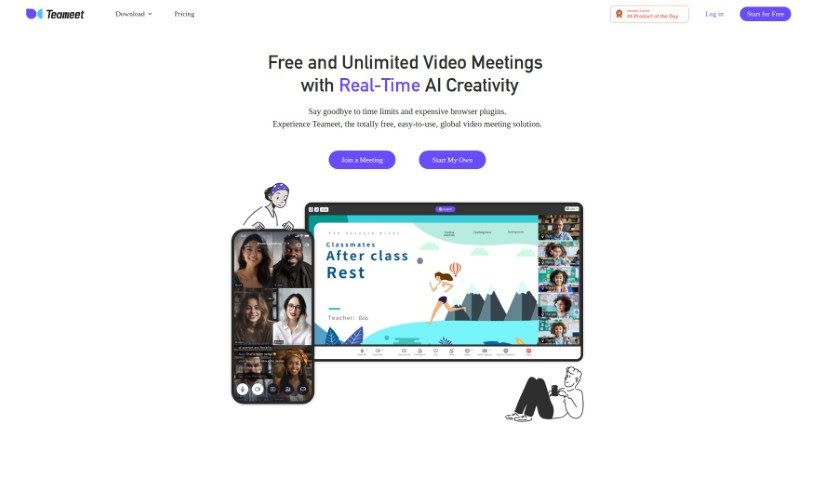
Screenshot of Teameet

Teameet

Discover Teameet, your AI-powered meeting assistant for 2025. Explore its features like real-time translation and live captioning, and see how it stacks up against other meeting tools.

Screenshot

What is Teameet?

Teameet is a smart online meeting tool, brought to you by HiThink Financial Services Inc. It is your AI assistant for meetings. It’s packed with features designed to make your conversations smoother, no matter who you’re talking to or where they are. You get real-time translation, which is a game-changer for teams spread across different countries or speaking different languages. Plus, there’s video conferencing, screen sharing so you can show what you mean, and live captioning to help everyone follow along, especially those who are hearing-impaired. You can also record your meetings in the cloud and get transcriptions afterward. It’s completely free to use, making it super accessible for everyone.

Who created Teameet?

HiThink Financial Services Inc. is the company behind Teameet. They launched this helpful online meeting tool on June 20, 2024. As the owner, HiThink Financial Services Inc. developed and copyrighted the entire platform. They’ve really packed it with useful features, including that handy real-time translation, clear video conferencing, optimized audio and video for the best sound and picture quality, easy screen sharing, live captions, cloud recording, and even transcription services.

What is Teameet used for?

Teameet really shines when it comes to making communication and collaboration better. It’s fantastic for:

  • Boosting communication and teamwork: Making it easier for everyone to connect and work together.
  • Bridging language gaps: Its real-time translation is perfect for teams speaking different languages.
  • Ensuring clear conversations: Audio-video optimization means everyone can hear and see clearly.
  • Sharing ideas visually: Screen sharing makes collaborative tasks much more straightforward.
  • Improving understanding: Live captioning helps everyone follow the conversation.
  • Keeping records: Cloud recording lets you save meetings for later review.
  • Documenting discussions: The transcription service turns spoken words into text.
  • Making meetings accessible: It includes options for hearing-impaired users.
  • Enhancing remote teamwork: Making working together from afar much more effective.
  • Staying connected on the go: Mobile accessibility means you can join from anywhere.

Who is Teameet for?

Teameet is especially useful for:

  • Teams working across different countries.
  • Groups where members speak multiple languages.
  • Anyone involved in remote collaboration processes.

How to use Teameet?

Getting the most out of Teameet is pretty straightforward. Just follow these simple steps:

  1. Get Started (Sign Up or Log In):
    • Head over to the Teameet website. If you’re new, you’ll need to sign up for an account. If you’ve used it before, just log in.
  2. Schedule or Join a Meeting:
    • You can easily schedule a new meeting. Just invite people by sharing the meeting link. Alternatively, if someone’s already invited you, simply click the link they sent to join an existing meeting.
  3. Make the Most of the Features:
    • Don’t hesitate to use all the great features Teameet offers! Things like real-time translation, video conferencing, screen sharing, live captioning, and cloud recording are there to really improve your meeting experience.
  4. Communicate Effectively:
    • Talk clearly and connect well. Teameet supports unlimited video calls, offers that real-time translation for multilingual teams, and optimizes audio and video so conversations are crystal clear.
  5. Boost Accessibility:
    • Need to make sure everyone can follow? Use the live captioning feature. It turns what’s being said into text right there in the meeting, which is a huge help for anyone who is hearing-impaired.
  6. Record and Review Later:
    • Need to remember what was discussed? Use the cloud recording feature to save your meetings. You can access these recordings anytime you need a refresher. The transcription service is also super handy for getting a text version of the meeting audio.
  7. Collaborate with Ease:
    • Sharing your screen is a breeze, perfect for showing presentations or working on documents together. This really makes teamwork more effective and keeps everyone engaged.
  8. Feel Secure:
    • While we don’t have all the specifics here, Teameet comes from HiThink Financial Services Inc., a company known for its professionalism. You can generally expect them to follow standard security practices to keep your data safe.
  9. Join from Anywhere:
    • Teameet is designed for flexibility. Thanks to its mobile accessibility, you can attend meetings no matter where you are.
  10. Use it Your Way (Personal and Professional):
    • Whether it’s a casual chat with friends or an important business meeting, Teameet is suitable for both personal and professional use, fitting all sorts of communication needs.

By following these steps, you can really use Teameet’s AI-powered tools to make your virtual communication and collaboration much better and more effective.

Related AI Tools

Discover more tools in similar categories that might interest you

Stay Updated with AI Tools

Get weekly updates on the latest AI tools, trends, and insights delivered to your inbox

Join 25,000+ AI enthusiasts. No spam, unsubscribe anytime.