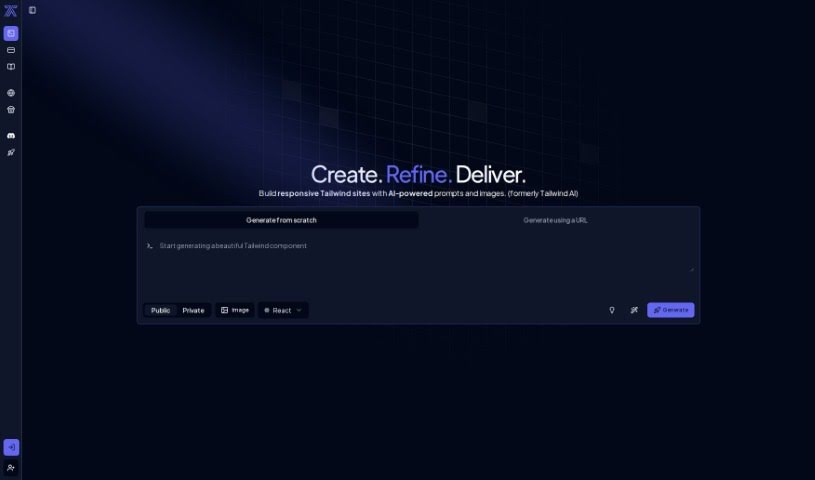
Screenshot of Tailwindai

Tailwindai

Discover what Tailwind AI is and how to use it effectively in 2025. We'll explore its features, compare it to other web design tools, and show you how to get started.

Screenshot

What is Tailwind AI?

Tailwind AI is a smart tool that uses artificial intelligence to make designing web interfaces much faster and easier. It’s really good at creating custom Tailwind components efficiently. What makes it stand out is how user-friendly it is, making web design a smoother experience by simplifying things like component creation and overall design simplification. It’s a great way to avoid a lot of the manual work that usually goes into web design, thanks to its AI automation.

Who created Tailwind AI?

Tailwind AI was developed by a company also called Tailwind AI. This company focuses on using artificial intelligence to simplify how we design web interfaces. Their tool is designed to automate the creation of Tailwind components, which significantly cuts down on the manual design work needed. It first became available on November 26, 2023. If you want to learn more, you can always check out the official Tailwind AI website.

What is Tailwind AI used for?

  • It helps automate the process of creating Tailwind components.
  • You can produce custom, high-quality Tailwind components with it.
  • It streamlines the whole process of designing web interfaces.
  • It simplifies component design and other design tasks in web design.
  • It really enhances the overall web design experience.
  • It helps cut down on manual design processes.
  • You can generate components directly from images using its vision technology.
  • It gives you access to AI-generated Tailwind components.
  • You can create custom, top-tier components without much effort.
  • It helps improve your design efficiency.
  • You can design user interfaces with Tailwind using simple text prompts and images.
  • It can help you create a bulletin board.
  • You can design a modern header.
  • It’s useful for creating a landing page hero section.
  • You can build an e-commerce dashboard.
  • It can help with cookie preferences forms.
  • You can design a weather app UI.
  • It’s useful for creating a terminal UI.
  • You can make a simple music player.
  • It can also be used to build a calculator.

Who is Tailwind AI for?

  • Web designers
  • Developers
  • UI/UX Designers
  • Digital marketers
  • Anyone involved in design

How to use Tailwind AI?

To get the most out of Tailwind AI, here’s a simple guide:

  1. Getting Started: First, head over to the Tailwind AI developer platform. That’s where you’ll begin your journey.

  2. Creating Components: You can easily generate Tailwind components just by using simple text prompts. Plus, its vision technology lets you create components from images, adding a lot of flexibility and new ideas to your projects.

  3. Custom Components: Tailwind AI is really good at making custom, top-tier Tailwind components. You won’t need to put in a lot of effort to get great results.

  4. Web Design Tasks: The tool is a big help for various web design tasks, including component design, simplifying your overall design, and creating those AI-powered Tailwind components.

  5. Easy to Use: Tailwind AI has a really intuitive interface. It’s designed to be accessible and user-friendly, which is great whether you’re just starting out or you’re already experienced.

  6. Better Design Experience: By using AI to automate and simplify how Tailwind components are made, Tailwind AI really improves your web design experience. It makes things more efficient and effective.

  7. Official Info: For the very latest updates, new features, pricing details, or to read what other users think, make sure to check out Tailwind AI’s official website.

  8. Customization Level: Tailwind AI allows for a high degree of customization. You can really tailor the components to fit exactly what you need for your project.

  9. Account Access & Help: Don’t forget to log into your Tailwind AI account on their official website. This gives you continued access and ensures you can get support if you need it.

By following these steps, you’ll be able to effectively use Tailwind AI’s features to make your web design process smoother and create custom components with real ease.

Related AI Tools

Discover more tools in similar categories that might interest you

Stay Updated with AI Tools

Get weekly updates on the latest AI tools, trends, and insights delivered to your inbox

Join 25,000+ AI enthusiasts. No spam, unsubscribe anytime.