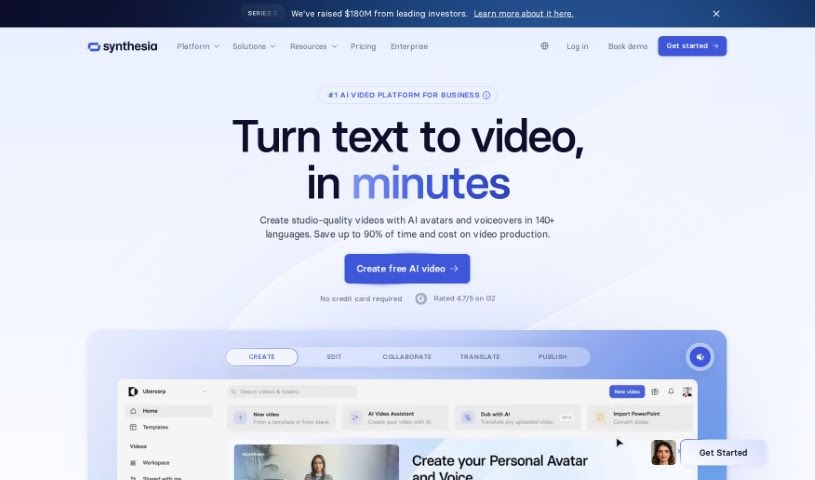
Screenshot of Synthesia

Synthesia

Discover what Synthesia is and how to use it effectively in 2025. We'll explore its features and compare it to other video creation tools.

Screenshot

What is Synthesia?

Synthesia’s Ethical Deepfake Maker gives you a really unique way to use deepfake technology for good, making sure it’s done responsibly. Basically, you can type in your script, pick an AI presenter you like, and whip up professional-looking videos in no time. Synthesia really stresses using AI the right way, aiming for their tools to be used for positive things like making educational content better, creating more engaging presentations, or improving how you talk to customers. The platform comes packed with features like AI video creation, a bunch of different presenters to choose from, a strong commitment to using deepfake tech for good, and it’s super easy to use. It’s great for educational stuff, company presentations, and connecting with customers.

Plus, Synthesia offers a secure space for businesses, making sure your data is safe and meets SOC 2 Type II & GDPR standards. They also combine human and AI checks, and actively participate in shaping AI policy, all to ensure they’re using AI for video generation ethically and responsibly.

The platform also puts a big focus on AI safety and ethics. They have a dedicated team working hard to make sure AI practices are secure, safe, and ethical. Synthesia’s main goal is to make creating high-quality videos accessible to everyone using generative AI. They’re even pioneering new ways to create incredibly realistic synthetic actors.

Who created Synthesia?

Synthesia, the company behind the Ethical Deepfake Maker, was actually started back in 2017. The founders are a group of AI researchers and entrepreneurs who came from places like UCL, Stanford, TUM, and Cambridge. You’ve got Victor Riparbelli, who’s the CEO and a co-founder, Steffen Tjerrild, who handles the COO/CFO roles and is also a co-founder, along with Professors Matt Niessner and Lourdes Agapito. Their whole focus is on giving everyone the power to create video content without needing cameras, microphones, or fancy studios, all while keeping AI use secure, safe, and ethical.

What is Synthesia used for?

Synthesia is incredibly versatile. Here’s a look at what people use it for:

  • Training videos: Making learning materials more dynamic.
  • Engaging presentations: Capturing attention with professional visuals.
  • Enhancing educational content: Bringing lessons to life.
  • Personalizing customer communication: Adding a human touch to messages.
  • Marketing content: Creating compelling ads and promotional videos.
  • Customer service videos: Providing clear and helpful support.
  • Streamlining video production: Speeding up the process significantly.
  • AI avatars for engagement: Making videos more interactive.
  • Script-to-voiceovers: Turning text into high-quality audio instantly.
  • Document-to-video: Transforming PDFs and web links into polished videos.
  • Boosting inclusivity: Using AI avatars to represent diverse audiences.
  • Instant voiceovers: Generating audio from scripts quickly.
  • Video editing with AI: Using templates and AI for easier editing.
  • Team collaboration: Allowing teams to work together in real-time.
  • Multilingual videos: Translating videos automatically into many languages.
  • Improving efficiency: Making video creation smoother and faster.
  • Internal communications: Enhancing messages within a company.
  • Boosting productivity: Helping teams get more done.

Who is Synthesia for?

Synthesia is a fantastic tool for a wide range of professionals, including:

  • Marketing professionals
  • Training and development specialists
  • Cybersecurity Experts
  • Product marketers
  • Customer Support Specialists
  • Learning Specialists
  • Global L&D Sales Training Strategy Managers
  • Cyber Security & Cloud Experts
  • VPs of Marketing
  • Customer Support Specialists (yes, they’re listed twice because it’s a key area!)

How to use Synthesia?

Using Synthesia is pretty straightforward. Just follow these simple steps:

  1. Input Your Script: Start by typing out exactly what you want to say in the platform’s text editor.
  2. Choose Your AI Presenter: Browse through the available AI avatars and pick the one that best suits your message and audience.
  3. Generate Your Video: Once your script and presenter are ready, just hit the generate button to create your video.
  4. Edit and Regenerate: If something isn’t quite right, you can easily make edits to the video and regenerate it with your changes.
  5. Enjoy Ethical Deepfake Creation: Use the powerful AI features to craft impactful and authentic videos for education, business presentations, or customer outreach.

Additional Features to Note:

  • Diverse Presenter Selection: You can choose from a wide array of AI avatars, which really helps in representing your message effectively.
  • Ethical Commitment: Synthesia is dedicated to the responsible use of deepfake technology, focusing on positive applications.
  • Ease of Use: The platform is designed with a user-friendly interface, making the video production process smooth and simple.
  • Wide Application: It’s suitable for many different uses, from educational content and corporate presentations to general customer engagement.

Pricing:

Synthesia offers both monthly and yearly subscription plans, so you can pick the option that best fits your needs and budget.

Related AI Tools

Discover more tools in similar categories that might interest you

Stay Updated with AI Tools

Get weekly updates on the latest AI tools, trends, and insights delivered to your inbox

Join 25,000+ AI enthusiasts. No spam, unsubscribe anytime.