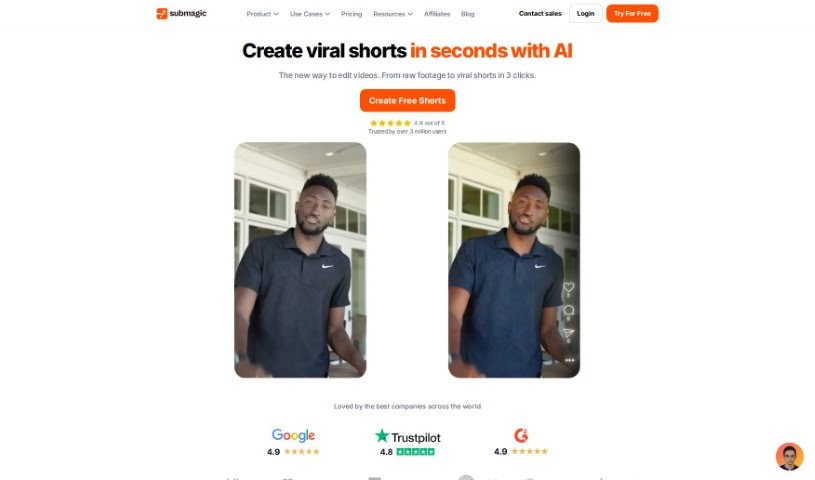
Screenshot of Submagic

Submagic

Discover what Submagic is and how to use it effectively in 2025. We'll explore its features and see how it stacks up against other Short Video Makers.

Screenshot

What is Submagic?

Submagic is your go-to video editing buddy, making it super simple to whip up short-form content in a flash. It’s packed with features designed to make your videos pop: you get auto-accurate captions in 48 languages, cool trendy templates and emojis, eye-catching B-rolls and transitions, smart auto-zooms, automatic sound effects, and even AI-generated descriptions with hashtags to grab attention and make creating content a breeze. It’s built for creators, teams, and agencies who want to produce professional, engaging videos without the usual hassle. You’ll love the dynamic captions in different languages, the premium B-rolls that really capture attention, a text-based editor for quick trimming, and easy ways to collaborate and share your work for feedback.

Who created Submagic?

Jovan Panetie is the mind behind Submagic, a video editing platform that uses AI to help you create engaging short-form videos efficiently. Submagic’s toolkit includes features like captions that are automatically accurate in many languages, stylish templates, cool B-rolls, transitions, auto-zooms, and sound effects. The whole idea is to make video creation smoother and really boost how much viewers engage with your content.

What is Submagic used for?

  • Quickly create viral shorts in seconds using AI.
  • Give your videos a boost in views, engagement, and watch time.
  • Add dynamic captions that work in 48 different languages.
  • Make your videos even better with stock footage from Storyblocks.
  • Easily cut out unwanted parts using a text-based editor.
  • Work together with your team, clients, and partners all in one place.
  • Share video links so others can give you feedback.
  • Grow faster by posting high-quality shorts every day.
  • Get AI-powered descriptions with relevant hashtags automatically.
  • Produce impactful video content quickly and without fuss.

Who is Submagic for?

  • Creators
  • Teams
  • Agencies

How to use Submagic?

Ready to dive in? Here’s how to get the most out of Submagic:

  1. Sign up: Head over to the Submagic website and create your account. This unlocks all the editing tools.
  2. Create a video: Jump right in and start a new video project. The interface is super user-friendly.
  3. Add your content: Upload your video clips, images, and any audio files you want to use.
  4. Enhance with features: Now for the fun part! Play around with Submagic’s features like auto-accurate captions, trendy templates, emojis, cool B-rolls, transitions, auto-zooms, and sound effects to really make your video shine.
  5. Collaborate: Need to work with others? Submagic makes it easy to collaborate with team members, clients, and partners right within the platform.
  6. Share and get feedback: Share your video links with anyone you need feedback from. It’s a great way to improve your content before you finalize it.
  7. Check out pricing: We have different pricing plans to fit what you need, whether you’re just starting out or you’re a seasoned pro.
  8. Let AI help: Make the most of the AI-powered tools to save time and create engaging videos without breaking a sweat.
  9. Cancel anytime: We offer flexible subscription plans with no hidden costs, and you can cancel whenever you need to.

By following these steps, you’ll be well on your way to creating professional, engaging video content quickly and efficiently with Submagic.

Related AI Tools

Discover more tools in similar categories that might interest you

Stay Updated with AI Tools

Get weekly updates on the latest AI tools, trends, and insights delivered to your inbox

Join 25,000+ AI enthusiasts. No spam, unsubscribe anytime.