What is Stochastic AI Xturing?
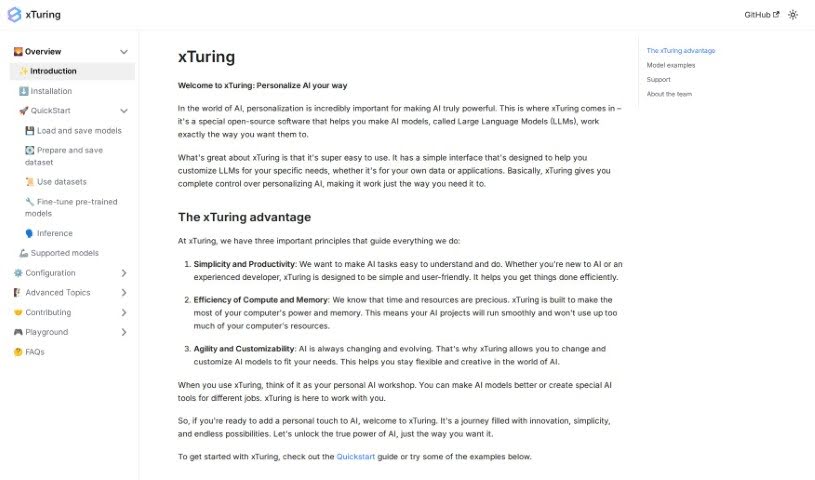
Xturing is a handy, open-source library that makes building and fine-tuning large language models much simpler. It’s designed to give you a straightforward way to customize these powerful AI models and even create datasets from your own data. Whether you’re working with LLaMA, GPT-J, GPT-2, OPT, Cerebras-GPT, Galactica, or Bloom, Xturing has you covered. It strikes a nice balance, making it easy for newcomers to jump in while still offering plenty of options for experienced developers who want to tweak things.
The folks behind Xturing really want to make AI more accessible and useful for everyone. They’re a diverse group with solid experience in machine learning, computer science, and putting AI to work in the real world. Their main goals for Xturing are keeping things simple and productive, making sure it’s efficient with compute and memory, and offering flexibility and customizability. They’re dedicated to helping you make the most of AI as technology continues to change.
Who created Stochastic AI Xturing?
A team from Stochastic developed Xturing with a clear mission: to make AI more accessible to everyone. They officially launched the platform on June 17, 2024. This global team brings together experts in AI research and engineering, all collaborating to simplify how we use and innovate with AI. Their focus is on making AI user-friendly and powerful, emphasizing simplicity, efficiency, and customizability in developing AI models.
What is Stochastic AI Xturing used for?
Here’s a look at what you can do with Xturing:
- Fine-tune models: Tailor AI models to perfectly fit your specific needs or application requirements.
- Generate datasets: Create datasets from your own data sources.
- Evaluate models: Test and assess how your modified models perform.
- Save and load models: Easily manage your AI models.
- Run inferences: Use the models for predictions or generating outputs.
- Prepare and save datasets: Get your data ready and store it efficiently.
- Support for many LLMs: Works with a wide range of large language models.
- Customize AI models: Make AI models your own by adjusting their settings.
- Build chatbots: While not explicitly stated, this is a common application for fine-tuned models.
- Contribute to xTuring: Get involved with the ongoing development of the project.
- Specific Fine-tuning Examples:
- Fine-tune LLaMA on the Alpaca dataset.
- Fine-tune GPT-J, with or without INT8.
- Fine-tune Cerebras-GPT on the Alpaca dataset, with or without LoRA and INT8.
- Fine-tune GPT-2 on the Alpaca dataset, with or without LoRA and INT8.
- Fine-tune Falcon 7B on the Alpaca dataset, with or without LoRA and INT8.
- Fine-tune Galactica on the Alpaca dataset, with or without LoRA and INT8.
- Fine-tune a Generic Wrapper large language model on the Alpaca dataset, with or without LoRA and INT8.
- Fine-tune LLaMA 7B on the Alpaca dataset, with or without LoRA and INT8.
- Fine-tune LLaMA 2 7B on the Alpaca dataset, with or without LoRA and INT8.
- Fine-tune OPT on the Alpaca dataset, with or without LoRA and INT8.
Who is Stochastic AI Xturing for?
- Developers of all levels.
- Anyone looking to work with AI, regardless of their prior experience.
How to use Stochastic AI Xturing?
Getting started with Xturing is pretty straightforward. Here’s a quick rundown:
- Understand Xturing: First off, remember that Xturing is an open-source library. Its main job is to make building and customizing large language models much easier.
- Model Compatibility: You’ll be glad to know Xturing works with a variety of popular models. This includes LLaMA, GPT-J, GPT-2, OPT, Cerebras-GPT, Galactica, and Bloom.
- User-Friendly: Whether you’re new to AI or have been working with it for a while, Xturing is designed for you. There’s even a Quickstart guide to help you get going.
- Fine-Tuning: This is a key feature. You can fine-tune models to perform better for your specific tasks. For instance, you can fine-tune on the Alpaca dataset, choosing whether to use LoRA or INT8, or both.
- Installation: Getting Xturing set up is simple – just use the
pip install command. You can find more detailed instructions on their website.
- Customizing Models: Xturing really lets you tailor AI models. You can adjust them to meet your unique requirements.
- Dataset Generation: Need to create datasets? Xturing makes it easy through its interface. Just follow the ‘Prepare and save dataset’ guide in the Quickstart section on their website.
- Model Evaluation: After you’ve made changes, you can use Xturing to evaluate your modified models. This helps you see how well they perform for your specific needs.
Xturing is built for efficient computing and memory use, and it’s licensed under Apache 2.0, which encourages community participation and keeps things transparent. For more in-depth information, definitely check out the documentation and resources on the Xturing website.