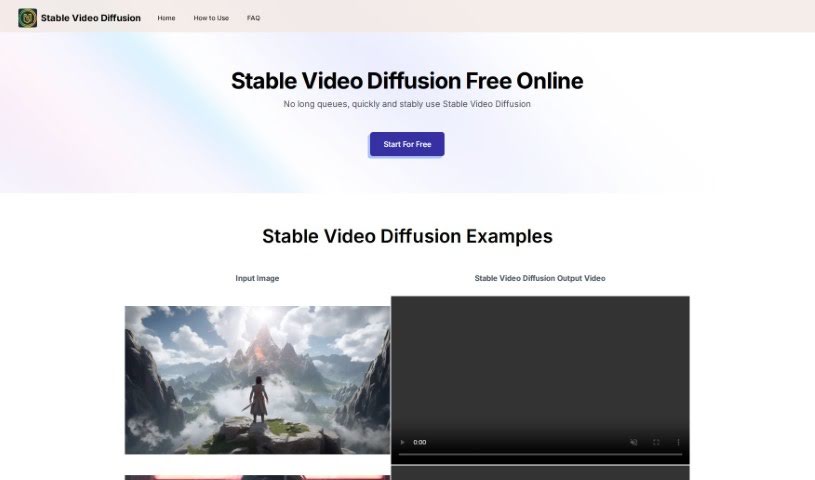
What is Stable Video Diffusion Online?
Stable Video Diffusion is a really exciting new development in AI video generation, brought to you by Stability AI. It builds on the foundation of their well-known Stable Diffusion model, but it’s specifically designed to create videos. What’s neat about it is that it can produce high-resolution videos with frame rates you can adjust. Plus, it can turn text descriptions or even still images into video clips. This makes it super useful for all sorts of things, from advertising and education to just creating cool entertainment. Many people have found it generates better quality video content compared to other models out there. You can actually try it out easily through a user-friendly interface on Hugging Face Spaces. It really shows how AI can bring images to life, letting you create videos with different frame rates and resolutions. Right now, it’s mainly intended for people who are researching and developing new AI technologies.
When we look at Stable Video Diffusion, some key things stand out: its underlying architecture, the resolution it can achieve, how you can control the frame rates, any limitations it has, how easy it is to access, its user interface, the different ways you can use it, and how it stacks up against similar tools. To get the best results, you’ll need a good GPU, and there are options available for different budgets depending on what you need to do.
It’s worth noting that the specific model you use and your hardware capabilities really do make a difference in the final quality and resolution of the videos you create.
Who created Stable Video Diffusion Online?
Stability AI is the team behind Stable Video Diffusion Online. This tool is a big step forward in AI video generation, offering both high-resolution output and the ability to customize frame rates. It’s part of the latest wave of generative AI, capable of turning text or images into dynamic video content. While its main focus is on research and development right now, the platform is expected to get even better with future updates, opening up more possibilities for wider use.
What is Stable Video Diffusion Online used for?
Here’s a breakdown of what Stable Video Diffusion Online is great for:
- Research: It’s perfect for exploring generative models, creating art, and building educational tools.
- Content Creation: You can generate adaptable content for things like advertising, educational materials, and entertainment.
- Development Focus: While it’s mainly for research and development, it’s not quite ready for everyday commercial use yet.
- Versatile Generation: It can create videos from text descriptions (text-to-video) or from existing images (image-to-video), giving you lots of creative freedom.
- Advancing AI: It’s a testament to Stability AI’s dedication to pushing the boundaries of AI-driven video generation and generative AI technology.
- Accessibility: Researchers and developers can access it, and it’s even more approachable through Hugging Face Spaces.
- Future Growth: There’s a lot of potential for this tool to evolve and improve, especially for commercial applications and making the user experience even smoother.
- High-Quality Visuals: Its high-resolution output is ideal for projects where visual detail is crucial.
- Customizable Frame Rates: You can adjust the frame rates, typically between 3 and 30 frames per second, to match your project’s specific needs.
- Comparison to Competitors: When compared to tools like GEN-2 and PikaLabs, it’s often preferred for its video quality and overall high-quality content generation.
Let’s recap some key points:
- Research Focus: It’s primarily intended for research, including exploring generative models, creating art, and for educational purposes.
- Commercial Use: It’s not currently designed for real-world commercial applications.
- Broader Applications: Some competing tools might be more geared towards commercial use, offering solutions for advertising, entertainment, and other industries.
- Specialization: Other competitors might focus on specific areas like preventing deepfakes or achieving photorealism, catering to particular market demands.
More on its capabilities:
- Innovation: It’s a key part of advancing AI-driven video generation.
- Performance & Quality: It really shines with its flexible frame rates and how adaptable it is for different tasks.
- Challenges: It might face some challenges with photorealism and video length when compared to certain competitors.
- Future Potential: It has significant potential to grow and improve, particularly in areas like commercial use and user experience.
- Technical & Artistic Skills: It can produce high-resolution videos and allows for customizable frame rates.
- Text-to-Video & Image-to-Video: It’s capable of generating videos from both text and images.
- Adaptability: It can be used for various tasks, like creating multiple views from a single image (multi-view synthesis).
- Model Comparison: It’s often preferred over other models for its video quality, and user studies have shown this preference.
- User Interface: It offers a user-friendly graphical interface for creating videos.
- Visual Quality: Its high-resolution output is suitable for applications where visual detail is important.
Who is Stable Video Diffusion Online for?
This tool is ideal for:
- Advertising Professionals
- Educators
- Entertainment Industry Professionals
- Researchers
- Developers
Essentially, anyone in advertising, education, or entertainment who wants to explore AI-driven video generation will find it useful.
How to use Stable Video Diffusion Online?
Using Stable Video Diffusion online is pretty straightforward. Just follow these steps:
- Access the Tool: Head over to the Stable Video Diffusion Space on Hugging Face’s website.
- Explore the Interface: Take a moment to get familiar with the layout; it’s designed to be user-friendly.
- Upload or Select an Image: You’ll need an image to start with, which will serve as the base for your video.
- Set Your Parameters: Customize settings like how long you want the video to be, the style, and other options.
- Generate the Video: Click the button to create your video using the Stable Video Diffusion model.
- View and Download: Once it’s ready, the video will appear on your screen, and you can download it.
- Experiment: Don’t be afraid to try different images and settings to really see what this tool can do!
To make sure it runs smoothly, it’s important to meet some basic system requirements:
- GPU: This is crucial for performance. For advanced tasks, an Nvidia RTX 3090 is recommended.
- CPU: Your CPU will support the GPU’s operations.
- RAM and VRAM: You’ll need at least 2GB of VRAM and 8GB of system RAM, though 16GB is recommended for a better experience.
- Storage: An SSD is recommended to speed up processing times.
- Operating System: It’s compatible with Windows, MacOS, and Linux.
- Budget-Friendly Options: If you’re on a tighter budget, consider a GTX 1060. For a mid-range option, look at the RTX 2xxx series, or go for high-end GPUs if you need top performance.
By following these steps and making sure your system is set up correctly, you can effectively use Stable Video Diffusion online to create high-quality, dynamic videos.