What is Spinach AI?
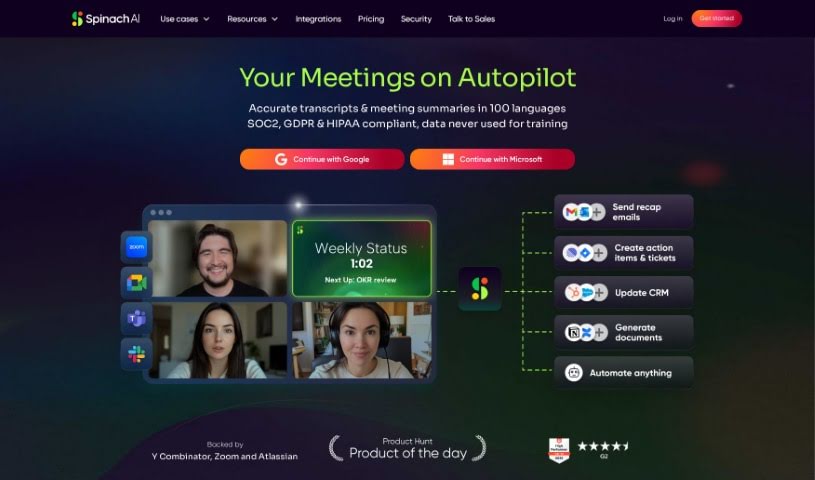
Spinach AI is your team’s dedicated AI meeting assistant, acting much like a scrum master for development teams. It actively joins your meetings, carefully summarizing important discussions and decisions. Plus, it suggests clear action items to keep everyone on track. Spinach AI plays nicely with tools you already use, like Slack and Jira, making it easy to share meeting notes and even create tickets directly from your conversations.
Spinach AI is actually called the world’s first AI Scrum Master, and it really does handle all those meeting tasks – taking notes, assigning tasks, and giving status updates. It’s multilingual and fits right into your current workflow. You can count on enterprise-grade security, with encryption, privacy controls, and no complicated setup needed. People love how Spinach can turn Zoom calls into actionable items and Jira tickets, which really speeds up development.
Basically, Spinach AI makes your agile meetings smoother. Whether it’s daily standups, weekly syncs, or user research sessions, Spinach captures all the notes. This means you can focus on the conversation, knowing Spinach is handling the note-taking. It makes sure no important action items slip through the cracks and connects with your product management tools so turning actions into tickets is a breeze.
Who created Spinach AI?
Spinach.io was developed by Idan Shperling, who is the CTO at Krayon Digital. Spinach.io is an AI meeting assistant specifically designed for agile development teams. It automates key tasks like note-taking, summarizing discussions, identifying action items, and integrates with popular tools such as Slack and Jira to improve workflow and boost productivity.
What is Spinach AI used for?
Here’s a look at what Spinach AI can do for you:
- It suggests action items to keep projects moving.
- It joins meetings, takes notes, and captures all the action items.
- It’s an AI meeting assistant perfect for agile meetings like daily standups, weekly syncs, user research, and more.
- It captures important decisions, action items, and any blockers that come up.
- It integrates with tools like Slack and Jira, so you can share meeting notes and create tickets easily.
- It summarizes the key discussions and decisions made during meetings.
- It suggests action items and helps streamline your team’s workflows.
- You can review and edit meeting notes before they’re shared.
- You have full control over what information gets shared.
- It manages AI project manager tasks, including note-taking, follow-ups, and keeping project boards updated.
- It saves you time on note-taking and follow-up tasks.
- It acts as an AI meeting assistant for dev teams, serving as a scrum master.
- It summarizes key discussions and decisions.
- It integrates with Slack, Jira, and other tools.
- It shares meeting notes.
- It creates tickets from meeting conversations right within your team’s tools.
- It’s designed for agile meetings like daily standups, weekly syncs, and user research.
- It helps capture decisions, action items, and blockers.
- It provides meeting recordings, transcripts, and AI-generated notes.
- It makes reviewing and editing meeting notes before sharing simple.
- You can take notes during agile meetings like daily standups and weekly syncs.
- It summarizes key discussions and decisions during meetings.
- It captures action items, decisions, and blockers.
- It integrates with existing tools like Slack, Jira, and other product management tools.
- It sends meeting summaries to Slack and creates tickets in Jira based on meeting information.
- It allows participants to stay focused on discussions by taking notes for them.
- It ensures important actions are never forgotten.
- You can review and edit meeting notes before sharing.
- You control how meeting notes are distributed.
- It saves time on note-taking, follow-ups, and updating boards.
- It functions as an AI Scrum Master.
- It can also act as an AI Program Manager.
- It serves as an AI Delivery Lead.
- It provides meeting recordings, transcripts, and AI notes.
- It captures decisions, action items, and blockers.
- It can turn any action item into a ticket.
- You can review and edit meeting notes.
- You control the distribution of information.
- It can share meeting notes with clients and prospects.
- It streamlines team workflows and speeds up development cycles.
- It summarizes key discussions and decisions in meetings.
- It suggests action items during meetings.
- It integrates with Slack, Jira, and other tools to share notes and create tickets.
- It’s designed for agile meetings like daily standups, weekly syncs, user research, and more.
- It captures notes, assigns tasks, and shares status updates during meetings.
- It works within your tools and supports multiple languages.
- It helps streamline team workflows and accelerate development cycles.
- It keeps track of action items and integrates with product management tools.
- It allows you to review and edit meeting notes before sharing.
- It enhances control over how information is distributed during meetings.
Who is Spinach AI for?
Spinach AI is a great fit for:
- AI Scrum Masters
- AI Program Managers
- AI Delivery Leads
- Product Managers
- Group PMs
- Operations Managers
- CTOs
How to use Spinach AI?
Using Spinach.io is straightforward. Just follow these simple steps:
- Invite
[[email protected]](/cdn-cgi/l/email-protection#b0c3d3c2c5ddf0c3c0d9ded1d3d89ed9df) to any calendar event. Spinach AI will then automatically join your meeting.
- You don’t need to sign up! After the meeting, you’ll get a summary delivered straight to your inbox.
- Spinach captures your meeting recordings, transcripts, and AI notes.
- For seamless collaboration, integrate Spinach with your existing tools like Slack and Jira.
- Spinach is particularly useful for agile meetings, including daily standups and user research sessions.
- Let Spinach handle the note-taking during meetings so you can fully engage in the discussions.
- Easily keep track of all your action items, decisions, and blockers with Spinach.
- Before sharing, you can review and edit the meeting notes, giving you complete control over the information.
- Enjoy the convenience of Spinach summarizing the key topics and action items from your meetings.
- If you need basic usage with up to 5 meeting hours per month, the Starter plan is perfect. For more advanced features like SAML Single Sign-On and custom data retention, check out the Enterprise plan.
By using Spinach.io, you can really streamline your meeting processes, boost collaboration, and effortlessly save time on follow-ups and note-taking.